DOSBox PSP Review
github.com · checked 7 Oct 2026
Free, open-source DOSBox software for running MS-DOS programs on PSP.
How it plugs in
Signal on MS-DOS Emulators6.1#16 of 26
DOSBox PSP brings DOSBox to the PlayStation Portable. It runs MS-DOS software, supports gamepads, audio CDs, cue/bin disc images, and Neo Geo CD. Settings live in dosbox.conf, with some changes made through batch files. Available memory and stability differ among PSP models, and the first build opens at a command prompt without a file manager.
Review
In a line
This project brings DOSBox 0.72 to PSP. It uses patches for the handheld to run MS-DOS software.
What it does
It runs MS-DOS games and other MS-DOS software on a PSP. Gamepad input, audio CDs, cue/bin disc images, and Neo Geo CD are supported.
How it connects
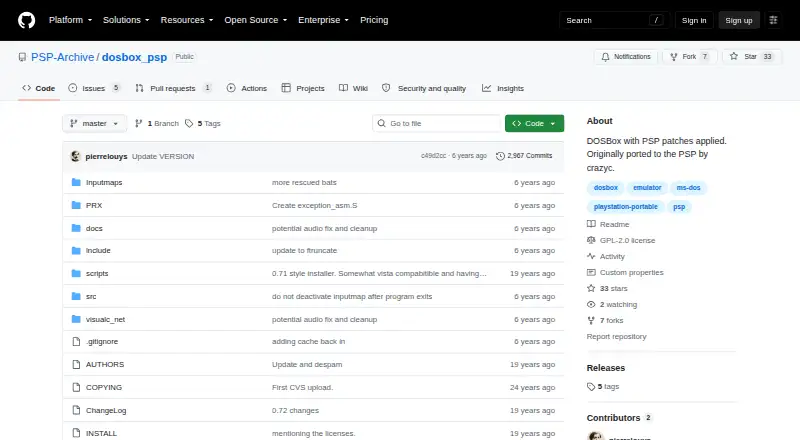
The project is open source under the GPL-2.0 license. Its source repository includes instructions for building and packaging a PSP executable with the PSP toolchain.
DOS settings reside in dosbox.conf. Batch files can handle some changes, but other options must be edited in that configuration file. The wiki includes material on configuration, input mapping, compatibility, batch files, IR keyboard support, and launchers.
Good fit
DOSBox PSP fits PSP owners who want MS-DOS software on the handheld. It supports PSP 1000 and later models, with restored support for PSP 2000, 3000, Go, and Slim models.
Restored dynamic-core support can make many games run faster. CPU cycle settings have the biggest effect on game performance, so users can tune them for individual titles.
Watch for
Available memory is tied to the PSP model. The PSP 1000 has about 12 MB, while later models may reach roughly 42–44 MB after changing memsize in dosbox.conf. Larger values can make the software unstable.
The dynamic core can trade stability for speed. Selecting suitable CPU cycles may involve trial and error, and one release note says the on-screen keyboard remained largely unusable.
The first pre-release opens at a command prompt and omits a file manager. Release notes suggest placing a third-party launcher such as LaunchBox for MS-DOS in the DOSBox folder and setting dosbox.conf to start it.
Pricing
DOSBox PSP costs nothing, has no paid plans, and offers no free trial. The pricing note identifies the project as open source.
Verdict
Choose DOSBox PSP if you already use a PSP and want an open-source way to run MS-DOS software, including disc-based titles. Be ready to edit configuration files and adjust CPU cycles for each game.
It is a weaker fit if you need a built-in file manager, a reliable on-screen keyboard, or predictable stability at higher memory and speed settings.
Our take
DOSBox PSP gives PSP owners a free way to run MS-DOS software. Its open-source code, model support, disc-image handling, and gamepad support cover the basics. The first build also opens at a command prompt, so a separate launcher may be needed. Choose it for PSP-based DOS use, not for a simple, self-contained interface.
- GPL-2.0 source is available at no cost
- Runs MS-DOS software on PSP hardware
- Handles gamepads, audio CDs, cue/bin images, and Neo Geo CD
- A dynamic CPU core can speed up many games
- Some later PSP models can set memsize to about 42 MB
- PSP 1000 memory is limited to roughly 12 MB
- Increasing memory can hurt stability
- Per-game CPU cycle tuning may take experimentation
- A release note described the on-screen keyboard as largely unusable
- The first build lacks a file manager and opens at a command prompt
- Pick it ifPSP owners running MS-DOS games; Users comfortable editing dosbox.conf
- Skip it ifYou need a built-in file manager or dependable on-screen keyboard; You want stable performance without manual tuning
Pricing
DOSBox PSP is free and open source. No paid plans or free trial are listed; Free is the only stated plan.
- DOSBox PSPPlayStation Portable port · DOSBox with PSP patchesFree
- FreeNo paid plans stated; PSP portFree
As github.com lists them, checked 7 Oct 2026.
Questions
What is DOSBox PSP?
It brings DOSBox 0.72 to the PlayStation Portable and includes patches for that system.
Which PSP models are supported?
The project lists PSP 1000, 2000, 3000, Go, and Slim models. Later models may set memsize to about 42 MB in dosbox.conf.
How do I change DOSBox PSP settings?
The configuration is kept in dosbox.conf. Batch files handle some options, while others require direct edits there.
Does it include a file manager?
The initial pre-release does not. It opens at a command prompt, and the project recommends adding a launcher such as LaunchBox for MS-DOS.
Does DOSBox PSP support save states?
No. Save states are not supported.
What does DOSBox PSP cost?
It is free and open source, with no paid plans and no free trial.
Can I build DOSBox PSP myself?
Yes. The repository build instructions require the PSP toolchain and document compiling and packaging a PSP executable.