Game Controller Mapper Software
DS5 Mapper: DualSense Keyboard and Mouse Mapping
github.com · checked 8 Oct 2026
Free DualSense-to-keyboard-and-mouse mapping with gyro aim for macOS and Windows.
How it plugs in
Signal on Game Controller Mapper Software6.4#6 of 27
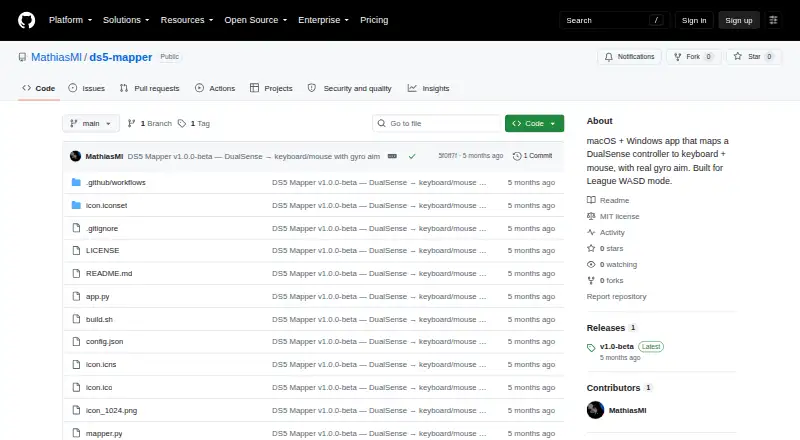
With DS5 Mapper, a PS5 DualSense can provide keyboard and mouse controls, including cursor movement from its gyro. The project was made for League of Legends' WASD mode and is described as compatible with games that read keyboard and mouse input. It is free, MIT-licensed software with beta downloads for macOS and Windows.
Review
In a line
DS5 Mapper translates DualSense buttons and gyro motion into keyboard and mouse events for desktop use. macOS and Windows are supported.
What it does
Each DualSense control can be assigned to a keyboard key, mouse button, macOS virtual keycode, or special key. Yaw and roll from the gyro steer the pointer, while cutoff and tiered smoothing adjust that behavior.
Calibration data is retained after the app closes, and calibration can be repeated inside the app. A stale-data watchdog and continuous signal-bias correction help limit cursor runaway and drift.
How it connects
Before opening the app, plug in the DualSense over USB or pair it through Bluetooth. SDL2 supplies controller and gyro readings, while pynput synthesizes keyboard and mouse events at the operating-system level.
The generated input is not inserted into a game process. The README calls this method Vanguard-compatible and says it should work with games that accept keyboard and mouse input. The code is released under the MIT license.
Good fit
DualSense owners can use the app to turn controller buttons or gyro aiming into keyboard-and-mouse controls, including the WASD control mode in League of Legends.
It may also suit other titles that consume ordinary keyboard and mouse input on either supported desktop system.
Watch for
The releases page currently marks the software as v1.0-beta. On macOS, its unsigned app requires a one-time Gatekeeper exception along with Accessibility and Input Monitoring access.
Windows SmartScreen can stop the app; the README directs users to select Run anyway. A source build needs Python 3.10+, Git, and Homebrew on macOS.
Pricing
There is no charge for DS5 Mapper; its MIT-licensed downloads for macOS and Windows are the listed offering, with no paid tier shown.
Verdict
DS5 Mapper is a match for DualSense owners who want ordinary keyboard and mouse output, including gyro-driven cursor movement. USB or Bluetooth pairing, persistent calibration, and drift controls address the main setup and input tasks described here.
Consider another mapper if you require a non-beta release, support for controllers beyond DualSense, or no unsigned-app prompts and system permission steps.
Our take
DS5 Mapper focuses on DualSense input for macOS and Windows, covering button assignments, mouse output, and gyro aiming without injecting events into a game process. It is best suited to games that already consume keyboard and mouse input, including League of Legends' WASD control mode. Users seeking wider controller support, a stable release, or fewer permission steps should look elsewhere.
- Free MIT-licensed project
- macOS and Windows support
- Every DualSense input can be mapped
- Gyro aiming with smoothing and saved calibration
- USB or Bluetooth pairing
- Current release is v1.0-beta
- Unsigned-app prompts and permissions are needed
- DualSense is the supported controller
- Source compilation needs Python, Git, and Homebrew on macOS
- Pick it ifDualSense users seeking keyboard and mouse output; The WASD mode in League of Legends; Games that accept ordinary keyboard and mouse input
- Skip it ifYou require controllers besides DualSense; You want a release without beta labeling; You cannot permit unsigned apps or override SmartScreen
Pricing
The listed offering is free MIT-licensed software with macOS and Windows downloads; no paid tier is shown.
- DS5 MapperMIT licensed · macOS and Windows downloadsFree
As github.com lists them, checked 8 Oct 2026.
Questions
What is DS5 Mapper?
It turns a PS5 DualSense into keyboard and mouse controls, including mouse movement from the gyro.
Which systems does it support?
The releases provide builds for macOS and Windows.
How does the DualSense connect?
Pair it over Bluetooth or attach it by USB before opening DS5 Mapper.
Can it work with any game?
The README says compatibility extends to games that read keyboard and mouse input.
Does it support gyro aim?
Yes. Gyro yaw and roll steer the cursor, with cutoff and tiered smoothing options.
Is DS5 Mapper free?
Yes. The project uses the MIT license and has no listed charge.
What permissions does macOS need?
The unsigned macOS app needs a one-time Gatekeeper bypass plus Accessibility and Input Monitoring permissions.
What is the current release?
The releases page identifies v1.0-beta and offers macOS and Windows downloads.
Near it
All alternatives →- AAntiMicroX#5 on this board
- J
 JoyXoff#7 on this board
- MPMonect PC Remote Play#4 on this board
- O
 OmniControl#8 on this board
- JJoyShockMapper#3 on this board
- SI
 Steam Input#9 on this board
- C
 ControllerBuddy#2 on this board
- UCUniversal Control Remapper#10 on this board
- GGameFlow#1 on this board
- LELEA Extended Input#11 on this board