Endstate Windows App and Settings Migration Review
substratesystems.io · checked 15 Oct 2026
Open-source Windows app and settings migration with offline profiles, selective restore, and optional encrypted cloud backup.
How it plugs in
Signal on PC Migration Software7.6#1 of 26
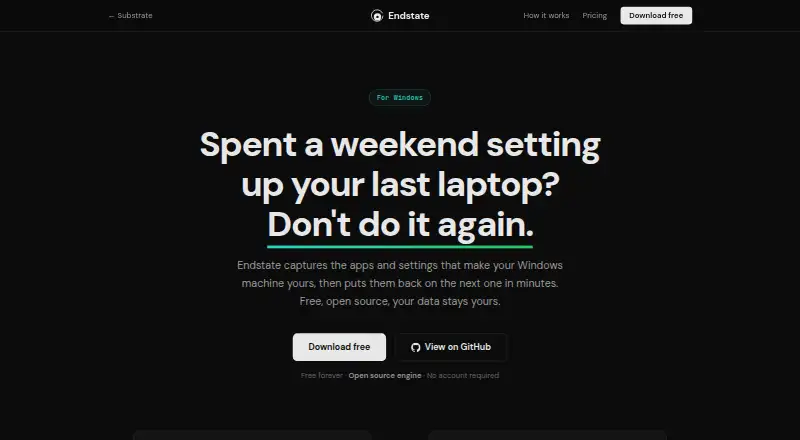
Endstate captures Windows applications and supported settings into portable profiles, then restores selected items on another Windows PC. Scanning and saving can run offline, while application reinstalls need internet access. It is open source, runs on Windows, macOS, and Linux, and offers a free local plan plus optional cloud storage.
Review
In a line
Endstate moves Windows applications and supported settings to another Windows computer. It saves a setup as a portable profile that you can restore on a fresh installation.
What it does
The app scans installed programs and settings, saves them, and rebuilds the setup on another PC. It detects EXE and MSI installations and Microsoft Store apps through WinGet.
You can preview differences, choose individual applications and supported settings, and restore settings one application at a time. Each settings restore creates a backup that can be reverted with one click.
Scanning and saving work offline. Reinstalling applications requires internet access to download their installers, and Windows permission prompts are shown rather than bypassed.
How it connects
Endstate reinstalls software through WinGet and Chocolatey. Portable profiles are plain files in your Documents folder, so you can copy, back up, or share them.
The provisioning engine and desktop GUI are open source under the Apache 2.0 license. A public command-line interface (CLI) provides structured JSON output for capabilities, apply, verify, and report commands.
The local workflow needs no server or account. Optional Endstate Cloud encrypts data on your computer before upload, but it is in early access and is not personal-file backup.
Good fit
Endstate suits people rebuilding Windows setups, including designers, editors, creators, gamers, freelancers, students, and system administrators.
It is useful when you want selective migration, a preview before changes, offline profile storage, or a repeatable setup file. Settings modules cover 359 Windows applications.
Watch for
Portable applications that are not registered in Windows are not detected. Settings coverage is not universal; one reported 114-application test captured settings for only 29 applications, leaving many programs with default preferences.
Restores remain supervised because installers may require permission prompts, license agreements, or other interactive steps. Endstate Cloud is not generally available yet, and its backup covers application lists and supported non-secret settings, not personal files.
Pricing
The Free plan costs free forever, needs no account, and includes the GUI and CLI, capture and restore, profiles, manifests, supported-app settings backup, and offline use.
Endstate Cloud costs €4 a month, billed monthly, with encrypted application lists and supported non-secret settings, protected versions, and restore on another Windows PC. The yearly cloud option costs €40 a year.
Support Endstate costs $10 one-time and adds no features. Endstate for Teams is price on request and is still design-partner research rather than a current team product. There is no free trial.
Verdict
Choose Endstate if you need to recreate Windows application setups and supported preferences without sending local data away. Its open-source code, portable profiles, selective restore, and no-account free plan suit careful personal migrations and repeatable administrative work.
Look elsewhere if you need personal-file backup, automatic unattended installs, broad coverage for unregistered portable apps, or a generally available cloud service. Check the supported settings list for the applications that matter to you before committing.
Our take
Endstate is a practical choice for moving a Windows setup rather than a complete computer backup. The free local workflow is useful for people who want portable profiles, offline capture, and control over each restore. Open-source code and a public CLI may also appeal to administrators who need repeatable processes. Its main trade-offs are partial settings coverage, manual installer prompts, and no detection of unregistered portable apps. Cloud storage is optional but still in early access, and it does not cover personal files. Review your required applications before relying on it.
- Free local plan with no account and offline capture
- Open-source engine and GUI under Apache 2.0
- Selective restore with previews and one-click settings rollback
- Portable profiles can be copied, backed up, or shared
- Optional encrypted cloud backup with client-side keys
- Unregistered portable applications are not detected
- Settings support varies by application
- Restores may need manual prompts and license steps
- Endstate Cloud is still early access
- Cloud backup excludes personal files
- Pick it ifMoving Windows applications and supported settings; Repeatable setups for administrators and creators; Users wanting local, offline profiles
- Skip it ifYou need personal-file backup or full user-profile migration; You require unattended installs; Your key apps are unregistered portable programs
Pricing
A free forever plan covers local capture and restore. Cloud storage is €4 a month or €40 a year; Support Endstate is $10 one-time. Team pricing is on request, and there is no free trial.
- FreeForever · No account · Full GUI and CLI · Capture, restore, profiles, manifests · Settings backup for supported apps · Offline useFree
- Endstate CloudBilled monthly · Cancel any time · Encrypted application lists and supported non-secret settings · Client-side keys · Protected versions · Restore on another Windows PC · Self-hosting protocol remains open€4/mo
- Support EndstateFrom $10 · Entirely optional · Optional supporter contribution · No features unlocked · Opt-in supporter listings$10 one-time
- Endstate Cloud (yearly)Annual subscription · Encrypted managed backup · Client-side keys€40/yr
- Endstate for TeamsResearch · No current team product or purchase · Design-partner research · Repeatable Windows setup and recovery for organisationsOn request
As substratesystems.io lists them, checked 15 Oct 2026.
Questions
Does Endstate migrate personal files?
No. Endstate handles applications and supported settings. Endstate Cloud explicitly does not provide personal-file backup.
Can Endstate work without internet?
Scanning and saving profiles work offline. Reinstalling applications needs internet access to download installers.
Which applications does it detect?
It detects EXE and MSI installations and Microsoft Store apps through WinGet. Unregistered portable applications are not detected.
Can I choose what gets restored?
Yes. You can preview differences and select individual applications and supported settings before restoring.
Is Endstate open source?
Yes. The engine and desktop GUI repositories use the Apache License 2.0. A public CLI also exposes structured JSON commands.
Is there a free trial?
No. There is a free forever local plan, plus paid cloud and supporter options.
Is Endstate Cloud available to everyone?
No. Endstate Cloud is in early access and is not generally available yet.
Near it
All alternatives →- SG
 Super Grate#2 on this board
- MMigrationMerlin#3 on this board
- FTForensiT Transwiz#4 on this board
- UUserFolderMigrator#5 on this board
- ETEaseUS Todo PCTrans#6 on this board
- PMPC Migration Pro#7 on this board
- PPickMeApp#8 on this board
- FUForensiT User Profile Wizard#9 on this board
- NNiloShift#10 on this board
- F
 FastMove#11 on this board