Enolsoft PDF Converter OCR
enolsoft.com · checked 11 Oct 2026
Desktop software that turns native or scanned PDFs into editable content, images, and freshly created PDFs.
How it plugs in
Signal on PDF Converter Software5.3#37 of 47
Enolsoft PDF Converter OCR runs as desktop software on macOS and Windows. It turns native and scanned PDFs into office documents, web files, text, and images. Its OCR engine handles scans in over 50 languages. Batch jobs, page selection, PDF joining, and PDF creation are supported. The store offers Annual, Lifetime, and Business options, though price figures are not readable.
Review
In a line
Enolsoft PDF Converter OCR lets desktop users turn native or scanned PDFs into editable documents, images, or newly made PDFs. Separate macOS and Windows editions are offered.
What it does
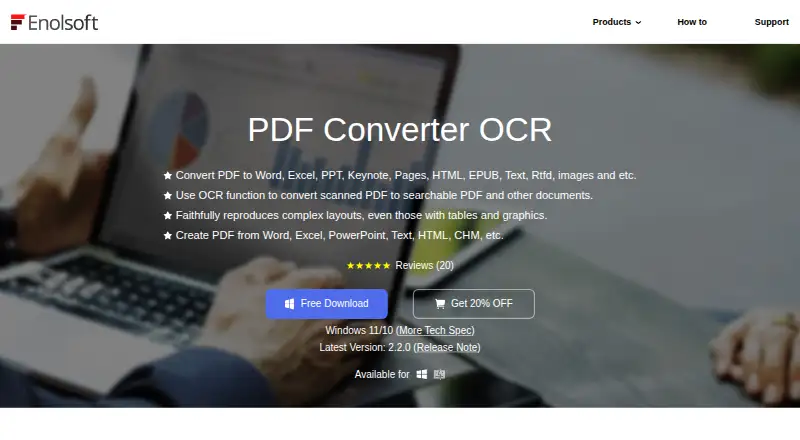
PDF exports cover Word, Excel, PowerPoint, Keynote, Pages, HTML, EPUB, text, RTFD, and image formats. Its OCR engine extracts text from scans in over 50 languages.
Multiple PDFs can be handled in one batch, with conversion available for whole files or chosen pages. The software also builds PDFs from over 10 file types and joins PDFs or differently formatted documents into one PDF.
According to the maker, output retains the source formatting, layout, fonts, margins, tables, charts, and image resolution. Encrypted PDFs are accepted, and restriction passwords can reportedly be removed automatically.
How it connects
Enolsoft supplies distinct macOS and Windows editions. Output choices listed by the product include PDF, DOC, DOCX, PPTX, XLSX, TXT, RTF, CSV, HTML, PNG, JPEG, TIFF, BMP, and JPG.
For Windows, the requirements are 64-bit Windows 10 or 11, a 1GHz-plus Intel or AMD processor, at least 512MB RAM, and 1GB of available installation space. The Mac release supports Intel and Apple Silicon systems from macOS 10.14 Mojave through macOS 26 Tahoe.
Good fit
This suits people who need a desktop way to make scanned PDFs editable, convert batches of files, or move PDF content into office, web, text, and image formats.
It also fits users who need to assemble mixed documents into one PDF. The Business Plan is marked for commercial use and comes with lifetime updates and support.
Watch for
The software is paid, and the store pages do not show readable prices. Check the device count and billing type before buying: licenses cover 1, 2, or 5 devices.
Windows users should confirm that their computer meets the listed hardware and operating-system requirements. Buyers needing more than five devices must contact sales.
The product page describes formatting preservation, but results can depend on the source file. Review important converted documents before relying on them.
Pricing
Three plans appear in the store, but their prices are not readable. The Annual Plan renews automatically and may be canceled at any time; it provides one year of updates and support.
The Lifetime Plan requires a one-time payment and includes lifetime updates and support. The Business Plan likewise uses one-time billing, allows commercial use, and includes lifetime updates and support.
All three plans offer licenses for 1, 2, or 5 devices. Purchase terms state a 30-day money-back guarantee, encrypted payment handling, and one-to-one expert support available 24 hours a day, seven days a week.
Verdict
Choose Enolsoft PDF Converter OCR if you want a Windows or Mac desktop tool that handles scanned PDFs, batch jobs, many export formats, and PDF assembly in one place.
It is less suitable if you need a clearly posted price before purchase, a license for more than five devices without contacting sales, or a browser-based service. The Annual, Lifetime, and Business choices make the billing period important to compare, while the Business option is the one identified for commercial work.
Our take
Enolsoft PDF Converter OCR suits desktop users who often turn native or scanned PDFs into editable files. OCR language coverage, batch handling, page selection, a broad export list, and PDF merging cover common document tasks. The main buying obstacles are unreadable prices and the five-device limit on listed licenses. Windows users also need a 64-bit system that meets the stated requirements. Pick the Annual plan for yearly coverage, or consider a Lifetime or Business plan when ongoing updates and support matter.
- OCR extracts text from scanned documents in more than 50 languages.
- Batch jobs are supported, with conversion for selected pages when needed.
- Exports cover office, web, text, and image file types.
- PDFs can be created and combined from varied source files.
- Dedicated macOS and Windows editions are available.
- The store does not display readable plan prices.
- Listed licenses cover only 1, 2, or 5 devices.
- Windows use requires 64-bit Windows 10 or 11.
- Pick it ifPeople turning scanned PDFs into editable documents; Users handling batch conversions or mixed-format PDF creation; Businesses needing commercial licensing
- Skip it ifYou need a posted price before purchase.; You need licenses for more than five devices without contacting sales.; You require a browser-based or mobile app.
Pricing
Readable prices are unavailable. Plans include Annual billing with auto-renewal, plus Lifetime and Business options billed once; Business is for commercial use. Licenses cover 1, 2, or 5 devices.
- Annual PlanAuto-renew, cancel anytime · 1, 2, or 5 devices; one-year free updates; one-year free supportOn request
- Business PlanOne-time Payment · 1, 2, or 5 devices; commercial use; lifetime free updates; lifetime free supportOn request
- Lifetime PlanOne-time Payment · 1, 2, or 5 devices; lifetime free updates; lifetime free supportOn request
As enolsoft.com lists them, checked 11 Oct 2026.
Questions
Which formats can Enolsoft PDF Converter OCR handle?
Native and scanned PDFs can be exported to Word, Excel, PowerPoint, Keynote, Pages, HTML, EPUB, text, RTFD, and image types such as DOCX, XLSX, PNG, JPEG, TIFF, BMP, and JPG.
Does it recognize text in scanned PDFs?
Yes. OCR extracts text from scanned PDFs in over 50 languages.
Can it convert multiple PDFs at once?
Yes. Batch conversion is supported, and you can process a complete file or selected pages.
Can it create or combine PDFs?
It builds PDFs from over 10 file types and can join PDFs or documents in different formats into one PDF.
Which computers can run it?
There are macOS and Windows versions. Mac support includes Intel and Apple Silicon from macOS 10.14 Mojave through macOS 26 Tahoe. Windows requires 64-bit Windows 10 or 11.
Are prices listed?
The store shows Annual, Lifetime, and Business plans, but the price fields are not readable. Licenses are offered for 1, 2, or 5 devices.
What support comes with a purchase?
Purchase terms include one-to-one expert support available 24 hours a day, seven days a week. Product or order questions go to [email protected]; sales and multi-user license questions go to [email protected].
Near it
All alternatives →- AP
 Ailtware PDF Converters#36 on this board
- JPJUST PDF 6#38 on this board
- OPOkdo PDF to All Converter Professional#35 on this board
- WAWide Angle PDF Converter#39 on this board
- PP
 PDFMate PDF Converter Pro#34 on this board
- VPVeryPDF PDF to Word OCR Converter#40 on this board
- LPLighten PDF Converter OCR#33 on this board
- JTJPG To PDF#41 on this board
- CP
 Coolmuster PDF Converter Pro#32 on this board
- APAdobe PDF Services API#42 on this board