Figr: AI Product Design and Figma-Ready UX Work
figr.design · checked 15 Oct 2026
AI product-design software that turns product context into UX work and Figma-ready designs.
How it plugs in
Signal on User Flow Software6.3#5 of 20
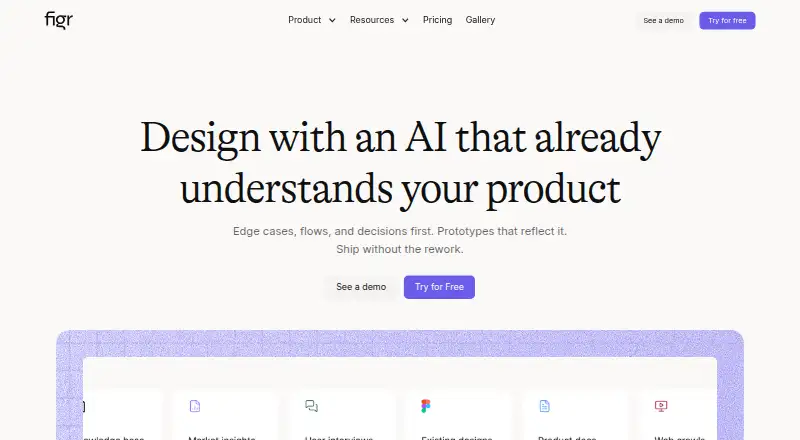
Figr is an AI product-design agent for turning screens, documents, analytics and design systems into UX reviews, flows, edge cases, prototypes and editable designs. It runs on the web, as a Chrome extension, through an API and in self-hosted deployments. A free plan is available, with paid plans adding credits, seats, storage and collaboration controls.
Review
In a line
Figr is product-aware AI software for product design. It uses your product context to create UX work and high-fidelity designs that can be sent to Figma.
What it does
You provide screens, recordings, documents, links, research, analytics, product walkthroughs or design systems. Figr asks clarifying questions, reasons through the user experience and keeps the work on an infinite canvas.
It can map flows and states, find edge cases, review UX, check accessibility, compare patterns and produce handoff material. Outputs include product requirements documents, prototypes and Figma-ready screens.
The Chrome extension captures live web apps and reads their HTML structure, components, layout and styling patterns. Figr also supports interactive prototypes, real-time collaboration and version history.
How it connects
Figr imports Figma files, frames, components and design systems as context, then creates editable screens. Exports can retain auto-layout, tokens and components when sent to Figma. Other export formats include PNG, JPG, JSON, HTML and React/TSX.
Documented connectors include Mixpanel, Notion, Linear, Slack, Mobbin, Miro and Google Workspace. Default MCP connections include Linear, Confluence, Notion, Granola and Miro; custom MCPs are available on eligible plans.
Figr provides an HTTP MCP endpoint for compatible clients, including Claude Code, Codex, Cursor, VS Code, Android Studio, Replit, Kiro and Warp. It can expose artifact code, design decisions, project structure, files and implementation context to an IDE.
It is available as a web app, Chrome extension, API and self-hosted or on-premise deployment. No public source repository, open-source license or SDK documentation is specified.
Good fit
Figr suits product and UX teams that want one workspace for product context, reviews, flows, requirements, prototypes and designs. It is also useful when Figma editing and design-system context matter.
Teams that need live web-app references can use the Chrome capture tool. Developers can receive implementation context through MCP and download front-end code.
Watch for
The Free plan is limited to 10 monthly credits, three canvases, one Context Pod and 200MB in that pod. Check credit, seat and storage limits before choosing a plan.
Some enterprise controls and custom connections require higher plans.
Figr states that it protects data with encryption, access controls and compliance reviews. Buyers with strict requirements should confirm which security, identity and deployment controls their plan includes.
Pricing
Figr has a free plan. Its pricing note says paid access starts at $32/mo (annual).
The Free plan is billed always and includes 10 credits refreshed monthly, three canvases, one Context Pod up to 200MB, a limited design system and Figma export.
Starter costs $39 a month on monthly billing. It includes 200 credits per month, unlimited canvases, one full-access seat, three Context Pods with 1GB each, view-only guests, three full design systems and custom MCPs.
Max costs $149 a month on monthly billing. It adds 1,000 shared credits, up to three full-access seats, unlimited team Context Pods with 3GB each, shared design systems, real-time collaboration, comments, exports and no Figr branding. Enterprise pricing is by request, with unlimited full-access seats, per-seat credits, SSO, audit logs, role controls, unlimited Context Pod storage and custom setup options.
Verdict
Choose Figr if your design process starts with existing product material and ends in Figma, prototypes or developer handoff. Its broad input support, UX analysis steps and editable exports keep related work together.
The free tier is suitable for small trials, but its credits and storage are tight. Larger teams should compare seat, credit, Context Pod and security needs across Starter, Max and Enterprise. If you require public open-source code or a stated SDK, Figr does not provide those details.
Our take
Figr is a fit for teams that want AI-assisted UX work grounded in real product material rather than a blank prompt. It combines context gathering, UX checks, flow mapping, prototypes and Figma output in one workspace, with browser capture and developer-facing MCP connections. The free tier can support a limited trial, while paid plans scale credits, seats, storage and collaboration. Review the plan limits and enterprise requirements carefully. Figr is less suitable when public source code, a published SDK or unrestricted free usage is essential.
- Uses screens, documents, analytics and design systems as context
- Creates flows, UX reviews, edge cases, PRDs and prototypes
- Exports editable Figma screens and several code or image formats
- Chrome extension captures live web-app structure and patterns
- Offers MCP connections for design and development tools
- Free plan has 10 monthly credits and three canvases
- Free Context Pod is limited to 200MB
- Custom MCPs and enterprise controls depend on plan
- Some reviewers cited interface refinement and missing auto-layout
- Pick it ifProduct teams moving from research and screens to Figma designs; UX work that needs flows, edge cases and prototypes together; Teams using MCP-connected design or development tools
- Skip it ifYou need a public open-source repository or documented SDK; You need more free credits, canvases or storage than the Free plan allows; You require enterprise deployment or identity controls without a custom plan
Pricing
A free plan is available. Enterprise pricing is on request.
- Freealways · 10 credits refresh monthly · 3 canvases · 1 Context Pod · 200MB per Pod · limited Design System · Figma exportFree
- Startermonthly billing · 200 credits/month · unlimited canvases · 1 full-access seat · 3 Context Pods · 1GB per Pod · unlimited view-only guests · 3 full design systems · custom MCPs$39/mo
- Maxmonthly billing · 1,000 shared credits/month · up to 3 full-access seats · unlimited team Context Pods · 3GB per Pod · unlimited shared Design System · real-time collaboration · comments · export · removes Figr branding$149/mo
- Enterprisecustom · unlimited full-access seats · per-seat credits · SSO · audit logs · RBAC · unlimited Context Pod storage · custom MCPs and integrations · custom design-system setupOn request
As figr.design lists them, checked 15 Oct 2026.
Questions
Does Figr have a free plan?
Yes. Free includes 10 credits refreshed monthly, three canvases, one 200MB Context Pod, a limited design system and Figma export.
Can Figr work with Figma?
Yes. It imports Figma files, frames, components and design systems, then generates editable Figma-ready screens. Exports can preserve auto-layout, tokens and components.
What can Figr use as product context?
It accepts screens, recordings, documents, links, research, analytics, product walkthroughs and design systems. Its Chrome extension captures live web apps.
Does Figr offer integrations?
Documented connections include Mixpanel, Notion, Linear, Slack, Mobbin, Miro and Google Workspace. MCP support also covers tools such as Confluence and Granola.
Is there an API or developer connection?
Figr provides an HTTP MCP endpoint for compatible clients. It can expose artifact code, design decisions, project structure, files and implementation context to an IDE.
Where can Figr run?
Figr is available on the web, as a Chrome extension, through an API and in self-hosted or on-premise enterprise deployments.
What does Figr cost?
The pricing note lists paid access from $32/mo billed annually. Starter is $39 a month, Max is $149 a month, and Enterprise pricing is by request.
Does Figr publish open-source code?
No public source repository, open-source license or SDK documentation is specified.