FileOptimizer: Free Windows File Recompression Tool
nikkhokkho.sourceforge.io · checked 11 Oct 2026
Free Windows tool that recompresses files to reduce size while keeping their format and behavior.
How it plugs in
Signal on File Compression Software6.3#4 of 36
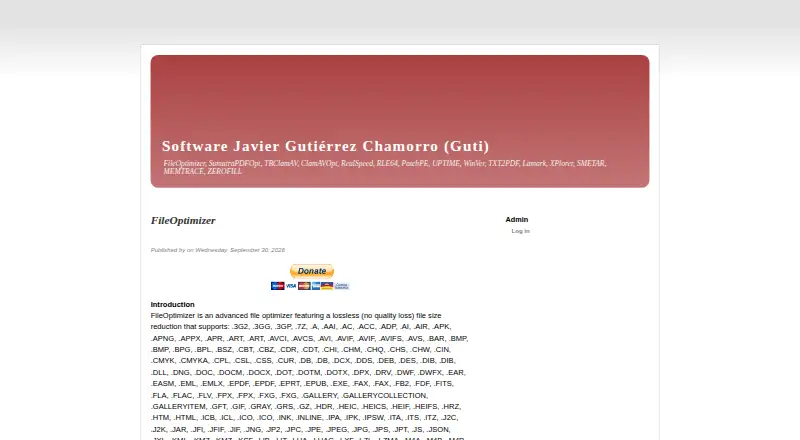
FileOptimizer is a no-cost Windows application for making already-compressed files smaller. It handles batches, strips surplus metadata by default, and places the originals in the recycle bin. More than 600 extensions are supported, alongside command-line operation and over 90 integrated third-party tools. Lossless optimization is standard, while certain image formats offer lossy options.
Review
In a line
FileOptimizer is a free Windows utility that reduces the size of existing files while retaining their format and usual behavior.
What it does
Files can be added in the application or supplied through its command-line interface, including in batches. Optimization replaces each source with its processed version.
According to the maker, content analysis identifies file types even when extensions are incorrect, and the program handles over 600 extensions. Examples include PNG, JPEG, PDF, and WEBP.
How it connects
More than 90 third-party utilities are bundled as FileOptimizer plugins. Command-line use supports automated runs with files or directories as inputs.
Windows packages are available as installer or portable-capable 7z SFX builds for x86 and x64, with a source archive released under the GNU Affero General Public License. The maker also reports operation in some Linux and macOS environments via Wine or a Windows virtual machine.
For related choices, see File Compression Software and Image Compression Software.
Good fit
It suits people who need to reduce many files at once on Windows, including personal and commercial users. Command-line processing also fits repeatable or scheduled workflows.
A broad selection of image and document formats is covered, and metadata controls can strip information that is not needed.
Watch for
Optimization replaces the working files. Copies of the originals go to the recycle bin by default, so verify that this recovery setup suits your process before a large batch.
The default mode is lossless, with optional lossy processing documented for PNG, JPEG, and GIF. PDF optimization may downsample images and reduce quality; a profile setting controls that behavior.
Suggestions and bug reports are directed to SourceForge discussions, while support or answers outside the community are not guaranteed. Download from the official page because torrent or warez repackages may contain malware.
Pricing
Personal and commercial use is free, and the complete version has no feature restrictions. The product has no separate trial edition.
Verdict
Choose FileOptimizer if you use Windows and want broad format coverage, batch processing, and command-line automation without a purchase. Its recycle-bin backup helps when optimization replaces originals.
Look elsewhere if you need a native Linux or macOS application, guaranteed vendor support, or strict control over PDF image quality. People handling sensitive files should also review the metadata-removal defaults and the overwrite workflow before processing.
Our take
FileOptimizer suits Windows users seeking a free way to shrink collections of existing files. Its extensive extension coverage, batch handling, and command-line operation support both occasional cleanup and repeat jobs. Key operational considerations are file replacement, metadata removal, and possible PDF quality reduction when downsampling is enabled. Other systems require Wine or a virtual machine rather than a native application. Support guidance is provided through the SourceForge community.
- Free for personal and commercial use with no feature limits
- Batch processing and command-line automation
- Supports more than 600 file extensions
- Originals are kept in the recycle bin by default
- Metadata removal controls are included
- Native program is for Windows
- Optimization overwrites working files
- PDF downsampling can reduce image quality
- Support guidance is centered on SourceForge discussions
- Optional lossy modes can change image quality
- Pick it ifWindows users compressing many existing files; Personal or commercial batch cleanup; Command-line file optimization workflows
- Skip it ifYou need a native Linux or macOS application; You require guaranteed vendor support; You cannot accept files being overwritten
Pricing
The FileOptimizer plan is free for personal and commercial use, with the full feature set and no separate trial period.
- FileOptimizerFree for personal and commercial use · full version without limitationsFree
As nikkhokkho.sourceforge.io lists them, checked 11 Oct 2026.
Questions
Is FileOptimizer available at no cost?
Yes. Personal and commercial use is free, and the complete version has no feature limits.
Which systems can run FileOptimizer?
The listed requirements cover Windows XP through Windows 11 and Server 2022. The maker also reports use in some Linux and macOS environments through Wine or a Windows virtual machine.
Can FileOptimizer handle folders in batches?
Yes. Add files in the interface, or provide files and directories through the command line for batch processing.
How are source files handled?
Optimization replaces the working files, while the originals are placed in the recycle bin by default.
Does FileOptimizer strip metadata?
By default, it removes additional metadata and other information considered unnecessary. Metadata controls are available.
Can PDF processing affect image quality?
Yes. PDF optimization can downsample images and reduce quality; a profile setting controls this behavior.
Is optimization lossless by default?
Yes. Lossless processing is the default, with optional lossy settings documented for PNG, JPEG, and GIF.
Where are support information and downloads provided?
The maker directs suggestions and bug reports to SourceForge discussions. Downloads should come from the official page because repackaged copies may contain malware.