
Formable Review: Contract Drafting, Signing, and Tracking
formabledocs.com · checked 15 Oct 2026
Contract drafting, review, redlining, signing, and tracking in one workspace.
How it plugs in
Signal on Redlining Software6.6#1 of 16
Formable is a browser-based contract workspace for drafting, reviewing, redlining, signing, and tracking agreements. It offers guided template drafting, playbook-based AI review, tracked DOCX changes, electronic signatures, dashboards, and APIs for embedded signing and negotiation. Apps run on web, iOS, and Android, with integrations for Salesforce, Slack, and Google Workspace.
Review
In a line
Formable brings contract creation, review, negotiation, electronic signing, and progress tracking into one service.
It runs in a browser and also has iOS and Android access.
What it does
A guided contract creator turns answers into drafts from templates such as NDAs, master service agreements, statements of work, and data-processing agreements. Formable lists free templates across 10 categories, although its product information gives both 25 and 47 as the total, so check the current count.
Its AI review compares a contract with a team playbook and points out risky clauses, missing terms, and changes from the playbook next to the relevant text. Teams can set preferred positions, fallback wording, and red lines for automatic checks.
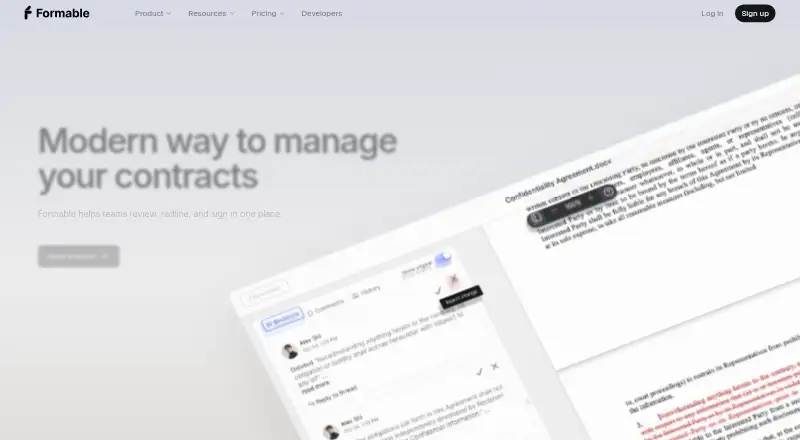
The browser editor supports DOCX tracked changes, comments, @mentions, and turn-based negotiation. Shared drafts show live presence for real-time editing. Signature requests can use parallel or sequential routing, and a dashboard filters templates, revisions, and signing progress.
How it connects
Formable says it integrates with Salesforce, Slack, and Google Workspace. Custom integrations are available on request. It exports documents as DOCX and PDF and supports custom clauses.
Its REST APIs support embedded signing and two-party DOCX redlining, with webhooks for events such as document viewed, signed, and completed. Official SDKs are listed for Node.js, Python, PHP, Java, Go, Ruby, and .NET. The documentation includes an OpenAPI 3.0 specification, reference material, a playground, and quickstart guidance.
Recipients can sign from a secure link without a Formable account, including on a phone without installing an app. Formable says there is no Word plugin or desktop application. Its public Go SDK repository is MIT licensed.
Good fit
Formable suits teams that want drafting, review, negotiation, signing, and tracking together rather than in separate tools.
It is useful for organizations with repeatable contract rules, since playbooks can define positions, fallbacks, and red lines. Developers can embed signing or DOCX negotiation into another product through the APIs and SDKs.
Its security information says documents are encrypted in transit and at rest, stored privately, and protected with scoped authentication and expiring links. Completed audit trails use SHA-256 hash chains, immutable storage, and certificate PDFs with event, time, and IP details.
Watch for
The Basic plan allows three signed contracts per month, three templates, basic fields, and limited file storage. Confirm that those limits fit your volume before choosing the free plan.
Formable works through a browser and does not provide a Word plugin or desktop app. SOC 2 Type II, HIPAA, and GDPR compliance are described as in progress for the redlining API.
There is no free trial. The listed template count is inconsistent, with separate product information citing 25 and 47 free templates.
Pricing
Formable has a free tier and paid options starting at $29.99 a month. The Basic plan is free forever and includes three signed contracts per month, three templates, basic fields, and limited file storage.
The Developer plan is free with up to 50 signatures a month, API access, webhooks, and email support. Growth costs $0.35 per signature, supports up to 10,000 signatures a month, and adds priority support and white-label options.
Enterprise pricing is on request and includes custom integrations, branding, teams, API access, and dedicated 24/7 support. Pro has no listed price, is shown with an annual billing option, and includes unlimited templates, the redlining suite, higher-reasoning AI models, advanced fields, and 50 GB of storage.
Verdict
Choose Formable if your team needs one place to move agreements from a template through negotiation, signature, and status tracking. Its browser access, account-free recipient signing, and phone signing reduce setup for outside parties.
The free Basic and Developer plans give small teams a way to start, while the APIs, webhooks, and SDKs support embedded workflows. Check signature, template, storage, and support limits carefully, and verify compliance requirements because several listed standards are still in progress for the redlining API.
Skip it if your process requires a desktop Word add-in, a free trial, or plan limits that are not clearly documented.
Our take
Formable is a practical fit for teams that want contract work handled in one browser workspace, from guided drafting to tracked negotiation and electronic signing. Its free plans may suit light use, and developers can build embedded signing or redlining with REST APIs, webhooks, and SDKs. Before committing, confirm the plan limits, the current template total, and whether your compliance needs are met. The service has no free trial, no desktop app or Word plugin, and its SOC 2 Type II, HIPAA, and GDPR work is listed as in progress for the redlining API.
- Draft, review, redline, sign, and track contracts in one workspace
- Recipients can sign without an account or mobile app
- REST APIs, webhooks, and SDKs support embedded workflows
- Integrates with Salesforce, Slack, and Google Workspace
- Exports documents as DOCX and PDF
- Basic limits usage to three signed contracts and three templates monthly
- No Word plugin or desktop app
- No free trial
- Some compliance work is still in progress
- Pick it ifTeams managing repeatable contract workflows; Products embedding signing or DOCX negotiation; Organizations needing browser and mobile signing
- Skip it ifYou require a desktop application or Word plugin; You need a free trial before choosing; Your volume exceeds the free plan limits
Pricing
Formable offers free Basic and Developer plans. Paid options include Growth at $0.35 per signature, Enterprise at price on request, and Pro with no listed price.
- Basicfree forever · 3 signed contracts/month · 3 templates · basic fields · limited file storageFree
- DeveloperFree · Up to 50 signatures/month · API access · Webhooks · Email supportFree
- Growth$0.35/ signature · Up to 10,000 signatures/month · Everything in Starter · Priority support · White-label options$0.35 one-time
- Enterprisecustom · custom integrations · custom branding · teams · API access · dedicated 24/7 supportOn request
- ProPay annually option shown · unlimited templates · redlining suite · high reasoning AI models · advanced fields · 50 GB storageOn request
As formabledocs.com lists them, checked 15 Oct 2026.
Questions
Can recipients sign without a Formable account?
Yes. Formable sends a secure signing link, and recipients can sign without creating an account. Phone signing does not require an app.
Which services does Formable integrate with?
The homepage lists Salesforce, Slack, and Google Workspace. Custom integrations are available on request.
Does Formable have an API?
Yes. REST APIs support embedded signing and DOCX redlining. Webhooks report events such as viewed, signed, and completed documents.
What are the free plan limits?
Basic is free forever with three signed contracts per month, three templates, basic fields, and limited file storage. Developer is free with up to 50 signatures monthly plus API access and webhooks.
Does Formable offer a free trial?
No. The pricing facts list a free plan but no free trial.
What file formats can Formable export?
Formable exports documents as DOCX and PDF.
Does Formable have a desktop app or Word plugin?
No. Formable says it works in any browser and does not require, or provide, a Word plugin or desktop app.
How much does Formable cost?
Paid pricing is noted from $29.99 a month. Growth is $0.35 per signature, Enterprise is price on request, and Pro has no listed price.