fotobuch Photo Book Layout Software
github.com · checked 11 Oct 2026
Free, open-source desktop software that turns many photos into print-ready photobook PDFs.
How it plugs in
Signal on Photo Book Software6.3#11 of 32
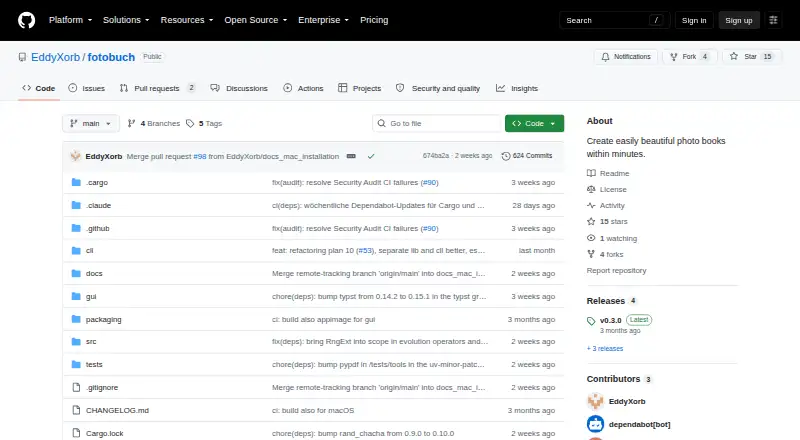
fotobuch is free, open-source desktop software for Linux, macOS, and Windows. It arranges many photos into print-ready photobooks without cropping or stretching them. You can work in a graphical app or automate books with its command-line interface. It exports a self-contained 300-DPI PDF, but does not place print orders.
Review
In a line
fotobuch creates print-ready photobook layouts from image files. It is a desktop app for Linux, macOS, and Windows, with both a graphical interface and a command-line tool.
What it does
The layout is aimed at books with many images on each page. It keeps every photo's aspect ratio, so images are not cropped or distorted, and it preserves reading order from the top-left to the bottom-right.
You can change photo weights, move pages, and keep pictures grouped by event or folder. Important photos can receive more space. Optional titles and an appendix can use metadata from EXIF data.
The app reads source photos to make cached copies and leaves the originals unchanged. It exports a self-contained PDF at 300 DPI for professional printing.
How it connects
A project uses a YAML file and a Typst template. fotobuch generates Typst source and uses the Typst compiler to render the final PDF.
You can preview layout changes with VS Code and the Typst Preview extension. The maker names Saal Digital as an example print service, but fotobuch does not order books.
Project changes are tracked in a Git repository inside the project folder, with history viewing and undo support.
Good fit
fotobuch suits people who need to arrange thousands of photos or many images per page, including hobbyists and professional-print workflows.
The graphical app fits regular users. Its scriptable command-line interface is aimed at power users who want repeatable or automated book creation.
Its design keeps photos grouped, preserves aspect ratios, and follows one opinionated approach for many-image photobooks.
Watch for
fotobuch supports one stated design philosophy rather than a broad set of layout styles. Check that this approach fits the book you want.
There is no web app and no print-ordering feature. You must produce the PDF and use a printing service separately.
The project is licensed under GNU Affero General Public License v3.0. Contact the maker about a commercial license if you plan to include it in a paid product or service.
Pricing
fotobuch is free and open source. There is no free trial because the software is available at no cost, and the facts list no paid plans.
If you plan to integrate fotobuch into a paid service or product, contact the maker to discuss a commercial license.
Verdict
Choose fotobuch if you want a no-cost desktop tool for photo-heavy books, need a 300-DPI PDF, or value automation through a command-line workflow.
It is less suitable when you need multiple design styles, an online editor, or direct print ordering. Before adopting it commercially, review the GNU Affero license and ask about commercial licensing. For other options, browse photo book software.
Our take
fotobuch is a sensible pick for photo-heavy books when control over the final PDF matters more than templates or online convenience. Its free, open-source model removes subscription cost, while Git history and a command-line mode support repeatable projects. The trade-off is a single design approach and a separate printing step. People building a paid service should resolve licensing with the maker before integrating it. Users who want web editing or built-in ordering should look elsewhere.
- Free and open source
- Runs on Linux, macOS, and Windows
- Exports a self-contained 300-DPI PDF
- Keeps photo aspect ratios without cropping or distortion
- Supports graphical and command-line workflows
- Uses one opinionated design philosophy
- No web app
- Does not place print orders
- Commercial licensing may need a separate discussion
- Pick it ifMany-photo books for professional printing; Users who want scriptable book creation; Photo projects needing Git history
- Skip it ifYou need online editing or direct print ordering; You want several built-in design approaches; You plan commercial integration without licensing discussions
Pricing
The software itself is free and open source, with no trial or paid plan listed. If you plan to integrate fotobuch into a paid service or product, contact the maker to discuss a commercial license.
Questions
What platforms does fotobuch support?
It runs as a desktop app on Linux, macOS, and Windows.
Can fotobuch automate book creation?
Yes. Alongside its graphical app, it includes a scriptable command-line interface for automated book creation.
Does it crop photos?
No. The layout engine keeps each photo's aspect ratio and does not crop or distort images.
What file does fotobuch export?
It exports a self-contained PDF prepared at 300 DPI for professional printing.
Can I order a printed book from fotobuch?
No. It creates the PDF but does not place print orders. Saal Digital is named as an example print service.
Are original photo files changed?
No. fotobuch reads source photos to create cached copies and leaves the originals unchanged.
What license does fotobuch use?
It uses the GNU Affero General Public License v3.0. Contact the maker to discuss commercial licensing for paid products or services.