
Framer: Website Builder Features and Pricing
framer.com · checked 28 Sept 2026
Framer provides visual tools for teams to design, publish, and manage websites without coding.
How it plugs in
Signal on Portfolio Website Builders7.5#1 of 81
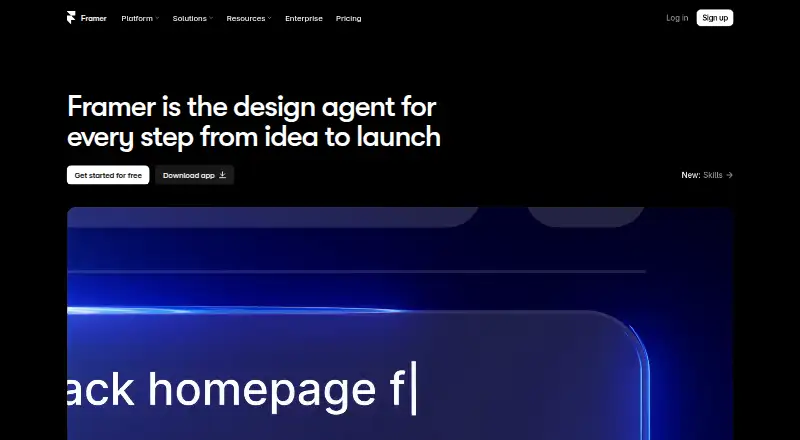
Framer combines visual page design with responsive layouts, CMS content, SEO tools, analytics, and managed hosting. Its AI agent can make editable pages and other project content. Teams can collaborate live and use integrations and plugins; the free plan publishes to a Framer domain, while paid plans allow a custom domain. Framer does not offer site-code export.
Review
In a line
Framer is a website builder for teams that favors visual design over writing code. It brings visual design, site publishing, and content management into one service.
What it does
Teams can design responsive pages, manage CMS content, and publish with managed hosting. The service also includes SEO tools, analytics, video hosting, and tools for selling.
Framer’s AI agent builds editable pages, sections, copy, and visuals within a project. Teams can work together in real time, make branches, and review staged versions and previews.
How it connects
Framer’s guides explain connections for Meta Pixel, Typeform, webhooks, Google Analytics, and Google Tag Manager. Third-party plugins add options for content, assets, integrations, and automation.
Framer allows custom components, integrations, and extensions built with code. Its components can also be reused in React projects outside Framer. You cannot export a site’s code.
Good fit
Framer suits teams that want visual control over a website and need shared editing, content management, or staging before publishing. It can also suit people building portfolio sites, with analytics and selling tools available.
Watch for
You need an internet connection and a recent Chrome, Safari, Firefox, or Edge browser to use the Canvas. Desktop apps are available for macOS and Windows. Published sites work on major desktop and mobile operating systems, subject to browser support.
Using a custom domain means choosing a paid plan. Unsubscribed workspaces allow no more than three editors, and site code cannot be exported.
Pricing
The Free plan costs nothing and includes 500 AI credits to try, a Framer domain, 1 GB of bandwidth, 10 CMS collections, and limits on pages and uploads. A custom domain is not included.
Basic costs $10 a month when billed monthly. Pro costs $30 a month when billed monthly. Each plan includes a custom domain; Pro also provides staging and branching with previews. Enterprise pricing is available on request.
Verdict
Choose Framer if your team wants to design and publish a site in one service, especially if shared editing, CMS content, or visual iteration matters. The free plan lets you start with a Framer domain, but using your own domain means paying. Check the editor limit if you plan to stay free, and choose another approach if exporting the finished site’s code is essential.
Our take
Framer is a sensible option for teams that want visual website design, managed hosting, and shared work on pages and content. Its free plan offers a way to start, while paid plans add a custom domain and higher service limits. Before choosing it, consider whether the editor cap on unsubscribed workspaces fits your team. The main constraint is that site code cannot be exported, so it is a poor fit when taking the code elsewhere is a requirement.
- Visual design, responsive layouts, CMS, SEO tools, and managed hosting in one service.
- The AI agent can generate editable project pages, sections, copy, and visuals.
- Live collaboration, branches, staging, and previews facilitate team workflows.
- Integration guides address Google Analytics, Typeform, Meta Pixel, and webhooks.
- Framer does not provide site-code export.
- A custom domain is available only with a paid plan.
- Unsubscribed workspaces support at most three editors.
- The Canvas requires an internet connection and a recent supported browser.
- Pick it ifTeams designing and publishing sites together; Portfolio sites that need analytics or selling tools; Teams that want CMS content and visual page control
- Skip it ifYou need to export the finished site's code.; You need a custom domain but do not want a paid plan.; More than three editors need to collaborate without a subscription.
Pricing
Free is available for starting on a Framer domain. Basic is $10 a month billed monthly, and Pro is $30 a month billed monthly; each includes a custom domain. Enterprise pricing is on request. The listed annual-billing starting price is $10 a month.
- Free500 AI credits to try · Free Framer domain · 1 GB bandwidth · Design pages · 10 CMS collections · 1,000 pages · 5 MB file uploads · 1 free localeFree
- Basicper month · Free custom domain · 2 CMS collections · 50 GB bandwidth · Built-in SEO · Localization add-on$10/mo
- Proper month · Free custom domain · 10 CMS collections · 100 GB bandwidth · Site redirects · Staging environment · Branching with previews$30/mo
- EnterpriseCustom limits · Unlimited editors · Enterprise-grade security · Uptime guarantee · SCIM · SSO · Dedicated supportOn request
As framer.com lists them, checked 28 Sept 2026.
Questions
Is Framer free?
Yes. Its Free plan includes a Framer domain, 1 GB bandwidth, and 10 CMS collections. A custom domain requires a paid plan.
How much do Framer's paid plans cost?
Basic is $10 a month and Pro is $30 a month, both billed monthly. Enterprise pricing is available on request.
Can I use my own domain on the free plan?
No. A custom domain requires a paid plan.
Can I export a Framer site's code?
No. Site code cannot be exported, but Framer components can be reused in a React environment.
What integrations does Framer cover?
Its guides address Meta Pixel, Typeform, webhooks, Clay, Loom, Trustpilot, Google Analytics, and Google Tag Manager.
How many editors can use a free workspace?
A workspace without a subscription supports up to three editors.