FUJIFILM X RAW STUDIO Review
fujifilm-x.com · checked 15 Oct 2026
Develop RAW images on your computer while a connected FUJIFILM camera performs the processing.
How it plugs in
Signal on RAW Photo Processing Software6.4#6 of 24
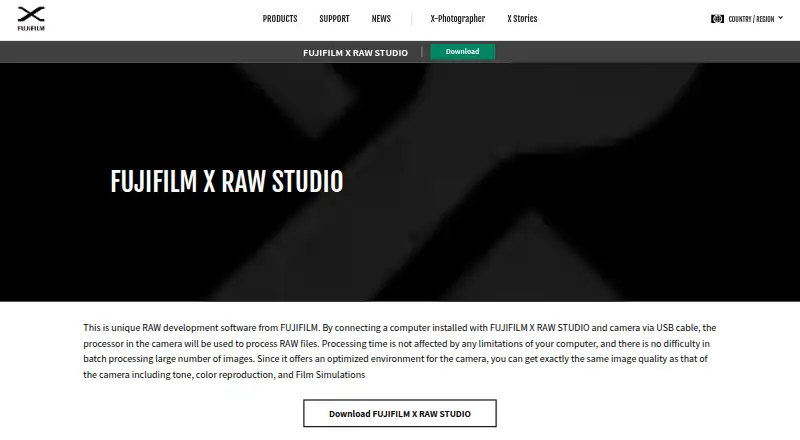
FUJIFILM X RAW STUDIO converts RAW files on Windows and macOS through a FUJIFILM camera attached over USB. The camera handles the rendering so its tonality, colors, noise reduction and Film Simulations remain represented. The app offers standard RAW adjustments, live previews, reusable profiles and JPEG or TIFF output. Downloading it is free, although a compatible camera is needed.
Review
In a line
This desktop application develops RAW files captured by FUJIFILM cameras. Processing is handed to the image engine inside the connected camera rather than the computer’s CPU.
What it does
The app develops RAW files already stored on your computer. Available adjustments include exposure compensation, dynamic range, Film Simulation, grain, white balance, highlight and shadow tone, color, sharpness, noise reduction, lens modulation optimization, color space and rotation.
A live view reflects parameter changes, and you can switch between single-image and before-and-after displays. Profiles preserve settings for copying to other RAW files or reuse as user profiles.
The thumbnail workflow produces JPEG or TIFF files, with 16-bit TIFF available on some cameras. Preset-based batch conversion is supported, while FUJIFILM says timing is largely unaffected by the computer’s performance.
How it connects
Put the camera in USB RAW conversion mode, attach it to the computer with USB and keep it switched on during conversion. Only a RAW captured by the same camera model can be processed.
Images in the thumbnail list can be dragged to Explorer, and software such as Photoshop can be opened from the workflow. The product pages describe no public API or SDK, and the software is not open source.
Camera custom settings can be used in the app. On supported models, profiles may also be written to the camera’s custom-settings menu.
Good fit
This suits FUJIFILM owners who want developed files to reflect the tone, color reproduction, noise reduction and Film Simulation behavior of their camera.
It is useful for photographers handling single images or large batches, especially when they want reusable profiles and a workflow centered on a FUJIFILM camera. It belongs in the RAW photo processing software category and can support batch photo processing workflows.
Watch for
A USB-attached FUJIFILM camera is needed for each conversion, and its model must be the one that recorded the RAW file. Processing cannot continue without that connection.
The camera stays on its automatic-power-off-disabled state while connected, so watch the battery. Windows lists 64-bit Windows 11 or 64-bit Windows 10 and recommends at least 4 GB of RAM. Version 1.28.0 lists macOS Tahoe 26, 15, 14, 13 and 12, with at least 4 GB of RAM recommended.
The license is proprietary and restricts redistribution, modification, copying beyond the license, reverse engineering, decompilation and disassembly. The software is supplied as-is without stated warranties.
Pricing
FUJIFILM provides X RAW STUDIO at no cost. The free plan has no trial period; using it still requires a compatible FUJIFILM camera linked by USB on Windows or macOS.
Verdict
Choose this if you own a compatible FUJIFILM camera and want computer-based RAW development that follows that camera’s processing style. It also fits batch work where reusable profiles and camera-matched output matter.
Look elsewhere if you need software that works without a camera attached, accepts RAW files from different camera models in one workflow, offers a public API or uses open-source code.
Our take
For FUJIFILM photographers who appreciate their camera’s rendering and can keep it attached during development, X RAW STUDIO is a focused option. Its free price removes a software fee, while profile reuse and batch processing help with repeated work. The same-model requirement, USB tethering and need to watch battery life make it less suitable for mixed-camera libraries or editing away from the camera. People seeking a broader editor or automated integration should consider another tool.
- Free desktop software for Windows and macOS
- Uses the connected camera’s processor for RAW development
- Keeps camera Film Simulations and processing style
- Live preview plus reusable profiles
- JPEG and TIFF export, with 16-bit TIFF on some cameras
- Requires a compatible camera connected by USB
- RAW files must match the connected camera model
- Camera battery can drain because auto power-off is disabled
- No public API or SDK documentation
- Proprietary license restricts copying and modification
- Pick it ifFUJIFILM owners developing RAW files in the camera’s own look; Photographers processing batches with reusable profiles; Windows or Mac users with a compatible camera
- Skip it ifYou need RAW conversion without a camera attached; Your library mixes camera models; You require an open-source tool or public API
Pricing
The sole plan is free and carries no trial fee. A compatible FUJIFILM camera and USB connection are required.
- FUJIFILM X RAW STUDIOCompatible FUJIFILM camera required · Windows or macOS desktop · Camera must be connected by USBFree
As softpedia.com lists them, checked 15 Oct 2026.
Questions
Is FUJIFILM X RAW STUDIO free?
Yes. It has a free plan for Windows and macOS, but a compatible FUJIFILM camera must be connected by USB.
Does it work without a FUJIFILM camera?
No. The connected camera’s image processor performs conversion, and the camera must be the same model that captured the RAW file.
What files can it export?
Developed images can be saved as JPEG or TIFF. Certain cameras can produce 16-bit TIFF files.
Can it process batches?
Yes. Preset-based batch conversion is available, and FUJIFILM says processing time depends less on the computer’s performance.
Which computers support version 1.28.0?
The listed Windows options are 64-bit Windows 11 and 64-bit Windows 10, with at least 4 GB RAM recommended. Listed macOS versions are Tahoe 26, 15, 14, 13 and 12, also with at least 4 GB RAM recommended.
Does it have an API or open-source code?
The official product and download pages describe a desktop USB-camera app and provide no public API or SDK documentation. The software is not open source.
What is the latest listed version?
Windows and Mac both list version 1.28.0, updated October 23, 2025. This release added FUJIFILM X-T30 III compatibility.
Near it
All alternatives →- A
 ART#5 on this board
- OP
 ON1 Photo RAW#7 on this board
- RRawTherapee#4 on this board
- P
 Photomator#8 on this board
- Ddarktable#3 on this board
- Vvkdt#9 on this board
- CD
 Canon Digital Photo Professional#2 on this board
- HPHasselblad Phocus#10 on this board
- AL
 Adobe Lightroom#1 on this board
- NNNikon NX Studio#11 on this board