Fusion with PowerShape
autodesk.com · checked 11 Oct 2026
Windows-based hybrid modeling software for getting intricate molds, dies, and parts ready to make.
How it plugs in
Signal on 3D CAD Software6.1#39 of 79
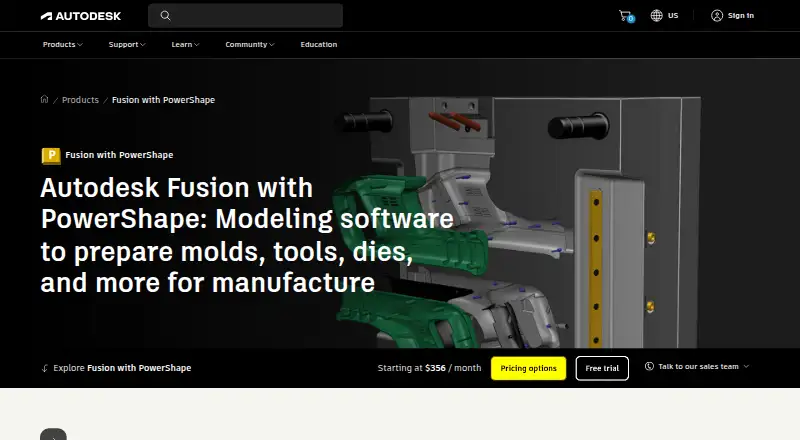
Fusion with PowerShape brings surface, solid, and mesh techniques together for manufacturing preparation. Its tools cover mold and die preparation, model repair, electrode work, core-and-cavity separation, and design simulation. The package supports Windows 10 and 11, bundles Fusion and Fusion Team, and links with PowerMill and FeatureCAM processes. Autodesk provides quote-based pricing and a 30-day trial.
Review
In a line
Fusion with PowerShape helps production teams prepare intricate molds, dies, and other components on Windows. It uses a blended surface, solid, and mesh modeling workflow.
What it does
Assembly and surface modeling are included, along with mechanical and thermal simulation for validating 3D designs.
For manufacturing, it provides core-and-cavity separation, electrode design and production, and automatic rib capping for electrical discharge machining. Imported CAD data can also be examined and repaired when defects threaten later operations.
How it connects
PowerShape generates CAM-ready geometry for PowerMill and functions as a modeling companion to PowerMill or FeatureCAM. The included Fusion Team service supplies cloud collaboration.
Supported imports cover PSModel, CATIA, Creo, DWG, DXF, IGES, Inventor, Parasolid, PLY, Rhino, SolidWorks, STEP, OBJ, STL, 3MF, and other formats. It can output DGK, DDX, Rhino, ACIS, PDF, FBX, DWG, DXF, IGES, Parasolid, STEP, STL, 3MF, OBJ, and additional formats.
Good fit
Autodesk identifies manufacturers, manufacturing engineers, and CNC machine operators preparing designs for mass production as typical users.
It fits teams seeking mixed-model editing, imported-CAD cleanup, mold and die preparation, and transfer into Autodesk manufacturing processes.
Watch for
The application is limited to Microsoft Windows 10 and Windows 11 rather than offering a cross-platform desktop version.
No standard free plan is provided. Autodesk directs prospective buyers to a local sales representative to discuss business requirements and any available time-limited edition. Security material describes encryption in transit and at rest, but does not confirm certification specific to PowerShape.
Pricing
Autodesk quotes the Fusion with PowerShape subscription individually, with monthly, one-year, and three-year terms offered.
A 30-day trial is available at no cost. Purchases include live support during local business hours for eight hours a day, five days a week; selected Success Plans provide round-the-clock support.
Verdict
Fusion with PowerShape is worth considering when your production work involves complex molds, dies, electrodes, or parts and already relies on Autodesk manufacturing software. Its wide format coverage can ease exchanges with varied CAD systems.
Consider alternatives if you need a macOS or Linux desktop app, an ongoing free edition, or public subscription rates for immediate budgeting. Trying the 30-day version is the practical way to test file handling and Autodesk CAM handoffs before seeking a quote.
Our take
Fusion with PowerShape targets production organizations more than casual 3D users. The Windows package combines mixed-model editing, repair, manufacturing preparation, and simulation, while Fusion Team provides cloud collaboration. Buyers must contend with quote-based pricing and the absence of a regular free plan. Organizations can use the 30-day trial to evaluate file workflows and Autodesk CAM handoffs before subscribing.
- Unifies surface, solid, and mesh techniques
- Covers mold, die, electrode, and EDM preparation
- Handles a broad range of CAD and mesh file formats
- Provides cloud collaboration through Fusion Team
- Includes a no-cost 30-day trial
- Available only for Windows 10 and Windows 11
- Subscription rates require an Autodesk quote
- No regular free edition
- The stated security information does not confirm PowerShape-specific certification
- Pick it ifProduction manufacturers working on intricate parts; Engineers and CNC operators tied to Autodesk CAM processes; Teams needing mixed-model cleanup and manufacturing preparation
- Skip it ifYou need a desktop app for macOS or Linux; You need an ongoing free edition or publicly posted subscription rates; Product-specific security certifications are a requirement
Pricing
Autodesk quotes monthly, one-year, and three-year subscriptions individually. The 30-day trial costs nothing, but no standard free plan exists.
- Fusion with PowerShape subscriptionMonthly, 1-year, or 3-year subscription options · Contact Autodesk for subscription pricingOn request
As autodesk.com lists them, checked 11 Oct 2026.
Questions
What work does Fusion with PowerShape support?
It prepares molds, dies, electrodes, and other intricate parts for production through surface, solid, and mesh modeling.
Which systems can run it?
According to Autodesk, the software runs on Microsoft Windows 10 and Windows 11.
Are Fusion products part of the package?
PowerShape now comes with Fusion and Fusion Team.
Can imported CAD data be corrected?
It can inspect imported models, locate defects, and repair problems that might hinder downstream operations.
Which Autodesk manufacturing tools can it work with?
PowerShape produces CAM-specific geometry for PowerMill and is presented as a modeling partner for PowerMill or FeatureCAM.
Can I use it without paying?
There is no standard free plan; Autodesk recommends speaking with a local sales representative about possible time-limited versions.
What are the subscription rates?
Autodesk provides pricing by quote for monthly, one-year, and three-year terms.
What assistance is included with purchase?
Purchases provide live help eight hours per day, five days per week during local business hours, while certain Success Plans include 24/7 support.