
GameBench: Game Performance Measurement Tools
gamebench.net · checked 14 Oct 2026
Game performance tools for measuring, analyzing, and improving games and other apps.
How it plugs in
Signal on Game Benchmark Software6.7#1 of 22
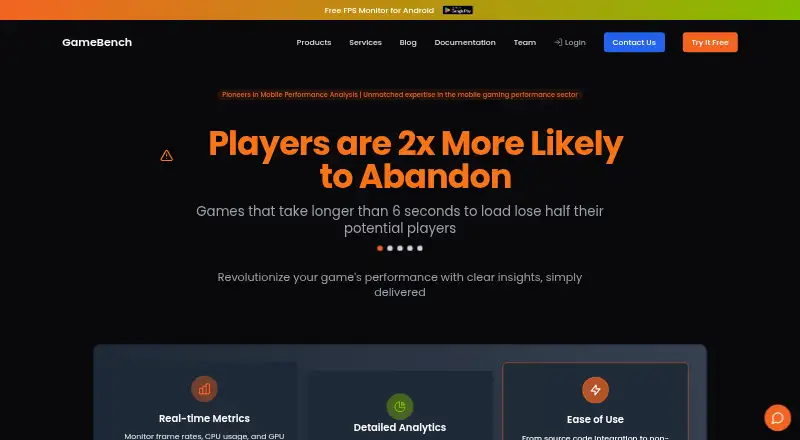
GameBench measures game performance on Android, iOS, and other supported platforms. It records frame rate, processor and graphics activity, memory, power, network use, screenshots, and thermal limits. A web dashboard compares sessions, while an API, Jira link, SDK, and self-hosted option support larger teams. Pricing is quote-based; free options are offered, including a 28-day trial.
Review
In a line
GameBench is a set of tools for measuring, analyzing, benchmarking, and improving game performance. It serves game publishers, network operators, and technology providers.
What it does
With GameBench Pro, connect Android or iOS devices, pick a game, run a measurement, and send the results to the dashboard. The platform measures frame rate, processor and graphics use, memory, power, battery, network activity, screenshots, and thermal throttling.
Performance Injector adds measurement code to Android APK or iOS IPA builds without source-code changes. Its command-line mode can run automated checks in CI/CD pipelines. On physical devices, the native SDK works with Android 5.0+, 64-bit iOS 10.0+, and tvOS 10.0+; emulators are unsupported.
The Android FPS Monitor shows floating frame-rate, jank-count, and battery-temperature readings. The app records sessions and renders charts, but daily use stops at 20 minutes.
How it connects
The API uses tokens and JWT authentication. Available operations include token creation, session search, session-detail retrieval, and time-series metric access. Programmable SDK access comes through C#, C, and Java, and Unity can be connected through a plug-in.
The web dashboard includes Jira integration for creating engineering tickets linked to sessions. SSO and LDAP users are supported, with optional company-enforced multi-factor authentication.
Enterprise deployments can place a private Web Dashboard on infrastructure they manage, such as Kubernetes or custom containers. Desktop installers are available for Windows and OS X.
Good fit
GameBench suits teams that need repeatable performance checks across connected Android and iOS devices. It is useful for manual profiling, benchmark comparisons, ongoing monitoring, and custom workloads.
Teams can compare results in the dashboard, use the API for their own tools, or add measurements to builds without changing source code. The native SDK does not collect user or personal data.
Watch for
Check device and operating-system requirements before choosing a workflow. Physical hardware is required: the SDK supports Android 5.0+, 64-bit iOS 10.0+, and tvOS 10.0+, but not emulators. Profiling iOS 17 from the desktop app requires macOS 13 or later together with the latest Xcode.
The newer StudioPro Windows app requires Windows 10 or newer, an NVIDIA GTX 1660 Super or newer, a quad-core Intel Core i5 or newer, and at least 16 GB of memory. For FPS Monitor, use Android 11 or later with Developer Options enabled and Wireless Debugging turned on.
Self-hosting is reserved for the Enterprise license. Android FPS Monitor sessions can run for no more than 20 minutes per day, so it is not a full replacement for longer test sessions. For other categories, see Game Analytics Software and Game Profiling Software.
Pricing
GameBench uses paid plans with quotes available on request, plus a 28-day trial. Its free FPS Monitor tier includes a live frame-rate overlay, jank detection, session recording, charts, and battery-temperature monitoring.
The GameBench Pro trial is free for 28 days. During that period it allows 30 minutes of Pro testing, unlimited sessions, unlimited SDK sessions, full API access, and all metrics and analytics.
A self-hosted web dashboard is available only with the Enterprise license, and its cost is provided on request.
Verdict
Choose GameBench if your team needs device-based game performance measurements, historical comparisons, programmable access, or build instrumentation without source changes. Its dashboard, Jira connection, and self-hosted enterprise option cover different team setups.
Look elsewhere if you need emulator support, unlimited daily use from the Android FPS Monitor, or a published Enterprise price. Teams wanting a narrower benchmark workflow can also review Game Benchmark Software.
Our take
GameBench fits organizations that need to measure game performance on real Android and iOS hardware, compare sessions over time, and feed results into engineering work. The Performance Injector and SDK give teams several ways to add measurement, while the API supports custom automation. Its limits matter: emulators are excluded, some desktop workflows have demanding hardware requirements, and the Android FPS Monitor allows only 20 minutes a day. Enterprise self-hosting requires a quote. Choose it when these device and workflow requirements match your team.
- Measures frame rate, CPU, GPU, memory, power, battery, and network performance
- Adds instrumentation to Android and iOS builds without source-code changes
- The dashboard compares sessions, devices, trends, and collections
- Provides API, Jira integration, SSO, LDAP, and self-hosting support
- Offers a free FPS Monitor tier and a 28-day Pro trial
- SDK does not support emulators
- Android FPS Monitor is limited to 20 minutes per day
- Enterprise pricing is available only on request
- StudioPro Windows has specific hardware and Windows requirements
- iOS 17 profiling from desktop needs macOS 13+ and latest Xcode
- Pick it ifGame publishers and technology providers measuring real-device performance; Teams automating tests or comparing performance sessions
- Skip it ifYou need emulator-based profiling; You require unlimited daily FPS Monitor use or a posted Enterprise price
Pricing
A free FPS Monitor tier and a free 28-day Pro trial are offered. Self-hosted Web Dashboard access requires the Enterprise license, which is priced on request.
- GameBench FPS MonitorReal-time FPS overlay · normal and big jank detection · session recording · performance charts · battery temperature monitoringFree
- GameBench Pro trial30 minutes of Pro testing · unlimited sessions for 28 days · unlimited SDK sessions for 28 days · full API access · all metrics and analyticsFree
- Enterprise licenseContact GameBench for pricing · Required for self-hosted Web DashboardOn request
As gamebench.net lists them, checked 1 Oct 2026.
Questions
Is GameBench free?
A free FPS Monitor tier and a free 28-day Pro trial are offered. The Enterprise license is priced on request.
What devices does the SDK support?
On physical hardware, the SDK supports Android 5.0+, 64-bit iOS 10.0+, and tvOS 10.0+. Emulators are not supported.
Can GameBench run automated tests?
Yes. Performance Injector includes a command-line mode for automated testing and CI/CD pipelines.
Does GameBench integrate with Jira?
Yes. Jira engineering tickets can be created from the web dashboard with links to sessions.
Can companies host GameBench privately?
Enterprise customers can run a private Web Dashboard on infrastructure they control, including Kubernetes or custom containers.
What does the Android FPS Monitor require?
The app needs Android 11 or later, enabled Developer Options, and Wireless Debugging. Daily use is limited to 20 minutes.
Near it
All alternatives →- UV
 UNIGINE Valley Benchmark#2 on this board
- 33DMark#3 on this board
- BG
 Basemark GPU#4 on this board
- Gglmark2#5 on this board
- PPerfDog#6 on this board
- NF
 NVIDIA FrameView#7 on this board
- SSPECviewperf#8 on this board
- Vvkmark#9 on this board
- FF
 FINAL FANTASY XIV: Dawntrail Official Benchmark#10 on this board
- EB
 Evolve Benchmark#11 on this board