
GameEx Review: Emulator and Home-Theater Front End
gameex.com · checked 15 Oct 2026
Arcade, emulator and home-theater front end with free and registered options.
How it plugs in
Signal on Emulation Frontends6.7#3 of 25
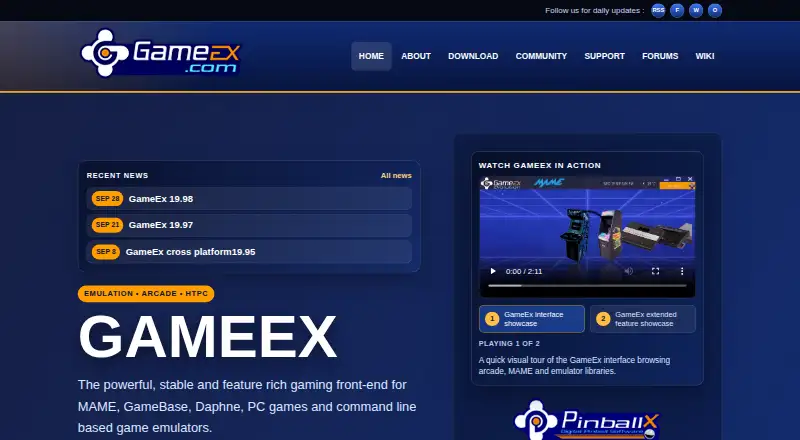
GameEx organizes MAME, GameBase, Daphne, PC games and command-line emulators in a front end that also handles home-theater media. It supports arcade controls, remotes and gamepads, plus services such as Steam and GameEx Online. Windows is the main target; Linux, macOS and Android builds have experimental or alpha status and may lack features.
Review
In a line
GameEx is a front end for arcade and emulator collections, PC games and home-theater media. The site lists original GameEx, GameEx Arcade Edition and GameEx Evolution.
What it does
You can organize MAME, GameBase, Daphne and command-line emulators, with databases that add descriptions and categories. GameEx says it supports nearly any emulator and gives MAME advanced support.
It also plays videos, DVDs and Blu-ray ISO files, shows pictures, runs a jukebox and Internet radio, and includes a news reader and YouTube module. A theme editor, downloadable themes and menu controls change the interface.
Arcade controls such as X-Arcade, Slik-Stik, JPAC and IPAC work alongside MCE and other remotes and gamepads. The standard install includes plugins for LCD or LED displays, Ultrastik controls and hardware-monitor rotation.
How it connects
GameEx names plug-and-play links for Steam, EA Origin and Uplay, and also works with iTunes, Windows Media Player and GameBase. SiliconDust HDHomeRun adds live TV, with TV-plugin support for VU Player and ServerWMC.
It can download artwork and videos from EmuMovies when you have an account, and uses the TMDb API. The site says this use is not endorsed or certified by TMDb.
GameEx Online supplies connected services and community features. GameExtender provides networked display, remote control and online game statistics. The official pages describe a plugin system but do not present a public developer API or SDK. See other emulation frontends and game library managers for related software.
Good fit
GameEx suits people who want one interface for arcade machines, emulator collections, PC games and living-room media. It is a fit for users with arcade controls, remotes or gamepads and for collections that need database details and artwork.
Windows users get the broadest documented support, including Windows 10, 8, 7, Vista SP2, XP SP3 and several Windows Server releases.
Watch for
The main requirements list a 1GHz CPU, 1GB of RAM, DirectX or Direct3D graphics, DirectSound audio and about 10GB of free disk space. The installer needs administrator privileges.
Linux and macOS use WINE in an experimental setup with some unavailable features; a prepared macOS build is also offered. Alpha versions exist for Linux, Mac and Android, and the multiplatform build may miss features.
GameExtender has not been examined by security experts, according to the setup guide, which advises network use at your own risk. Normal support goes through the forum rather than individual email. Commercial copies must be registered or purchased.
Pricing
GameEx and its related online services have a free plan. Spesoft announced that all GameEx variations, FTP access, artwork downloads and GameEx Online became free.
A registered GameEx key costs $17 one-time, described as a billed donation of $17 or more, and unlocks registered-only features. Commercial use requires every copy to be registered or purchased; volume discounts are available for 10 or more copies.
Verdict
Choose GameEx if you want a Windows-centered front end that combines arcade and emulator catalogs with media playback, controller support and online add-ons. Its free plan makes it easy to evaluate, while the registered key is a one-time payment for extra features.
Look elsewhere if you need a fully supported native Linux or macOS experience, a documented public developer API, or normal email-based support. Buyers using it commercially should also budget for registration and review the network-security warning for GameExtender. Comparisons with LaunchBox or Attract-Mode may help clarify front-end needs.
Our take
GameEx is a practical choice for a Windows-based arcade cabinet, emulator library or media PC that needs one menu for games and entertainment. The free service covers the core software and online features, and the $17 registered key is a modest optional step. Its wider platform story is less certain because WINE and alpha builds can omit functions. Commercial users must register each copy, and networked GameExtender use carries a stated security warning. Choose it when broad device and media support matter more than native cross-platform polish or a public API.
- Free GameEx software and related online services
- Supports nearly any emulator with advanced MAME support
- Works with arcade controls, remotes and gamepads
- Includes media playback, jukebox and Internet radio
- Integrates with Steam, EA Origin and Uplay
- Linux and macOS use experimental WINE support
- Alpha multiplatform builds may miss features
- No public developer API or SDK is presented
- GameExtender carries a network security warning
- Commercial copies require registration or purchase
- Pick it ifWindows arcade cabinets and emulator collections; Home-theater PCs combining games and media; Users needing arcade controls, remotes or gamepads
- Skip it ifYou require fully native, complete Linux or macOS support; You need a documented public API or SDK; You want normal individual email support
Pricing
The core GameEx software and related online services are free. A registered key costs $17 one-time and unlocks registered-only features. Commercial copies must be registered or purchased, with volume discounts for 10 or more copies.
- GameExGameEx and related online services are completely free; commercial use requires each copy to be registered or purchasedFree
- GameEx freeGameEx and related online services freeFree
- Registered GameEx keydonation of $17 or more · Unlocks registered-only features$17 one-time
As gameex.com lists them, checked 7 Oct 2026.
Questions
Is GameEx free?
Yes. GameEx and related online services have a free plan. A registered key costs $17 one-time and unlocks registered-only features.
Which systems can run GameEx?
Windows is the main documented platform. Linux and macOS use experimental WINE setups, while alpha builds are offered for Linux, Mac and Android and may lack features.
What games and emulators does GameEx support?
It is built for MAME, GameBase, Daphne, PC games and command-line emulators. The feature list says it supports nearly any emulator.
Does GameEx have a public API?
The official pages document TMDb API use and a plugin architecture, but they do not present a public developer API or SDK.
Can I use arcade controls with GameEx?
Yes. It supports X-Arcade, Slik-Stik, JPAC, IPAC, MCE and other remotes, plus gamepads.
Is GameEx suitable for commercial use?
Commercial use requires each copy to be registered or purchased. The maker says discounts are available for volumes of 10 or more copies.
How is GameEx support handled?
Standard support, bug reports and enhancement requests go through the GameEx forum. Individual email support is not offered for normal questions.
What should I know about GameExtender security?
The setup guide says security experts have not examined GameExtender and advises using it over networks at your own risk.