
Goodloading Cargo Load Planning Review
goodloading.com · checked 15 Oct 2026
Cargo-load planning for trucks, containers and pallets, with 3D layouts, optimization and API access.
How it plugs in
Signal on Load Planning Software6.6#1 of 29
Goodloading plans how cargo fits into trucks, trailers, containers and pallets. It calculates space and weight limits, suggests arrangements, and shows them in 3D for manual adjustment. Users can import CSV or XLSX lists, share projects, and connect other systems through a REST API. It runs in a browser on Linux and macOS, with a free plan and paid options.
Review
In a line
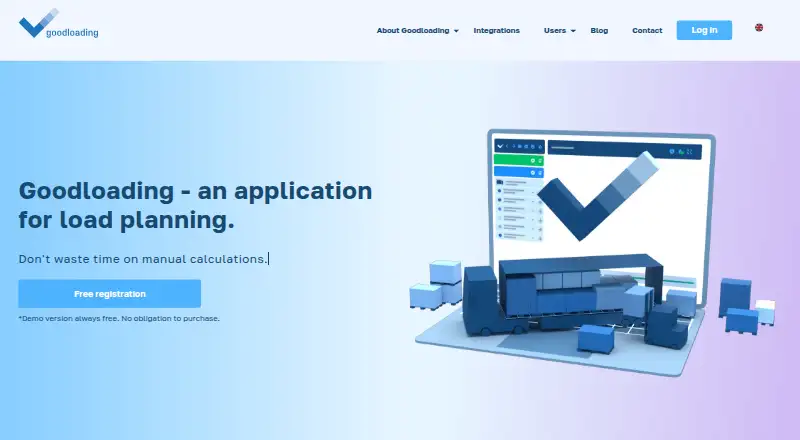
Goodloading is a cargo-load planning service for vehicles, sea and air containers, and pallets. It uses algorithms to arrange goods within a defined space and displays the result in 3D.
What it does
The optimizer distributes cargo to use available space and can suggest a more suitable vehicle or container. Users can then rotate the 3D view, move loads, and change the arrangement themselves.
It supports cubic goods, barrels and pipes, including stacking, rotation and angled placement. Supported spaces include semi-trailers, double trailers, sea containers, air containers and pallets.
Plans can account for payload, total vehicle weight, axle loads, container center of gravity, wheel arches and cooling units. Projects can include several loading and unloading stops while keeping goods separated by stop.
Finished plans can be shared by link or PDF, with the loading animation and sequence included. Link previews can be viewed on a phone without an account.
How it connects
Loads can be entered manually or imported from CSV and XLSX templates. Goodloading has a REST API for connecting TMS, WMS, ERP and route-planning systems; access is granted after an application and test key.
The API uses HTTPS and JSON, with an access_token in the request header. It can return utilization, coordinates, weight and axle results, analytical data, PDF output and shareable 3D links. Test access is free for verified applicants, with 300 requests per month and technical support; production pricing and limits are set individually.
There is no listed SDK and the software is proprietary, not open source. For related tools, see Load Planning Software.
Good fit
Goodloading suits road, sea and air transport companies, freight forwarders, logistics operators, manufacturers, stores, software providers and educational institutions.
It fits teams that need to plan truck or container loading, check weight and space constraints, sequence multiple stops, or pass load plans to other systems through an API.
Watch for
The free version leaves out custom load dimensions, palletization, angled rotation, axle-load calculations, multiple vehicle stops, advanced container details and collaborator sharing.
It runs in a browser and needs an internet connection, JavaScript and a modern browser. There is no offline desktop download. Mobile devices can view saved projects but cannot edit them; a screen at least 1260 pixels wide is required, and the maker recommends a 13-inch screen.
Large projects, many open tabs or limited RAM can slow the application. A simpler algorithm may be needed for faster results.
Pricing
Goodloading uses a freemium model. The Free plan has default load and cargo-space dimensions, but no palletization, axle loads, multiple loading points or collaborator sharing.
PRO trial costs €3 one-time, billed 7 days, with full PRO functionality and one trial per user. PRO annual (1 user) costs €18 a month, billed for annual access, with all advanced features and multi-user discounts.
The production API has individually determined pricing and request limits. Verified applicants can test all API features free with 300 requests per month.
Verdict
Choose Goodloading if your work involves fitting cargo into trucks, trailers, containers or pallets and you need visual layouts plus weight and stop constraints. Its browser delivery and file import make it accessible without a desktop installation.
Check the free-plan omissions before deciding, especially if you need palletization, axle calculations, shared editing or several loading points. Mobile users can view saved projects but cannot edit them, and heavier projects may need more computer memory or a simpler calculation method.
Teams that need system-to-system data should review the API application process, individually set production terms and authorization requirements first.
Our take
Goodloading is a practical choice for transport and logistics work that depends on fitting varied cargo into defined spaces. Its 3D editing, multistop planning, weight checks, file imports and API outputs cover both manual planning and software connections. The free tier is useful for basic layouts, but several advanced controls and collaboration features are reserved for paid plans. Browser-only operation, no mobile editing and possible slowdowns on large projects may rule it out for users needing offline work or intensive plans on modest hardware.
- 3D layouts can be adjusted manually
- Supports trucks, trailers, containers and pallets
- Handles weight, axle and center-of-gravity limits
- Imports CSV and XLSX load lists
- REST API supports logistics-system connections
- Free plan omits palletization and axle loads
- Mobile users cannot edit saved projects
- No offline desktop application
- Large projects may slow with limited RAM
- Production API pricing is set individually
- Pick it ifTransport and logistics teams planning truck or container loads; Companies needing API links to TMS, WMS or ERP systems; Users who need multistop load sequencing
- Skip it ifYou need offline desktop work or mobile editing; You require palletization or axle-load tools on a free plan; You want fixed public API pricing
Pricing
A free plan covers basic dimensions and loading. PRO trial is €3 one-time for 7 days. PRO annual (1 user) is €18 a month with annual billing. Production API pricing is individually set.
- Freemiumdefault load and cargo-space dimensions · no palletization · no axle loads or multiple loading points · no collaborator sharingFree
- PRO trial7 days · full PRO functionality · one trial per user€3 one-time
- PRO annual (1 user)annual access; EUR 18 per month · all advanced features · multi-user discounts€18/mo
As goodloading.com lists them, checked 15 Oct 2026.
Questions
Does Goodloading have a free plan?
Yes. The Free plan includes default load and cargo-space dimensions, but excludes palletization, axle loads, multiple loading points and collaborator sharing.
What files can I import?
Load lists can be imported from CSV or XLSX templates, or entered manually.
Can Goodloading connect to other software?
Yes. Its REST API can connect with TMS, WMS, ERP and route planners. Access requires an application and test key.
Can I use Goodloading on a phone?
Phones can view saved project links, but mobile users cannot edit projects.
What loading spaces does it support?
It supports semi-trailers, double trailers, sea and air containers, and pallets, with cargo such as cubic goods, barrels and pipes.
How does the API handle security?
API calls use HTTPS and must include an access_token in the request header.
Is Goodloading open source?
No. The service is proprietary, and its terms grant users no intellectual-property licence.