
GravityWrite: AI Writing, Media, Websites, and Social Scheduling
gravitywrite.com · checked 15 Oct 2026
GravityWrite offers an online suite for AI-assisted copy, visuals, video, websites, and social posts.
How it plugs in
Signal on AI Writing Tools6.6#24 of 269
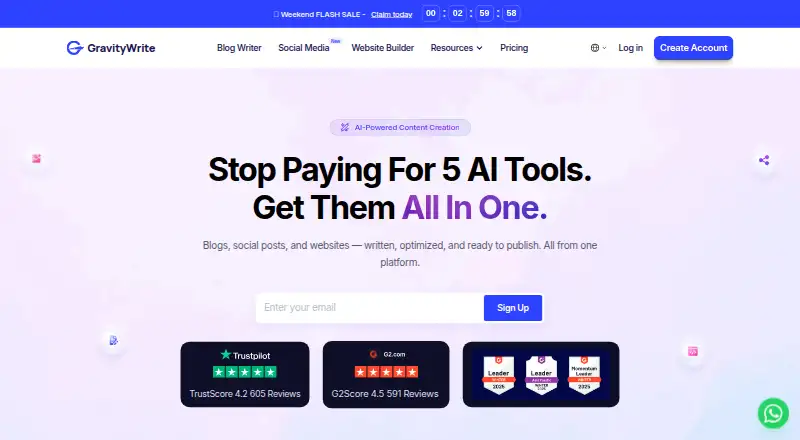
GravityWrite puts research, drafting, editing, SEO, media generation, site building, and social distribution behind one cloud-based interface. You can use it on the web, Android, or iOS, with links to WordPress and YouTube. A no-cost tier is offered, while paid usage draws from a common pool of text, image, and video credits.
Review
In a line
GravityWrite is an online AI workspace for making and distributing content. Its single interface covers copywriting, imagery, video, websites, and social planning.
What it does
Its blog writer creates outlines and structured, search-optimized articles from real-time information, URLs, competitor sites, or your own input. Posts can reach 5,000 words, and the tool collection advertises over 300 templates.
You can also create images from prompts, turn text or images into videos, make story illustrations, and refine generated images. Other tools cover tone changes, brand kits, content repurposing, an AI chatbot, and website creation.
GravitySocial drafts social updates and can queue or publish them on Facebook, Instagram, LinkedIn, YouTube, Pinterest, and X.
How it connects
GravityWrite runs as a web service and has Android and iOS apps. Its website builder is delivered as a WordPress plugin, and generated blog posts can be imported to or published through WordPress.
GravityWrite Social can connect to YouTube to schedule and publish videos to a selected channel. Listed integrations include draw.io, ChatGPT, WordPress, Lovable, Ahrefs, and Google Analytics. The available public materials do not describe a developer API or SDK.
It is proprietary rather than open source, and it does not require software installation.
Good fit
Businesses, marketers, and content writers may suit GravityWrite if they want writing, visual generation, websites, and social publishing together. Its multilingual support, brand voice controls, SEO tools, and social dashboard fit teams producing content in several formats.
It supports more than 30 languages on official pages, while the Pro comparison lists 50 or more.
Watch for
A common credit balance covers text, image, and video features. Consumption varies with the chosen tool, AI mode, and output quality; examples put a blog at about 33 credits, an image at 6, and a video at 20.
At the end of each billing period, subscription credits renew without carrying unused amounts forward. Purchased add-on credits lapse after 12 months. The terms bar sexual, political, and religious content and permit suspension for breaches.
Check the exact plan details before buying because the supplied plan listings show different free, Plus, Pro, and bundle variants.
Pricing
GravityWrite has free options and a free trial. One Free listing includes 50 credits a month, an AI blog writer, limited image generation, 100 or more templates, 20 languages, one social account, five social posts a month, and email and chat support. A separate Free Plan listing shows 500 credits a month, a 1,000-word limit, one free blog, three social accounts, 10 social posts, and one AI website.
Plus is listed at $12 a month, billed as $144 a year, with 500 credits monthly. Pro is listed at $49 a month, billed as $589 a year, with 2,500 credits monthly. The Bundle is listed at $139 a month on an annual-only plan with one-time setup; another Bundle listing says $139 a year and includes GravityWrite Plus, WordPress hosting, and n8n automation.
The pricing terms allow a refund within seven days when usage stays below 50 credits; renewals are not covered.
Verdict
Choose GravityWrite if you want one hosted place for AI articles, visuals, websites, and scheduled social posts, especially when WordPress or YouTube are part of your workflow. The free options let you explore the tools before paying.
Look closely at credit use, rollover rules, content restrictions, and the differences between similarly named plan listings. It is a poor match if you need open-source software, self-hosting, or a documented developer API.
Our take
GravityWrite fits people seeking one cloud environment for articles, images, video, websites, and social distribution. WordPress and YouTube connections make it more useful for content workflows that already rely on those services. Start with a free option if you need to check the tools and credit usage. Before subscribing, compare the plan variants carefully, since the supplied listings differ in limits and billing descriptions. Avoid it if open-source code, self-hosting, or a public developer API is essential, or if your content falls under its prohibited topics.
- Writing, visual, video, website, and social tools share one workspace
- Available through web, Android, and iOS apps
- WordPress import and publishing support
- YouTube scheduling and publishing connection
- Free options and a free trial
- One credit pool serves text, image, and video features
- Subscription balances reset without rolling unused credits forward
- Sexual, political, and religious topics are barred by the terms
- No public developer API or SDK is described
- Plan listings contain differing details
- Pick it ifBusinesses and marketers producing content in several formats; Writers needing WordPress or YouTube publishing workflows; Users wanting multilingual AI content tools
- Skip it ifYou need open-source or self-hosted software; You require a documented public API or SDK; Your work includes prohibited sexual, political, or religious topics
Pricing
Free options and a free trial are available. Listed paid plans include Plus at $12 a month, Pro at $49 a month, and a Bundle at $139 a month on an annual-only plan. Another bundle listing says $139 a year, so verify the exact offer before paying.
- Free50 credits/month · AI blog writer · limited image generation · 100+ templates · 20 languages · 1 social account · 5 social posts/month · email and chat supportFree
- Free Plan$0 /month · 500 credits per month · 1,000 words · 1 free blog · 3 social accounts · 10 social posts · 1 AI websiteFree
- PlusBilled as $144/year · 500 credits/month · up to ~400 image generations/month · up to ~25 video generations/month · 5 social accounts · 50 social posts/month · 5 websites · 250+ templates · 50+ languages · mobile app$12/mo
- Plus PlanBilled as $144/year · 500 credits / month$12/mo
- Pro PlanBilled as $589/year · 2,500 credits / month$49/mo
- ProBilled as $589/year · 2,500 credits/month · up to ~2,000 image generations/month · up to ~125 video generations/month · 30 social accounts · 250 social posts/month · 30 websites · 300+ templates · 50+ languages · elite models · priority support$49/mo
- BundleAnnual plan only · one-time setup · GravityWrite Plus · managed WordPress hosting · n8n automation · free .xyz domain for 1 year · free SSL · one-click WordPress install · daily backups$139/mo
- Bundle PlanAnnual plan only · one-time setup · GravityWrite Plus · WordPress hosting · n8n automation$139/yr
As gravitywrite.com lists them, checked 15 Oct 2026.
Questions
Is there a no-cost GravityWrite option?
Yes. The listings show free choices: one provides 50 monthly credits and another provides 500. A free trial is also listed.
Which devices can run GravityWrite?
The service is available on the web, with Android and iOS apps. The help center specifically lists tools available in the Android app.
Can GravityWrite publish to WordPress?
Yes. Generated blog posts can be imported to or published through WordPress, and the site builder comes as a WordPress plugin.
Can it schedule YouTube videos?
GravityWrite Social can connect to YouTube to schedule and publish videos to a selected channel.
How are GravityWrite credits calculated?
Text, image, and video generation draw from the same credit balance. The charge varies by tool, AI mode, and output quality, and subscription balances renew each billing cycle.
Does GravityWrite offer an API?
The supplied product and support pages do not present a public GravityWrite developer API, SDK package, or API reference.
How many languages does it support?
Official pages state more than 30 languages, while the Pro comparison lists 50 or more languages.
Can I get a refund?
The pricing page offers a refund within seven days only when fewer than 50 credits have been used. Renewals are excluded by the terms.