
Screenshot Annotation Software
Greenshot Review
getgreenshot.org · checked 28 Sept 2026
Free, open-source screenshot capture and annotation software for Windows PCs.
How it plugs in
Signal on Screenshot Annotation Software7.1#4 of 76
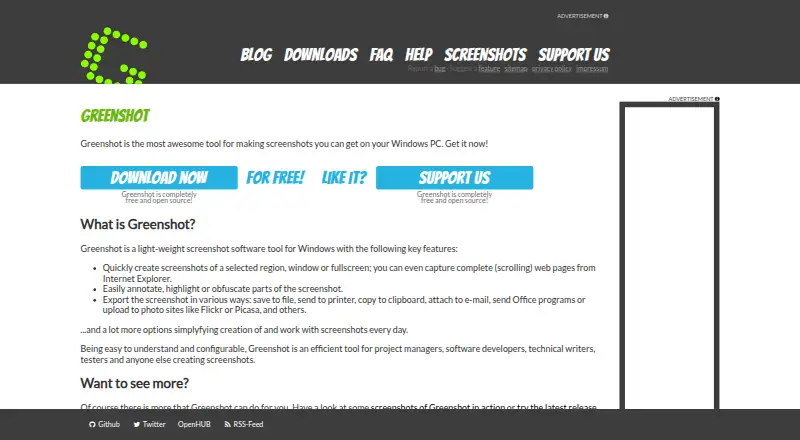
A free, open-source Windows tool, Greenshot grabs regions, windows, full displays, and scrolling Internet Explorer pages. It supports annotation, highlighting, obfuscation, OCR text extraction, and PNG or JPEG output. Images may also go to the clipboard, printer, email, Office, or photo-hosting sites.
Review
In a line
For Windows PCs, Greenshot provides free, open-source screenshot capture and editing, with several ways to send the results. Screenshot Software
What it does
A capture can cover a chosen region, an open window, or the entire display. Complete scrolling pages in Internet Explorer are supported too.
You can mark up or highlight an image, hide selected portions, and use OCR to turn pictured words into editable text.
How it connects
PNG and JPEG are available for saved images; captures may also go to the clipboard, a printer, email, Office, or photo sites including Flickr and Picasa.
Greenshot is open source. Its source code is available in repositories on GitHub and BitBucket.
Good fit
Greenshot suits project managers, developers, technical writers, testers, and anyone who creates screenshots.
It fits jobs that need quick screen capture, simple markup, redaction, text extraction, or sharing.
Watch for
Greenshot supports Windows only. Its documented scrolling web capture targets Internet Explorer, so confirm that browser coverage fits your needs.
Windows 8 users may be asked to install .NET 3.5, though they can skip that installation. The latest stable release is version 1.3.315, dated March 20, 2026.
Pricing
Greenshot has a free plan. It includes screenshot capture, image annotation and editing, and export to files, the clipboard, a printer, and email.
The Windows edition is free and open source. A $1.99 one-time cost contribution is available to help cover the project's own costs.
Verdict
Choose Greenshot if you need Windows screenshot capture with annotation, OCR, redaction, scrolling capture, and several export choices at no required cost.
Look elsewhere if you need software for another operating system or scrolling capture outside the stated Internet Explorer support.
Our take
Greenshot is a practical pick for Windows users who want screenshot capture and basic image work without a required payment. Its open-source model and free plan make it easy to start, while OCR, redaction, scrolling capture, and multiple sharing routes cover common documentation tasks. The main decision points are platform and browser scope: it is for Windows, and scrolling web capture is described for Internet Explorer. Consider alternatives if your workflow depends on another operating system or browser.
- Free, open-source Windows software
- Captures regions, windows, full displays, and scrolling pages
- Includes annotation, highlighting, obfuscation, and OCR
- Exports as PNG or JPEG and supports several destinations
- Runs on Windows only
- Documented scrolling web capture targets Internet Explorer
- Windows 8 may prompt for .NET 3.5
- Pick it ifWindows users making and marking up screenshots; Project managers, developers, writers, and testers
- Skip it ifYou need macOS or another operating system; You need scrolling capture beyond Internet Explorer
Pricing
The core Windows software is free. A $1.99 one-time contribution is optional and helps cover project costs.
- FreeScreenshot capture · Image annotation and editing · Export to files, clipboard, printer, and emailFree
- Greenshot for WindowsFree
- Cost contribution$1.99 one-time
As getgreenshot.org lists them, checked 20 Sept 2026.
Questions
Is Greenshot free?
Yes. Greenshot has a free plan, and its Windows edition is free and open source.
What operating systems does Greenshot support?
Greenshot supports Windows PCs.
Can Greenshot capture a scrolling page?
Yes. Complete scrolling web pages can be captured from Internet Explorer.
Does Greenshot include OCR?
Yes. OCR can extract text from screenshots.
What file formats can Greenshot export?
Greenshot exports screenshots as PNG or JPEG files.
Where can screenshots be sent?
Images may be saved, printed, copied, emailed, sent to Office, or uploaded to photo sites such as Flickr and Picasa.
Is Greenshot open source?
Yes. The source code is available in Greenshot repositories on GitHub and BitBucket.