GSE Emulator Review
github.com · checked 2 Oct 2026
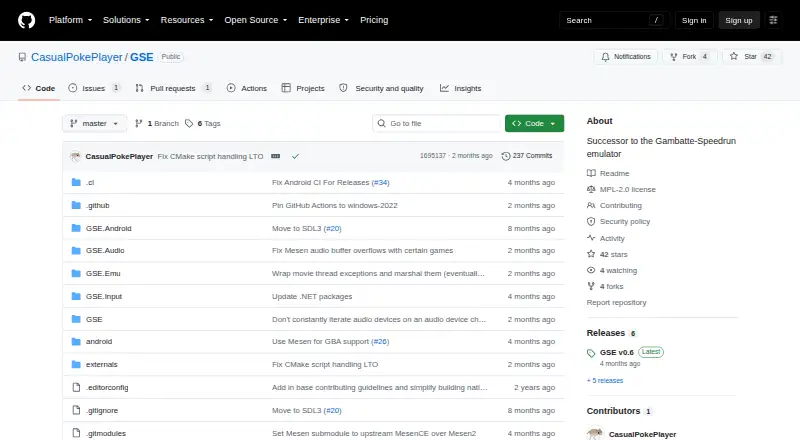
A free, open-source emulator for Game Boy, Game Boy Color, and Game Boy Advance, made with speedrunners in mind.
How it plugs in
Signal on Reverse Image Search Software6.4#6 of 21
This C# emulator handles Game Boy, Game Boy Color, and Game Boy Advance titles. Windows, macOS, Linux, and Android versions use timing aimed at speedrunning. It stores input logs, offers 100 savestate slots, supports compressed ROM archives, and works with many controllers. Bootrom or BIOS files are required.
Review
In a line
GSE is written in C# to emulate Game Boy, Game Boy Color, and Game Boy Advance software. Its primary audience is speedrunners, and releases cover desktop and mobile systems.
What it does
For Game Boy and Game Boy Color, GSE uses Gambatte; Game Boy Advance emulation comes from Mesen's core. Game Boy and Game Boy Color emulation is battleground-tested, while the GBA mode is console-accurate for speedrunning, with operation around 59.7275 frames per second.
Clock synchronization helps keep frame pacing steady and input delay low. An optional Low Latency Mode can reduce input lag, although frame pacing may become less consistent.
The emulator records input logs for every run, giving verifiers another way to check a result. It offers 100 savestate slots in 10 groups of 10 and opens ROMs compressed as 7z, rar, tar, gz, or zip files.
How it connects
GSE runs on Windows 7 SP1 or newer, macOS 10.15 or newer, Linux systems with the stated library versions, and Android 5.0 or newer. SDL3 provides broad controller compatibility, including the official GameCube USB Adapter and Switch controllers.
Discord Rich Presence is available as an option but starts turned off. GSE is open source under the Mozilla Public License 2.0. Bootrom or BIOS files are needed before it can be used.
Good fit
GSE suits speedrunners who need repeatable timing, input records, and practice saves for Game Boy-era games. Its controller support also helps players using GameCube or Switch hardware.
It may also suit people comparing Game Boy Advance emulators across desktop and mobile platforms, especially when compressed ROM archives and savestates matter.
Watch for
GSE leaves out features that do not support speedrunning or practice, including cheat codes. Different game inputs cannot share one host input, and Left+Right or Up+Down combinations are disallowed.
Low Latency Mode trades some frame-pacing consistency for lower input delay. Bootrom or BIOS files must be supplied, while the MPL-2.0 license provides the software as-is without a warranty. Check that your system meets the listed operating-system and library requirements.
Pricing
GSE is free and includes a free plan.
Verdict
Speedrunners working with Game Boy, Game Boy Color, or Game Boy Advance titles may find GSE a sensible choice. Its free access, run records, 100 save slots, and Windows, macOS, Linux, and Android support cover core practice and verification needs. Its limits are deliberate: cheat codes are absent, some controller combinations are blocked, and the lower-latency setting can make pacing less even. Setup also requires bootrom or BIOS files.
Look elsewhere if you need built-in cheat codes, do not have the required bootrom or BIOS files, or want frame pacing that never changes when reducing latency.
Our take
For speedrunners using Game Boy, Game Boy Color, or Game Boy Advance titles, GSE offers a practical option. Free access, input records, 100 savestate slots, and support for Windows, macOS, Linux, and Android address core practice and verification needs. Its limits are deliberate: cheat codes are absent, some controller combinations are blocked, and the lower-latency setting can make pacing less even. Setup also requires bootrom or BIOS files. Casual players may find another emulator more suitable if those restrictions outweigh timing-focused behavior.
- Free on Windows, macOS, Linux, and Android
- Timing is aimed at consistent speedrunning performance
- Keeps input records for run verification
- 100 savestate slots
- Supports many controllers through SDL3
- Requires bootrom or BIOS files
- No cheat-code support
- Low Latency Mode may reduce frame-pacing consistency
- Blocks Left+Right and Up+Down inputs
- Provided without warranty under MPL-2.0
- Pick it ifSpeedrunners needing timing and input records; Practice with Game Boy-era games; Players using desktop, Android, or modern controllers
- Skip it ifYou need cheat codes or unrestricted input combinations; You cannot provide the required bootrom or BIOS files; You want a latency mode without pacing tradeoffs
Pricing
GSE is free and has a free plan.
Questions
Which systems does GSE emulate?
Game Boy, Game Boy Color, and Game Boy Advance software are supported.
Which devices can run GSE?
GSE supports Windows 7 SP1 or newer, macOS 10.15 or newer, qualifying Linux systems, and Android 5.0 or newer.
Is GSE free to use?
Yes. GSE has a free pricing model and a free plan.
Are save states available in GSE?
Yes. There are 100 slots arranged as 10 sets of 10.
Are cheat codes included?
No. Cheat-code support and other features unrelated to speedrunning or practice are omitted.
What files and ROM formats does GSE require or accept?
Bootrom or BIOS files are needed. ROMs compressed in 7z, rar, tar, gz, or zip formats can also be opened.
Near it
All alternatives →- LA
 Lenso.ai#5 on this board
- S
 SerpApi#7 on this board
- ID
 ImageRights Discovery#4 on this board
- P
 Pixsy#8 on this board
- BBerify#3 on this board
- S
 SearchReverseImage#9 on this board
- LLocalLens#2 on this board
- IVImagga Visual Search#10 on this board
- RI
 Reverse Image Search Anywhere#1 on this board
- R
 RIMG#11 on this board