Haruna: Free Media Player for Linux and Windows
haruna.kde.org · checked 8 Oct 2026
Open-source desktop media player for Linux and Windows, built with libmpv.
How it plugs in
Signal on Media Player Software6.9#10 of 76
KDE makes Haruna as a free, open-source player for Linux and Windows. It covers local files, network playback, subtitles, hardware acceleration, online video via youtube-dl or yt-dlp, and YouTube playlists. Flexible playlists, themes, keyboard shortcuts, and extra playback controls are part of its interface. Linux installation options are numerous; Windows downloads are offered as nightly test installers.
Review
In a line
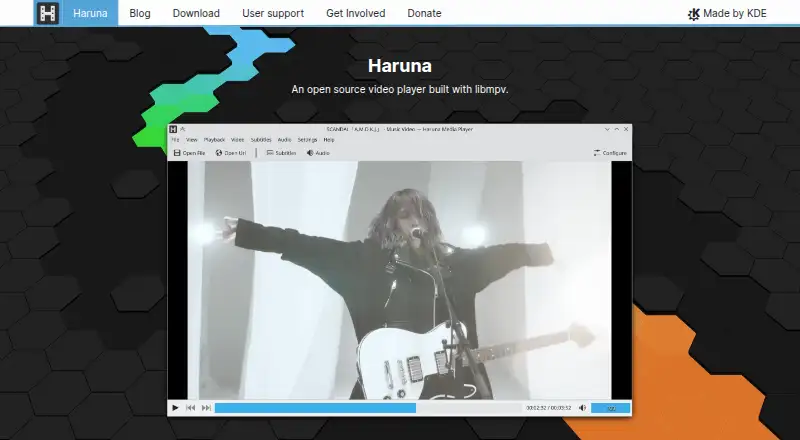
KDE makes Haruna, a free and open-source media player for Linux and Windows. It is built with libmpv.
What it does
Haruna plays video files, network streams, and online videos. It supports subtitles and hardware acceleration, which lets compatible hardware help with video playback.
Opening a file can automatically populate the playlist with other files from the same folder. The playlist may overlay the video or resize it, using normal, thumbnail, or compact styles.
Hovering over the seek bar shows video previews; you can skip chapters by keyword, issue custom mpv commands, and map actions to mouse buttons. Configurable keyboard shortcuts cover most actions. Color schemes and widget or control styles are also changeable.
How it connects
Haruna is open source under the GPL-3.0-or-later license and is built with mpv. Online playback works through youtube-dl or yt-dlp, and the KDE Applications page says YouTube playlists are supported.
Many Linux distributions, software stores, and Flathub provide Haruna. The KDE Applications page lists Windows builds as nightly installers for testing. Help is available through a community forum, with bug reports handled in KDE’s bug tracker.
Good fit
Haruna suits people who want a free desktop player for local, network, or online video on Linux or Windows. It fits viewers who value subtitles, hardware-assisted playback, flexible playlists, and detailed keyboard or mouse control.
Its folder-based playlist behavior can help when a video collection is organized in the same directory. Theme and playlist options suit people who want to adjust the player’s layout and appearance.
Watch for
Haruna is listed for Linux and Windows only. Windows downloads are described as nightly installers for testing, so check the build offered before relying on it.
Online playback uses youtube-dl or yt-dlp, and the free plan has no free trial because the product itself is free.
Pricing
Haruna is free, with an open-source license. There is one listed plan, Haruna, at no cost. A free trial is not offered because there is no paid plan in the stated pricing.
Verdict
Choose Haruna if you need a no-cost player with Linux support, Windows availability, network playback, subtitles, and controls you can tailor. Its open-source code and KDE support channels are useful for buyers who prefer community-backed software.
Look elsewhere if you need a different operating system or a conventional stable Windows installer rather than a nightly build. Online-video users should also be ready to use youtube-dl or yt-dlp.
Our take
Haruna is a sensible pick for viewers who want a free desktop player and appreciate control over playlists, shortcuts, themes, and playback behavior. Linux users have several installation routes, while Windows users should review the nightly installer status before adopting it. The player covers local, network, and online video, plus subtitles and hardware acceleration. It is less suitable for people outside Linux or Windows. Online playback also depends on the stated youtube-dl or yt-dlp route.
- Free and open-source under GPL-3.0-or-later
- Runs on Linux and Windows
- Supports network video, subtitles, and hardware acceleration
- Flexible playlists, themes, and configurable shortcuts
- Can play online videos and YouTube playlists
- Windows downloads are listed as nightly installers for testing
- No free trial is offered
- Online video uses youtube-dl or yt-dlp
- Listed platforms are limited to Linux and Windows
- Pick it ifLinux or Windows users wanting a free desktop media player; Viewers who want adjustable playlists, shortcuts, and themes; People playing local, network, or online video
- Skip it ifYou need support for an operating system other than Linux or Windows; You require a standard stable Windows installer instead of a nightly build; You want a separate trial period
Pricing
Haruna has one free plan and no free trial. Its GPL-3.0-or-later license means the player is open source.
- HarunaOpen source media player · available for Linux and WindowsFree
As apps.kde.org lists them, checked 8 Oct 2026.
Questions
What is Haruna?
Haruna is a free, open-source media player made by KDE. It is built with libmpv and plays video on Linux and Windows.
Does Haruna play online video?
Yes. Haruna can play online videos through youtube-dl or yt-dlp, and the KDE Applications page says it supports YouTube playlists.
Which systems can run Haruna?
Haruna is listed for Linux and Windows. Linux packages are available through many distributions, software stores, and Flathub.
Can I change Haruna’s controls?
Most actions can be assigned configurable keyboard shortcuts. Actions can also be assigned to mouse buttons, and custom mpv commands are supported.
How much does Haruna cost?
Haruna is free. It has a free plan, no paid plan is listed, and there is no separate free trial.