Home Designer: Plans, 3D Design, Pricing, and Limits
homedesignersoftware.com · checked 15 Oct 2026
Desktop home-design software for remodeling, interiors, plans, estimates, and 3D views.
How it plugs in
Signal on Architectural CAD Software6.3#3 of 22
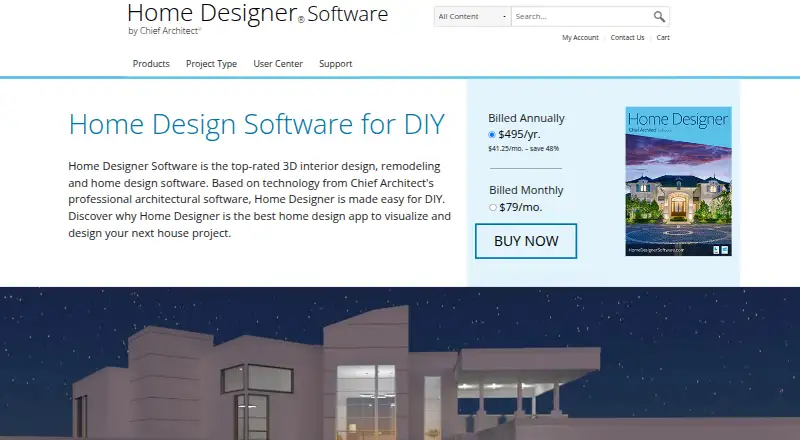
Home Designer is paid desktop software for DIY home design, remodeling, kitchens, baths, decks, landscaping, floor plans, and estimates. It builds roofs, floors, foundations, ceilings, and framing as designs change. Users can create 2D plans, 3D views, site plans, materials lists, walkthrough videos, and shared 3D models.
Review
In a line
Home Designer is desktop software for planning and visualizing home projects. It covers remodeling, interiors, kitchens and baths, decks, landscaping, construction documents, and cost estimates.
What it does
Draw scaled 2D floor plans and view the result in 3D with cross-sections, elevations, artistic modes, and real-time ray-traced rendering. Automatic tools update walls, roofs, floors, foundations, ceilings, framing, and door and window openings as the design changes.
Cabinets can snap together and use different doors, drawers, counters, woods, paints, and stains. Site tools model lot boundaries, setbacks, terrain, buildings, and additions. Materials lists include design items for quantity and cost estimates, and users can assign prices.
You can record virtual walkthrough videos and export interactive 3D Viewer models to Chief Architect’s cloud for viewing on mobile devices. Libraries include core, bonus, and manufacturer items; bonus and manufacturer catalogs are free downloads.
How it connects
Home Designer works with Chief Architect software so homeowners and professional designers can share projects. It imports and exports DWG and DXF drawings, and editions or versions may import OBJ, 3DS, SKP, DAE, STL, DWG, and DXF symbols.
The software has no public API or SDK described in its product materials. It is installed desktop software with no official self-hosted server edition. Collaboration tools are not included, and its license is proprietary rather than open source.
Good fit
It suits people designing or remodeling a home who need both visual layouts and building details. It is useful for kitchens, baths, interiors, decks, landscaping, additions, site plans, material quantities, and estimates.
Readers comparing tools for floor plans, landscape design, or architecture may find its combined planning and construction features relevant.
Watch for
The interface can intimidate new users, although tutorials are available. The software needs Windows 10 or 11 64-bit or macOS Sequoia or Tahoe, 16 GB of RAM, storage, and internet access; Windows also lists 4 GB of graphics memory and DirectX 12, while Mac requires an M1-or-newer processor.
Internet is needed for installation, activation, deactivation, catalogs, and videos, with license authentication at least every 14 days. Licensing technology and automatic error reports send installation, system, and security information to Chief Architect servers.
The free trial blocks saving, printing, exporting, walkthrough recording, and some Library Browser functions. Legacy one-time tiers are costly, and editions differ in supported 3D model formats.
Pricing
There is no free plan, but a free trial is available with the restrictions above. The current subscription is $79 a month or $495 a year. The annual option includes software upgrades, free catalog downloads, and technical support.
Legacy 2025 products include Home Designer Pro Rent at $59 a month, Suite at $129 one time, Architectural at $249 one time, and Pro at $595 one time.
Verdict
Choose Home Designer if you want one desktop application to move from room layouts to roofs, framing, terrain, materials, and presentation views. Its Chief Architect compatibility and DWG/DXF exchange help when projects move between those tools.
Look elsewhere if you need browser hosting, built-in collaboration, an open-source license, or a public API. A trial can show the interface, but it cannot save or export work, so confirm the system requirements and subscription cost before committing.
Our take
Home Designer is a fit for homeowners and designers who want detailed 2D and 3D planning with automatic building elements, site modeling, materials quantities, and estimates in one desktop package. The annual or monthly subscription includes upgrades, catalogs, and support, but there is no free plan and trial output is restricted. Its internet checks, reported system data, proprietary license, learning curve, and lack of collaboration or public API make it less suitable for teams, self-hosting, or automation-heavy workflows.
- Automatic roofs, floors, foundations, ceilings, and framing
- 2D plans plus 3D rendering, elevations, and cross-sections
- Materials lists support quantities and cost estimates
- DWG and DXF import and export
- Walkthrough videos and mobile-viewable 3D models
- No free plan; subscription starts at $79 a month
- Trial cannot save, print, export, or record walkthroughs
- Internet authentication is required at least every 14 days
- No public API, SDK, self-hosted edition, or collaboration tools
- New users may find the feature-rich interface intimidating
- Pick it ifDIY remodelers planning detailed home projects; Designers needing plans, materials lists, and 3D views; Users working with Chief Architect files
- Skip it ifYou need browser-based, self-hosted, or open-source software; Your team requires built-in collaboration or a public API; You need a trial that can save or export project files
Pricing
There is no free plan. Subscriptions cost $79 a month or $495 a year, with upgrades, free catalog downloads, and technical support.
- Home DesignerBilled monthly · Software upgrades · Free catalog downloads · Technical support$79/mo
- Home DesignerBilled annually · Software upgrades · Free catalog downloads · Technical support$495/yr
- Home Designer Pro Rent (legacy)monthly · legacy 2025 product$59/mo
- Home Designer subscription (monthly)monthly · software upgrades · free catalog downloads · technical support$79/mo
- Home Designer (monthly subscription)Billed monthly · Includes software upgrades · free catalog downloads · technical support$79/mo
- Home Designer Suite (legacy)one-time payment · legacy 2025 product$129 one-time
- Home Designer Architectural (legacy)one-time payment · legacy 2025 product$249 one-time
- Home Designer subscription (annual)annually · software upgrades · free catalog downloads · technical support$495/yr
As homedesignersoftware.com lists them, checked 22 Sept 2026.
Questions
Does Home Designer have a free plan?
No. It offers a free trial, but trial users cannot save, print, export, record walkthroughs, or use some Library Browser functions.
What does Home Designer cost?
The current subscription costs $79 a month or $495 a year. Legacy 2025 options include $59 a month, $129 one time, $249 one time, and $595 one time plans.
Which computers can run Home Designer?
Current requirements list Windows 10 or 11 64-bit or macOS Sequoia or Tahoe, 16 GB RAM, 5 GB storage, and internet. Windows also lists 4 GB graphics memory and DirectX 12; Mac requires an M1-or-newer processor.
Can it import and export CAD drawings?
Yes. It imports and exports DWG and DXF drawings. Depending on edition and version, it can also import several 3D symbol formats.
Does Home Designer offer an API?
The product materials describe file exchange and viewer sharing but do not provide a public API or SDK.
Can I share projects on a phone?
You can export interactive 3D Viewer models to Chief Architect’s cloud for sharing and viewing on mobile devices.
Is Home Designer open source?
No. It uses an individual, non-transferable proprietary license and is installed as desktop software.