Huddlekit: Visual Feedback and QA for Web Projects
huddlekit.com · checked 15 Oct 2026
Visual website and media review with comments, task tracking, guest links and optional developer integrations.
How it plugs in
Signal on Web Annotation Tools6.3#5 of 31
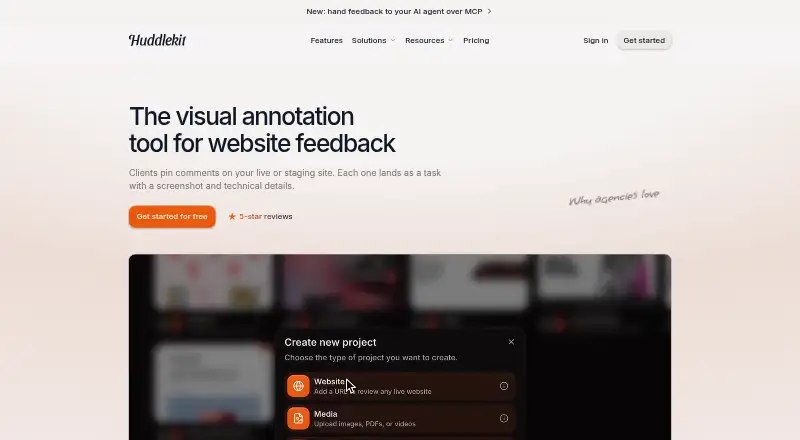
Huddlekit lets teams review websites, web apps, images, PDFs and videos with visual feedback. People pin comments to exact locations, while screenshots and browser details are captured automatically. Comments become tasks on a Kanban board. Guests can use shared links without accounts. Responsive review and AI connections are available on Pro and Team, while Team also provides integrations, webhooks and API access.
Review
In a line
Huddlekit gives designers, developers and clients a shared workspace for visual annotations and QA. Its review projects cover websites, web apps, images, PDFs and videos.
What it does
Reviewers click on a page or file to leave a comment tied to that location. On websites and web apps, each comment includes a screenshot along with the page, selected element, browser, device and viewport information.
Comments turn into tasks on a Kanban board with open, in-progress and resolved states. Teams can assign owners, set priorities and due dates, and record effort estimates. Inspect mode reveals live-site sizing, spacing and alignment without requiring browser developer tools.
Pro and Team plans support side-by-side breakpoint checks and custom breakpoints. Layout tools include column-grid overlays, x-ray outlines and enlarged page previews.
How it connects
A shared link lets guests comment without signing in or installing an extension, and every plan allows unlimited guests. A Web App project uses a script widget to collect feedback inside logged-in or user-specific pages. Guides cover HTML, React/Next.js, Webflow, WordPress, Wix, Squarespace, Shopify and Framer.
With Team, connections are available for Linear, ClickUp, Notion, Asana, Trello, Slack and Zapier, along with webhooks and REST API access. The API can list projects and comments, create comments, change status and manage webhook subscriptions. It cannot edit comment text, delete comments, post replies, or set priorities, tags or assignees.
API keys and webhooks require Team and administrator or owner access. Each key allows 200 read requests and 30 write requests per minute per endpoint. Claude, Claude Code and Cursor can connect through MCP on Pro or Team.
Good fit
Huddlekit suits teams collecting visual feedback during design, development and client handoff. Shared links make external review simple, while the board keeps fixes assigned and trackable.
It can also suit projects that need feedback inside authenticated areas through its widget, or teams that want breakpoint review and layout inspection.
Watch for
The primary review screen only works in a desktop browser window measuring at least 1,024 pixels across; phones, tablets and narrower windows are blocked. Mobile commenting is available through the web-app widget instead.
Website projects cannot reach content available only after a private user login; those cases require a Web App project. Widget comments are tied to exact URL paths, guest identity is browser-based, and the widget loads only on its registered domain. Wix page passwords do not work for staging review.
The facts note that Huddlekit keeps its branding on comments, shared links and dashboard views, with no custom theme options reported.
Pricing
A Free plan is available, but Huddlekit does not provide a free trial. It is billed Free forever and includes 3 team members, 1 project, unlimited guests and 100 MB of storage.
Pro costs $16 a month, billed yearly ($190). It includes 3 team members, unlimited projects and guests, 5 GB of storage, plus Claude and Cursor MCP.
Team costs $33 a month, billed yearly ($390). It includes 15 team members, unlimited projects and guests, 50 GB of storage, MCP, integrations and API access.
Verdict
Choose Huddlekit if your review process needs precise visual comments, guest access and a task board in one place. Free suits a small team working on one project, while Pro adds AI connections and responsive review.
Team is the relevant tier for integrations, webhooks and API work. Before adopting it for client-facing projects, verify the desktop-width requirement, authenticated-page setup and retained branding.
Our take
Huddlekit is a practical choice for design and development handoffs where comments need screenshots, technical context and clear task states. Its unlimited guest access lowers friction for clients, and the free plan gives small groups a way to start. The main trade-offs are the desktop-only review screen, limits around private logged-in pages, and the need for Team to unlock API and integration features. Teams wanting a white-label client experience should look elsewhere because Huddlekit branding remains visible.
- Comments automatically include screenshots and browser context
- Guests can comment without accounts, with no plan limit on guest numbers
- Kanban tasks support owners, priorities and due dates
- Free plan provides 3 members and 1 project
- Team provides integrations, webhooks and REST API access
- The main review screen needs a browser window at least 1,024 pixels wide
- Private login-only website content needs a Web App project
- API cannot edit or delete comments or post replies
- Widget comments follow exact URL paths and registered domains
- Custom themes are not available and Huddlekit branding remains
- Pick it ifDesign and development teams handling visual client feedback; Projects needing guest review and task tracking; Teams wanting breakpoint checks or MCP connections
- Skip it ifYou need phone-first reviewing in the main interface; Your site content is only available after private login; You require white-label comments or full comment-editing API controls
Pricing
Free provides one project and 100 MB of storage. Pro is $16 a month billed yearly ($190) with unlimited projects and MCP. Team is $33 a month billed yearly ($390), adding integrations, API access and larger capacity.
- FreeFree forever · 3 team members · 1 project · Unlimited guests · 100 MB storageFree
- ProBilled yearly ($190) · 3 team members · Unlimited projects · Unlimited guests · 5 GB storage · Claude and Cursor MCP$16/mo
- ProBilled monthly · 3 team members · Unlimited projects · Unlimited guests · 5 GB storage · MCP$19/mo
- TeamBilled yearly ($390) · 15 team members · Unlimited projects · Unlimited guests · 50 GB storage · MCP · Integrations · API access$33/mo
- TeamBilled monthly · 15 team members · Unlimited projects · Unlimited guests · 50 GB storage$39/mo
As huddlekit.com lists them, checked 15 Oct 2026.
Questions
Can guests comment without signing up?
Yes. A shared link lets guests comment without an account or browser extension, and guest access is unlimited on every plan.
Does Huddlekit work with logged-in pages?
Website projects cannot reach content that appears only after private login. Use a Web App project with Huddlekit's script widget for those pages.
What integrations does Huddlekit offer?
Team connects with Linear, ClickUp, Notion, Asana, Trello, Slack and Zapier, and includes webhooks plus REST API access.
Is there a free plan or trial?
Huddlekit offers a Free plan billed free forever, but no free trial.
What browsers or screens are supported for review?
The main review view works only in a desktop browser window 1,024 pixels wide or more. Phones, tablets and narrower windows are blocked; mobile widget commenting remains available.
What can the REST API do?
It can list projects and comments, create comments, change comment status and manage webhook subscriptions. It cannot edit text, delete comments, post replies or set priority, tags or assignees.