ICEM Surf Software Review
3ds.com · checked 11 Oct 2026
A Windows tool for defining, checking, and viewing complex free-form CAD surfaces.
How it plugs in
Signal on Simulation Software5.5#8 of 69
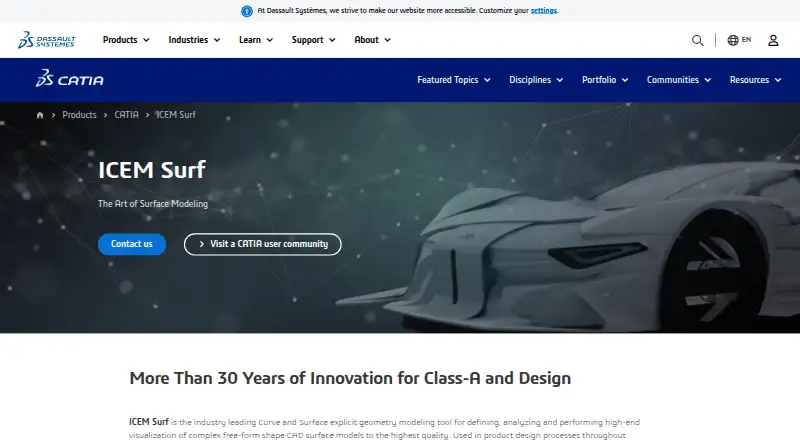
ICEM Surf is a direct curve and surface modeling tool for complex free-form CAD geometry. It supports Class-A surface work, sheet-metal tools, scan-based modeling, safety checks, and real-time rendering with virtual-reality reviews. It runs on Windows and connects with CATIA, 3DEXPERIENCE, Siemens NX, and other listed interfaces.
Review
In a line
ICEM Surf is software for building, checking, and viewing complex free-form CAD surfaces. Its work is aimed at detailed surface geometry, including Class-A models.
What it does
The direct modeling workflow lets users define and analyze curves and surfaces. It also includes sheet-metal tools and tools for checking Class-A geometry with live diagnostic feedback.
Optional modules cover scan modeling, safety analysis, and immersive virtual-reality reviews with real-time rendering. Scan modeling can work with point clouds from laser or photo digitizers, while safety analysis checks sharp areas by rolling a simulated sphere over the model.
How it connects
ICEM Surf has direct interfaces for CATIA and 3DEXPERIENCE, plus interfaces for 3DEXCITE DELTAGEN, Siemens NX, and ICEM Surf PLM-Link. It can exchange data with formats such as CATIA V4/V5, IGES, STL, and VDA/FS.
Exports also include Inventor, VRML, TIFF, CGM, and PostScript. This places it in the wider 3D CAD Software category. Cloud collaboration is supported.
Good fit
The software suits automotive, aerospace, consumer-goods, and press-tool design teams that need detailed free-form surfaces. It is also a fit for Class-A work, scan-based modeling, surface reviews, and rendered or VR design checks.
Watch for
ICEM Surf runs on Windows 10/11 64-bit, but the support page says version 2026 needs Windows 11 H2 or newer for proper visualization and rendering. General requirements call for at least 8 GB of 64-bit memory.
The commercial package is modular, and some interfaces or add-ons need extra licenses. The Student Edition has no vendor support; technical help is directed to a legacy community.
Pricing
The ICEM Surf Learning Edition is free after creating or signing in with a 3DEXPERIENCE ID. It is for personal learning only, not industrial, commercial, or business use, and includes no support.
Commercial licenses are price on request. The transaction document provides pricing, and some interfaces and add-on modules may cost extra.
Verdict
Choose ICEM Surf when your work depends on advanced free-form surface control, Class-A checks, or scan and VR review features on Windows. The Learning Edition offers a no-cost way to study the software, but it does not cover business use. Buyers should confirm the required Windows release, memory, interfaces, and add-on licenses before requesting a commercial quote.
Our take
ICEM Surf is suited to organizations designing complex vehicle, aircraft, consumer-product, or press-tool surfaces that need dedicated Class-A checks and detailed visualization. Its format support and links to major CAD environments can help it fit into established workflows. The main buying questions are operating-system eligibility, required modules, and interface licensing. Individuals can learn with the free edition, but businesses need a commercial license and should not expect vendor help for the Student Edition.
- Direct modeling for complex free-form CAD surfaces
- Class-A surface checking with dynamic diagnostics
- Scan modeling and VR review options
- Interfaces for CATIA, 3DEXPERIENCE, and Siemens NX
- Free personal Learning Edition
- Windows-only software
- Commercial pricing is available only on request
- Some interfaces and add-ons require extra licenses
- Learning Edition is not for business use
- Student Edition has no vendor support
- Pick it ifAutomotive and aerospace surface design teams; Class-A, scan-modeling, or VR review work; Personal learners exploring ICEM Surf
- Skip it ifYou need macOS or Linux support; You need a free commercial license; You require vendor support for the Student Edition
Pricing
A free Learning Edition is limited to personal study and has no support. Commercial licenses are priced on request, with some interfaces and add-ons potentially requiring separate licenses.
- ICEM Surf Learning EditionPersonal learning only · Not for industrial, commercial, or business use · No support providedFree
- ICEM Surf commercial licensesPricing is provided in the related transaction document; some interfaces and add-on modules require additional licensesOn request
As 3ds.com lists them, checked 11 Oct 2026.
Questions
Is ICEM Surf free?
The Learning Edition is free for personal learning only. Commercial licenses are price on request.
What operating systems does ICEM Surf support?
It supports Windows 10/11 64-bit. The support page says ICEM Surf 2026 requires Windows 11 H2 or newer for proper visualization and rendering.
Can ICEM Surf import and export CAD files?
Yes. Formats include CATIA V4/V5, IGES, STL, VDA/FS, scan data, and others. Outputs also include Inventor, VRML, TIFF, CGM, and PostScript.
Does ICEM Surf connect with other CAD systems?
It lists direct interfaces for CATIA and 3DEXPERIENCE, plus interfaces for 3DEXCITE DELTAGEN, Siemens NX, and ICEM Surf PLM-Link.
What is the Scan Modelling module?
It works with dense, ordered, or random point clouds created by laser and photo digitizers.
Does the Learning Edition include support?
No. Dassault Systèmes says the Student Edition has no support and directs technical questions to its legacy community.