Icons8 Smart Upscaler: AI Image Enlargement
icons8.com · checked 10 Oct 2026
Enlarge JPG, PNG, and WebP images with AI in a browser or via API.
How it plugs in
Signal on Image Upscaling Software7.5#19 of 99
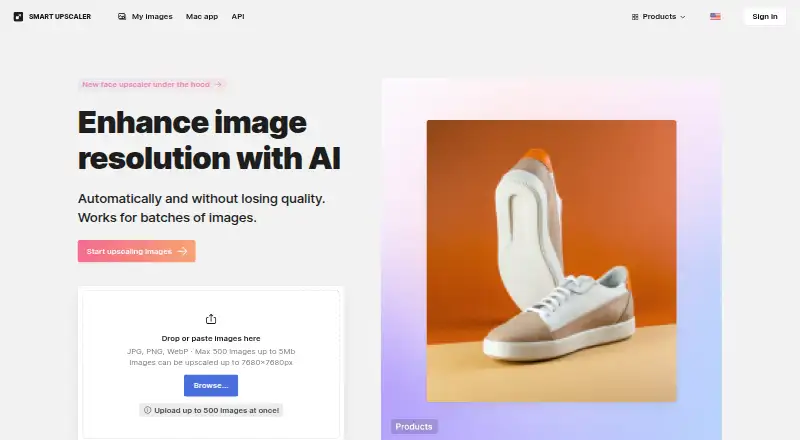
Using AI, Icons8 Smart Upscaler enlarges images and keeps their details intact. Batch jobs are available for JPG, PNG, and WebP files submitted through the browser or API. The web uploader accepts images up to 5 MB, and enlarged web images can measure up to 7680 × 7680 pixels. A free plan sits alongside paid subscriptions and prepaid credits.
Review
In a line
Icons8 Smart Upscaler applies AI to raise image resolution and enlarge pictures while retaining detail. It runs on the web or through an API, and macOS appears in its platform listing.
What it does
You upload an image and the service enlarges it with AI. Through the API, sharpening, noise reduction, and enlargement can run automatically. Batch processing is supported for handling multiple images.
How it connects
The browser uploader accepts JPG, PNG, or WebP images, each no larger than 5 MB. Web output reaches 7680 × 7680 pixels, while the API can also process an image supplied by URL.
The listed platforms are web, API, and macOS, although the product facts specify no desktop app. API uploads may be JPEG, PNG, or WebP files. Image Upscaling Software
Good fit
People who need enlarged versions of existing images, including designers, may find this useful. Icons8 describes its audience as designers using graphics, design apps, and AI tools.
Icons8 says JPEG or PNG images below 3000 × 3000 pixels tend to work best. AI Image Upscalers
Watch for
The web upload limit is 5 MB per image, and the maximum web output is 7680 × 7680 pixels. Source-image size and format can affect results.
Icons8 says uploads are excluded from machine-learning use. Its privacy policy says images are processed for the requested job and are neither shared nor showcased. Uploaded files remain stored so you can revisit history and download enlarged photos. The site uses an SSL certificate to encrypt data in transit.
MacOS is listed as a platform, but no desktop app is provided, so the access method should be verified. Documentation, a help-center FAQ, and a contact page are linked for support.
Pricing
You can use a free plan, with subscriptions and prepaid credits also offered. The Limited subscription is $9 per month for 100 images, and unused credits roll over.
The Unlimited subscription costs $99 monthly for any number of images. A Prepaid package costs $10 once and provides 50 images for use anytime.
Verdict
Smart Upscaler fits users seeking AI enlargement in a browser or automated workflow, batch processing, or a fixed image allowance. The API is useful when sharpening, noise reduction, and resizing must happen in an automated process.
Look elsewhere if your files regularly exceed the web limits, if you require a dedicated desktop application, or if your workflow depends on image types outside JPG, PNG, and WebP.
Our take
Icons8 Smart Upscaler offers a practical way to enlarge common image files in a browser or through an automated API. The free plan provides an entry option, while subscriptions cover recurring or unlimited volume and a prepaid option covers occasional jobs. A 5 MB web-upload ceiling, stated maximum dimensions, and no desktop app could make it unsuitable for some workflows. Privacy details are clearly stated, including no machine-learning use of uploaded pictures and storage for later downloads.
- AI enlargement with detail preservation, sharpening, and noise reduction
- JPG, PNG, and WebP files are accepted by the browser uploader
- Batch processing and API access are available
- Free plan plus monthly and prepaid options
- Uploaded pictures are excluded from machine-learning use
- Web uploads are limited to 5 MB per image
- Web output is capped at 7680 × 7680 pixels
- No desktop app is provided
- Best results are stated for JPEG or PNG images under 3000 × 3000 pixels
- MacOS is listed, but the access method is unclear
- Pick it ifDesigners enlarging JPG, PNG, or WebP images; Teams automating upscaling through an API; Buyers needing monthly or prepaid image credits
- Skip it ifYou need a dedicated desktop application; Your files need to exceed the web upload or output limits; You work with formats other than JPG, PNG, or WebP
Pricing
The free plan supports trying the service. Paid choices include $9 per month for 100 images with rollover credits, $99 per month for unlimited images, and a $10 one-time package containing 50 images.
- Limited subscriptionMonthly · 100 images/month · rollover credits$9/mo
- Unlimited subscriptionMonthly · Any number of images$99/mo
- Prepaid packageUse anytime · 50 images$10 one-time
As icons8.com lists them, checked 10 Oct 2026.
Questions
Does Icons8 Smart Upscaler have a free plan?
Yes. Icons8 Smart Upscaler offers a free tier, as well as paid subscriptions and a prepaid package.
What file types can I upload?
JPG, PNG, and WebP images work in the browser uploader. API requests can include JPEG, PNG, or WebP uploads, or an image URL.
How large can a web upload be?
A browser upload can weigh up to 5 MB, and web enlargement supports dimensions as large as 7680 × 7680 pixels.
Does it offer an API?
Yes. Its API can run sharpening, noise reduction, and enlargement automatically from uploaded files or image URLs.
Are uploaded images used to train AI?
Icons8 states that Smart Upscaler uploads are not used for machine learning. Its privacy policy says images are processed for the requested task and not shared or showcased.
What does the Unlimited subscription cost?
The Unlimited subscription costs $99 per month and allows any number of images.
Near it
All alternatives →- C
 Claid#18 on this board
- SRSuper Resolution#20 on this board
- XIXimilar Image Upscaler#17 on this board
- UMUpscale Media AI#21 on this board
- N
 NextGenUp#16 on this board
- PI
 PicWish Image Upscaler#22 on this board
- CT
 Chatterbox TTS#15 on this board
- HAHotpot AI Upscale Photo#23 on this board
- MI
 Media.io AI Image Upscaler#14 on this board
- AAuraSR#24 on this board