iTimekeep Legal Timekeeping Software Review
aderant.com · checked 2 Oct 2026
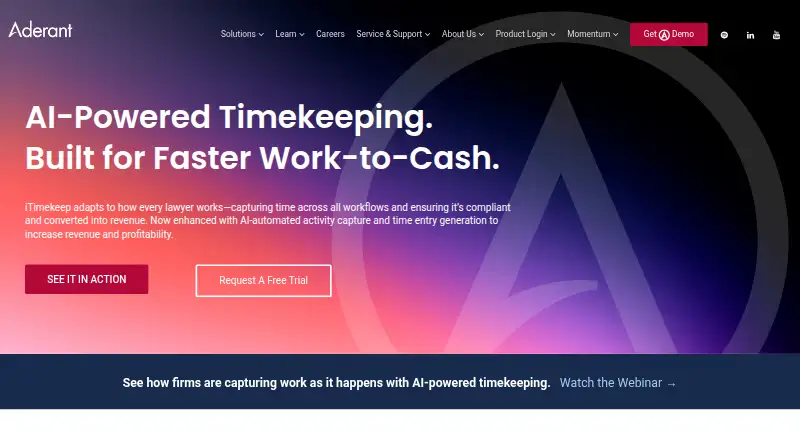
AI-assisted legal timekeeping that captures activity and prepares billing entries for review.
How it plugs in
Signal on Legal Time Tracking Software5.9#8 of 24
Designed for legal teams, iTimekeep records work across applications and prepares entries with billing codes and narratives for user review or editing. Floating timers, smart timecards, offline access, Outlook and Harvey connections, and mobile apps support everyday timekeeping.
Review
In a line
Built for attorneys and law firms, iTimekeep converts work activity into draft billable-time entries with AI assistance.
What it does
The software records activity across applications and prepares time entries. Its AI can supply billing codes and narratives intended to follow firm and client requirements.
Users may enter time manually, use floating timers, or work with smart timecards that adapt to the matter. The workflow accommodates both live entry and end-of-day checking, with dashboards showing activity.
Offline support gives users controls to inspect, reject, or change entries when they are not connected.
How it connects
The service is available through the web, Android, iOS, and an extension. On iOS, time entry works with iPhone, iPad, and Apple Watch, while Android is supported as well.
Within Outlook, calendar events and emails can be converted into compliant time entries. Harvey can send captured work to iTimekeep as drafts that include matter, duration, and an AI-generated narrative.
According to Aderant, iTimekeep works with all major practice-management software systems. The product also completed a SOC 2 Type 2 audit covering Security, Availability, and Confidentiality with no exceptions reported.
Good fit
The product is aimed at attorneys and law firms that want to record billable work as it happens and check it afterward. Aderant presents it as supporting faster movement from recorded work to billing.
It may fit teams using Outlook, Harvey, mobile devices, or practice-management software that need matter-based timecards, timers, and drafted entries.
Watch for
AI-prepared entries need human checking, including their codes, narratives, matter information, and compliance with applicable rules. Users can also reject or edit those entries.
Before committing, verify the practice-management connection and the workflow details for your firm.
Pricing
iTimekeep is sold as a paid plan, and Aderant provides pricing on request. A free trial is offered, but no duration is specified.
Prospects need to contact Aderant for pricing, a demo, or trial access.
Verdict
Consider iTimekeep if your legal team wants application-wide activity capture, matter-aware timers and timecards, plus mobile and offline review.
It may be unsuitable for buyers requiring a public price, a stated trial period, or software intended for non-legal use. Check that its Outlook, Harvey, and practice-management workflows fit your current setup.
Our take
iTimekeep targets legal teams seeking less manual time entry. It combines activity capture, drafted billing details, compliance checks, and mobile access for both live recording and subsequent review. Outlook can turn calendar and email activity into entries, while Harvey can send captured work as drafts; offline controls support review without a connection. Aderant does not publish pricing or trial duration, so firms should request those details and verify their practice-management workflow.
- AI records activity across applications and prepares draft time entries.
- Billing codes and narratives can be generated for user review.
- Outlook converts calendar and email activity into compliant entries, and Harvey can send captured work as drafts.
- Users can review, edit, or reject entries offline.
- Access includes web, Android, iOS, and an extension, with iOS support for Apple Watch.
- The price is provided only on request.
- Entries produced by AI still require user review.
- Pick it ifLaw firms seeking automated capture of billable work; Attorneys working with Outlook, Harvey, or mobile devices; Teams that review entries offline or at the end of the day
- Skip it ifYou require publicly posted pricing or a stated trial duration.; You need software intended for non-legal time tracking.
Pricing
The paid iTimekeep plan is priced on request.
- iTimekeepPricing not listed publicly; request a demo or free trialOn request
As aderant.com lists them, checked 2 Oct 2026.
Questions
What is iTimekeep?
It is an AI-assisted timekeeping product for attorneys and law firms that records work activity and prepares entries for review.
Can iTimekeep work offline?
Yes. Offline controls allow users to inspect, reject, or edit entries without a connection.
Does iTimekeep integrate with Outlook?
Yes. Calendar events and emails can become compliant time entries within Outlook.
Does it connect to Harvey?
Yes. Captured Harvey work can be transferred to iTimekeep as draft entries containing matter, duration, and an AI-written narrative.
What devices support iTimekeep?
The product offers web, Android, iOS, and extension access. Its iOS app supports iPhone, iPad, and Apple Watch.
Is iTimekeep suitable for law firms?
Yes. Aderant describes it as a solution for attorneys and law firms, with matter tracking, legal billing codes, narratives, and compliance checks.