
Disaster Recovery Orchestration Software
JetStream DR for VMware Recovery
jetstreamsoft.com · checked 21 Oct 2026
JetStream DR continuously copies VMware VM data to object storage and supports recovery from that copy.
How it plugs in
Signal on Disaster Recovery Orchestration Software5.7#6 of 17
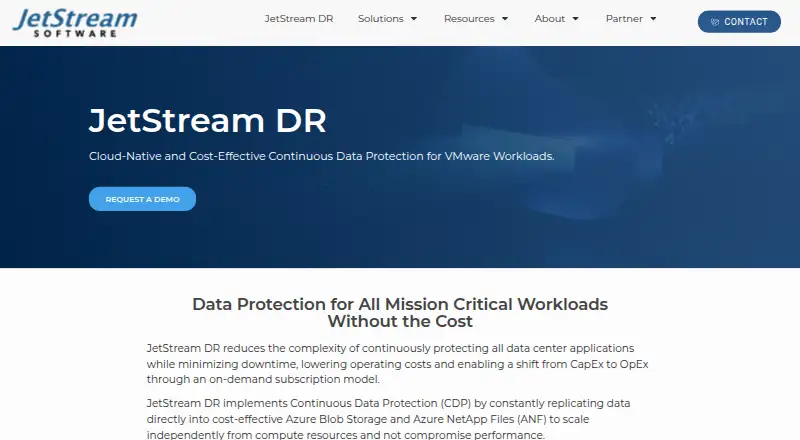
For VMware vSphere 7 and 8, JetStream DR combines hybrid disaster recovery with continuous replication. It copies VM data to object storage and supports recovery in a secondary environment, including point-in-time recovery. Protection is configured with vCenter and the vSphere web interface. The product is purpose-built for service providers helping customers protect on-premises environments; Azure VMware Solution is its current primary cloud deployment.
Review
In a line
JetStream DR sends VMware virtual machine data to object storage so workloads can be restored in a separate environment. Its focus is disaster recovery and business continuity.
What it does
The product continuously replicates VM data, with a stated goal of near-zero data loss in a recovery. JetStream says protected VMs can be recovered and running within minutes; recovery compute and VM rehydration can be provisioned only when recovery operations are needed.
It supports failover, test failover, failback, and recovery to a selected point in time. The point-in-time workflows can also support ransomware recovery, including work on an isolated network.
How it connects
JetStream DR supports VMware vSphere 7 and 8. Protection is set up through a vCenter plug-in, the vSphere web interface, and storage policies. VM data is captured with VMware I/O filters, without agents in protected VMs or snapshots.
Storage options include S3-compatible object storage such as AWS S3, Azure Blob Storage, Cloudian, and MinIO. The product also describes Azure NetApp Files. Supported VMware storage includes SAN, NAS, VVOL, vSAN, and third-party hyperconverged systems such as Nutanix and Cisco HyperFlex.
The administrator guide describes a public REST API, which is a way for software to exchange instructions over the web, plus scripts and tools for automation. AVS deployment comes through Azure Marketplace; on-premises installation uses packages from JetStream support.
Good fit
Service providers supporting customers’ on-premises systems are a central audience for the product’s disaster recovery and business continuity capabilities. It may also suit organizations that run VMware and need off-site replication, secondary-site recovery, or point-in-time restoration.
Watch for
For AVS recovery, the target region needs an Azure VMware Solution private cloud with at least three nodes. The documented AVS setup does not support Azure Blob hierarchical namespace or shared disks, including Windows Failover Clustering disks.
Azure VMware Solution is described as the primary cloud deployment. Azure NetApp Files volumes must be created and presented beforehand; JetStream DR does not orchestrate their creation in the described version. Check that your storage, recovery infrastructure, and workload setup fit these requirements before committing.
Pricing
JetStream DR is paid, and prices are available on request. The AVS plan is charged monthly through Azure according to an active license or protected VM per day, and Azure Blob Storage is required. A separate paid subscription is on-demand and monthly; storage and cloud infrastructure may cost extra.
The guide instructs users to move to a paid Azure Marketplace plan after the evaluation concludes.
Verdict
Consider JetStream DR if you run vSphere 7 or 8 and want ongoing replication with the option to restore in another environment. Its agentless capture, point-in-time recovery, and on-demand recovery capacity align with service providers and organizations planning for outages or ransomware incidents.
It is less suitable if your recovery plan depends on unsupported shared disks, Azure Blob hierarchical namespace, or JetStream creating Azure NetApp Files volumes for you. Confirm the Azure region’s AVS requirements and request a quote that accounts for storage and cloud infrastructure.
Our take
JetStream DR may suit service providers and VMware teams that want an off-site copy and the ability to restore workloads in a separate environment. Ongoing replication and point-in-time recovery support response to data loss and ransomware, and recovery capacity can be brought online only when required. Check that your storage and Azure configuration fit the stated limits, and ask for pricing that accounts for any separate storage and cloud infrastructure costs.
- Continuously replicates VM data to object storage.
- Captures data without agents installed inside protected VMs.
- Does not require snapshots for replication.
- Provides failover, failback, and point-in-time recovery.
- Can provision recovery capacity when recovery is needed.
- The documented AVS recovery configuration needs at least three nodes in the target region.
- Shared disks and Azure Blob hierarchical namespace are unsupported in the documented AVS setup.
- Azure NetApp Files volumes must be prepared and presented beforehand.
- Pick it ifService providers offering recovery for customers’ on-premises environments; VMware teams seeking off-site replication and point-in-time restoration
- Skip it ifYour AVS recovery setup relies on shared disks or Azure Blob hierarchical namespace; You need JetStream DR to create Azure NetApp Files volumes for you; You need published pricing before contacting the vendor
Pricing
Paid plans have no published price. The AVS plan is charged monthly through Azure per active license or protected VM per day and requires Azure Blob Storage. The on-demand monthly subscription is price on request; storage and cloud infrastructure may cost extra.
- JetStream DR for AVSMonthly through Azure · Charged per active JetStream DR licence or protected VM per day · Azure Blob Storage requiredOn request
- Paid subscriptionOn-demand monthly subscription; price not stated. · VM-level recovery SLAs · storage and cloud infrastructure costs may be separateOn request
As jetstreamsoft.com lists them, checked 21 Oct 2026.
Questions
Which VMware versions does JetStream DR support?
Its FAQ states support for VMware vSphere 7 and 8.
Does JetStream DR install software inside each VM?
No. VM data is captured through VMware vSphere I/O filters rather than agents installed inside protected VMs.
What storage targets are listed for replicated data?
Listed targets include S3-compatible storage such as AWS S3, Azure Blob Storage, Cloudian, and MinIO. The product also describes Azure NetApp Files.
How is the AVS version priced?
The plan is charged monthly through Azure per active JetStream DR license or protected VM per day. Azure Blob Storage is required; no price is listed.
What does the AVS deployment require?
For on-premises-to-AVS recovery, Microsoft requires an Azure VMware Solution private cloud with at least three nodes in the target recovery region.
Can it recover data from ransomware incidents?
JetStream DR provides point-in-time recovery workflows. Microsoft documents restoring to an available point in time on an isolated network for forensic and ransomware recovery work.
Near it
All alternatives →- AC
 Acronis Cyber Disaster Recovery Cloud#5 on this board
- CSCohesity SiteContinuity#7 on this board
- AE
 AWS Elastic Disaster Recovery#4 on this board
- QOQuorum onQ#8 on this board
- DSDbvisit Standby MultiPlatform#3 on this board
- Z
 Zerto#9 on this board
- HA
 Hystax Acura#2 on this board
- XOXen Orchestra#10 on this board
- VR
 Veeam Recovery Orchestrator#1 on this board
- AS
 Azure Site Recovery#11 on this board