Motion Graphics Template Libraries
Jitter: Motion Design and Animation in the Browser
jitter.video · checked 15 Oct 2026
Browser-based motion design for creating, editing, and exporting animated content with teams.
How it plugs in
Signal on Motion Graphics Template Libraries6.3#7 of 21
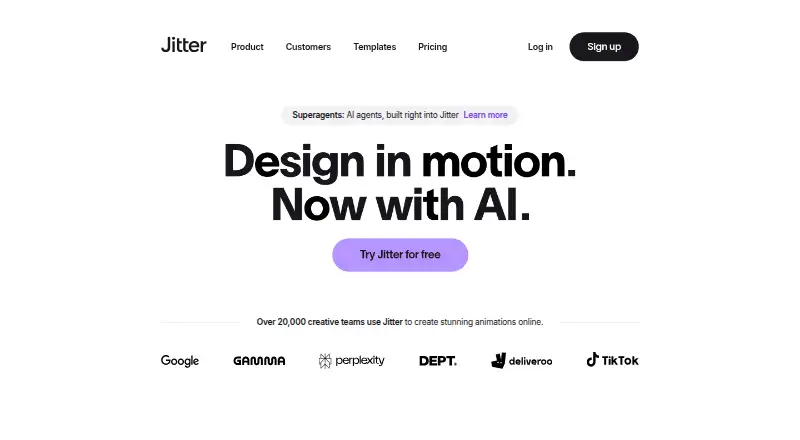
Jitter is a web and extension-based motion design tool for making animations and motion graphics. It combines a visual editor, AI-generated editable animations, Figma import, shared workspaces, comments, templates, and batch production tools. Exports include video, GIF, Lottie, and more, with higher resolutions and extra formats on paid plans.
Review
In a line
Jitter is an online tool for designing and shipping animations and motion graphics. It runs in a browser, with no download or installation needed.
What it does
The editor provides a timeline, text and easing presets, reusable animations, curved paths, pen and morph tools, gradients, blur, blend modes, audio and video layers, and animated text. Scenes can run for up to 120 seconds.
Jitter AI can create editable animations, effects, and variations from a description. Its Image to Video feature turns still images into animated video scenes. A free template library has more than 400 templates.
For larger production runs, Magic Import, auto-resize, auto-translate, animated components, and batch export help create content variations.
How it connects
Jitter offers a Figma plugin that imports designs, lets you edit layers in Jitter, and swaps in synced Figma changes while keeping animations. A February 2025 update added Figma Slides import, multiselect, and full-file import.
The editor imports JPG, PNG, WebP, MP4, WebM, and GIF files. Exports include MP4, MOV, WebM, GIF, Lottie, and ProRes 4444; ProRes and WebM are on paid plans. Jitter is not open source.
It supports shared workspaces, real-time collaboration, link sharing, and in-context comments. It runs on the web and as an extension, with desktop Chrome recommended, especially for exporting.
Good fit
Jitter suits designers, marketers, and teams that need collaborative motion graphics without installing desktop software. It can cover animated social or product content, Figma-based motion work, and repeatable variations.
More than 1,500 free fonts are available, and custom fonts can be imported. The tool also fits teams that need comments, shared files, and workspace-based production.
Watch for
The Free plan allows three workspace files, 720p exports at 30fps, and limited AI credits. A scene cannot exceed 120 seconds.
Jitter has no free trial and is not open source.
For browser use, Jitter recommends the latest desktop Google Chrome, particularly for exports. Its trust center lists SOC 2 Type II documentation, encryption, access controls, vulnerability monitoring, and data-retention controls.
Pricing
Jitter has a freemium model and an indefinitely usable Free plan. It includes unlimited drafts, three workspace files, video/GIF/Lottie export, 720p at 30fps, and limited AI credits.
Pro is billed annually, with price not listed. It adds unlimited files and folders, 1080p at 60fps, ProRes and WebM, Image to Video, and standard AI credits. Pro is also offered monthly, with price not listed, at 1080p and 60fps.
Max is billed annually, with price not listed, and adds Brand Kits, transparent export, frame-by-frame export, 4K at 120fps, and twice Pro AI credits. Ultra is billed annually, with price not listed, and includes Max features, increased AI output, and three times Max AI credits.
Enterprise pricing is on request. It lists advanced security, custom SSO and SCIM, a dedicated account manager, pre-release features, and custom integrations and workflow support. Stripe processes payments, and Jitter says it does not directly handle customers’ card details.
Verdict
Choose Jitter if you want browser-based motion design, Figma handoff, collaborative review, or AI-assisted animation in one workspace. The free tier can support small projects, while paid plans target higher resolution, frame rates, formats, and production volume.
Look elsewhere if you need open-source software, a free trial, scenes longer than 120 seconds, or clearly published paid-plan prices. Check Chrome support, workspace-file limits, AI credits, and export requirements before selecting a plan.
Our take
Jitter is a practical option for teams moving from static designs to short animated content, especially when Figma files and shared review are part of the process. Its browser delivery avoids installation, and the free tier gives a way to start with modest export needs. The main buying questions are how many workspace files you need, which export resolution or format matters, and how much AI output you expect. Buyers who require open-source code, a trial period, long scenes, or transparent paid pricing should compare other tools before choosing.
- Browser access with no installation required
- Figma plugin preserves animations when synced changes are swapped
- Real-time workspaces, link sharing, and in-context comments
- AI can generate editable animations and image-to-video scenes
- Exports include video, GIF, and Lottie
- Free plan is limited to three workspace files
- Free exports are 720p at 30fps
- No free trial and the software is not open source
- Scene length is capped at 120 seconds
- Pick it ifTeams creating short motion graphics in a browser; Figma users who need animated versions of designs; Projects needing shared review and repeatable exports
- Skip it ifYou need open-source software or a free trial; You require scenes longer than 120 seconds; You need published prices before evaluating paid plans
Pricing
A free plan is available indefinitely. Enterprise pricing is on request. Higher plans add resolution, frame-rate, export, AI, security, and workflow features.
- Pro (monthly)1080p export · 60fps exportOn request
- Max (monthly)4K export · 120fps exportOn request
- Ultra (monthly)Increased AI output · 3x Max AI credits · Everything in MaxOn request
- FreeUnlimited drafts · 3 workspace files · Video/GIF/Lottie export · 720p 30fps · Limited AI creditsFree
- Probilled annually · Unlimited files and folders · 1080p 60fps · ProRes/WebM · Image to Video · Standard AI creditsOn request
- Maxbilled annually · Brand Kits · Transparent export · Frame-by-frame export · 4K 120fps · 2x Pro AI creditsOn request
- EnterpriseAdvanced security · Custom SSO and SCIM · Dedicated account manager · Pre-release features · Custom integrations and workflow supportOn request
- Ultrabilled annually · Everything in Max · Increased AI output · 3x Max AI creditsOn request
As jitter.video lists them, checked 24 Sept 2026.
Questions
Does Jitter have a free plan?
Yes. The Free plan can be used indefinitely and includes unlimited drafts, three workspace files, video/GIF/Lottie export, 720p at 30fps, and limited AI credits.
Can Jitter import Figma designs?
Yes. Its Figma plugin imports designs, supports layer edits in Jitter, and can swap synced Figma changes while preserving animations.
What files can Jitter import?
The editor imports JPG, PNG, WebP, MP4, WebM, and GIF files.
Which export formats does Jitter support?
Exports include MP4, MOV, WebM, GIF, Lottie, and ProRes 4444. ProRes and WebM are available on paid plans.
Does Jitter offer AI animation?
Jitter AI creates editable animations, effects, and variations from a description. Image to Video turns still images into animated video scenes.
Can teams collaborate in Jitter?
Yes. Shared workspaces support real-time collaboration, link sharing, and in-context comments.
What browser does Jitter recommend?
Jitter recommends the latest desktop Google Chrome, especially when exporting.