
Jobber Software Review
getjobber.com · checked 8 Oct 2026
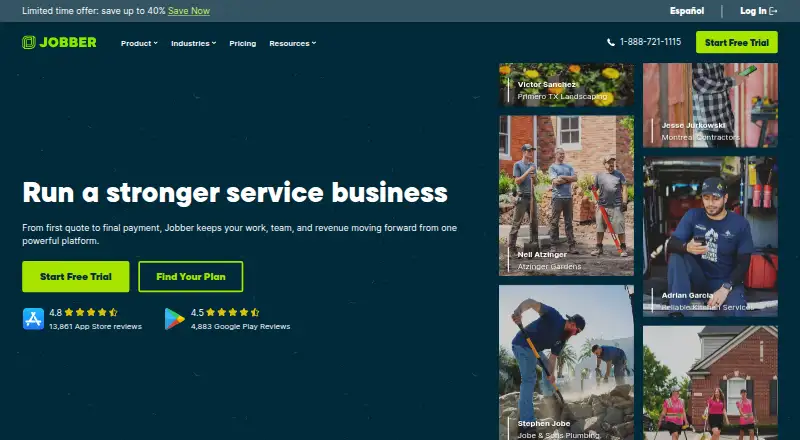
Jobber brings quote, scheduling, invoicing, and payment tasks together for home and commercial service businesses.
How it plugs in
Signal on Job Costing Software6.2#4 of 32
Jobber is paid software for home and commercial service operators. Alongside scheduling and routing, it provides job records, customer features, quotes, billing, payments, and recurring jobs. The platform is available through the web, iOS, and Android, includes an API, and lists connections across accounting, payroll, retail, and automation services.
Review
In a line
Made by Edmonton-based Jobber, the platform supports service work from preparing a quote and setting a schedule to issuing invoices and collecting payment.
What it does
Crews can set schedules as jobs arise, map routes, and keep job information, photos, attachments, notes, and checklists in one record. Recurring jobs and a customer portal are also supported.
Client management, online booking, automatic customer updates, and two-way texting are among its customer-facing tools. Businesses can prepare quotes they customize, issue invoices, and take card payments online; ACH is supported in the United States. Recurring jobs can also be charged automatically in the United States and Canada.
How it connects
The service is browser-based, with access through Chrome, Firefox, Safari, and Edge, plus apps for iOS and Android. An API is available, but offline use is not.
Its listed integrations include QuickBooks Online, Xero, Home Depot, Zapier, and Gusto; Zapier links Jobber to over 7,000 apps. Access to the App Marketplace is reserved for admin users.
TLS protects data in transit, Jobber says, and AWS stores it. Recurly manages subscription charges; Stripe processes customer payments made through Jobber.
Good fit
For home and commercial service companies, Jobber puts field scheduling, client communication, quotes, billing, and payment collection in one system. Its mobile apps let staff handle routine operations away from a computer.
Plan features include reminders, automated payments, time and expense tracking, job costing, two-way SMS, workflow automation, crew scheduling, custom reports, and marketing tools.
Watch for
Work in the field requires an internet connection because there is no offline mode. The listed technician allowance is one, a constraint for businesses with several technicians.
Only admins can enter the App Marketplace. Check plan details against your needs: QuickBooks Online sync, automations, crew scheduling, and Premium Support are among the features associated with higher plans.
Pricing
There is no free plan. The 14-day trial includes the full set of Grow features and does not ask for a credit card.
Core is $29 per month with annual billing, $39 monthly with a one-year commitment, or $49 with no commitment. Connect is $99 per month annually, $119 with a one-year commitment, or $139 with no commitment.
Grow is $149 per month annually, $169 with a one-year commitment, or $199 with no commitment. Plus is $399 per month annually, $439 with a one-year commitment, or $499 with no commitment. Core, Connect, and Grow list one user each; Plus lists five.
Verdict
Jobber is worth considering for a service business that wants scheduling, customer updates, quotes, invoices, and payment collection alongside mobile apps and accounting connections. Its 14-day trial offers a chance to test the workflow before subscribing.
Consider other options if field staff must work offline, the one-technician limit does not fit, or required tools are available only on a higher-priced plan. Admin-only Marketplace access may also shape how your team handles integrations.
Our take
Jobber may suit service companies looking to connect field scheduling and customer work with quotes, invoices, and payments. Browser access, iOS and Android apps, an API, and listed accounting and automation integrations offer several ways to fit it into an existing setup. Consider the internet requirement, the listed one-technician allowance, and differences between plans. Core includes booking, quotes, invoicing, and reporting; features such as two-way messaging, job costing, workflow automation, crew scheduling, and Premium Support appear on higher plans. The no-card trial lets you explore the workflow first.
- Real-time scheduling, routing, job records, photos, and checklists
- Online booking, customer portal, notifications, and two-way texting
- Customizable quotes, invoicing, card payments, and recurring payment options
- Web, iOS, Android, and API access
- Listed connections include QuickBooks Online, Xero, Zapier, and Gusto
- No offline mode
- One technician listed
- No free plan after the trial
- Only admins can access the App Marketplace
- Some tools are available only on higher-priced plans
- Pick it ifHome and commercial service businesses; Teams managing work from scheduling through payment collection; Businesses using QuickBooks Online, Xero, or Zapier
- Skip it ifField staff need to work without internet access; More than one listed technician is needed; You need advanced tools on a lower-cost plan
Pricing
The 14-day trial includes Grow features without requiring a credit card. No-commitment monthly rates are higher; Plus lists five users.
- CoreBilled annually; $49/mo with no commitment or $39/mo with a 1-year commitment · 1 user; online booking and scheduling · quotes · invoicing and online payments · website · reporting · 100+ app connections$29/mo
- ConnectBilled annually; $139/mo with no commitment or $119/mo with a 1-year commitment · 1 user; automated reminders and payments · checklists · quote and invoice follow-ups · QuickBooks Online sync · time and expense tracking$99/mo
- GrowBilled annually; $199/mo with no commitment or $169/mo with a 1-year commitment · 1 user; rich quotes and optional line items · automatic time tracking · job costing · two-way SMS · workflow automations$149/mo
- PlusBilled annually; $499/mo with no commitment or $439/mo with a 1-year commitment · 5 users; unlimited job photos and videos · crew scheduling · expense capture · custom reports · Pipeline · Marketing Suite · AI Receptionist · Premium Support$399/mo
As getjobber.com lists them, checked 8 Oct 2026.
Questions
Does Jobber have a free plan?
No. Jobber is paid software and offers a 14-day trial with Grow-plan features; no credit card is required.
Which devices can run Jobber?
It is available in web browsers and has apps for iOS and Android.
Can Jobber work offline?
No, offline mode is not available.
What accounting and automation connections does it have?
Listed integrations include QuickBooks Online, Xero, Home Depot, Zapier, and Gusto. Zapier connects Jobber with more than 7,000 apps.
Does Jobber support online payments?
Yes. It supports online card payments, ACH in the United States, and automatic payments for recurring work in the United States and Canada.
How many users are included?
Core, Connect, and Grow list one user apiece; Plus lists five. The listed technician limit is one.
What does the trial include?
The 14-day trial includes full access to Grow plan features and requires no credit card.