Distributed File System Software
JuiceFS: Open-Source Distributed File System
juicefs.com · checked 15 Oct 2026
Open-source distributed file system that presents object storage as a POSIX, HDFS, or S3-accessible file system.
How it plugs in
Signal on Distributed File System Software7.6#1 of 32
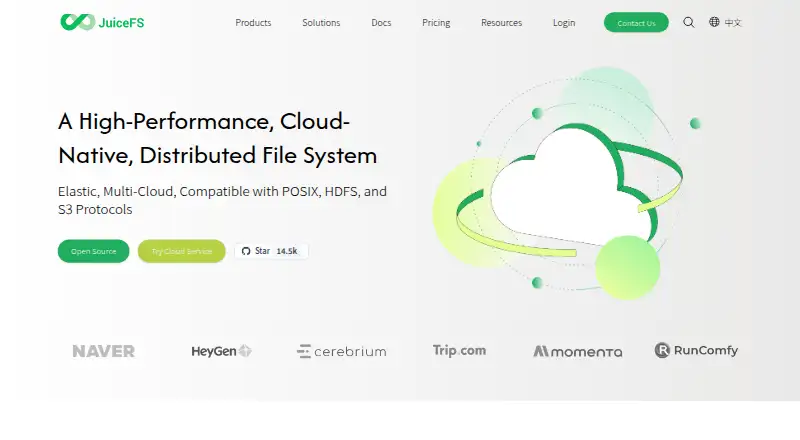
JuiceFS is an open-source, cloud-oriented distributed file system. It keeps file data in object storage and metadata in a separate engine, then presents a mountable POSIX file system. It also offers HDFS and S3 interfaces, Kubernetes CSI support, caching, compression, and self-hosted or managed deployment options.
Review
In a line
JuiceFS is an open-source distributed file system for cloud, hybrid, or self-hosted setups. It separates file data from metadata, storing them in object storage and a metadata engine.
What it does
It makes object storage appear as a mountable file system with POSIX behavior. File changes committed on one mounted server are immediately visible on other mounted servers.
The system includes local, distributed, and multi-level caching for repeated access, plus LZ4 and Zstandard compression. Its S3 Gateway provides an S3-compatible interface for clients, desktop programs, and web applications.
Use cases listed by the project include big data, machine learning, Kubernetes, shared workspaces, and data backup. A Kubernetes CSI Driver lets Kubernetes use JuiceFS as storage.
How it connects
JuiceFS supports POSIX/FUSE, HDFS, S3, and WebDAV access. It also provides Java/Hadoop and Python SDKs; the Hadoop Java SDK works with Hadoop 2.x and 3.x.
Documented Hadoop-related integrations include Spark, Presto, and Hive, with additional support for Flink, Trino, and StarRocks. Storage back ends include Amazon S3, Google Cloud Storage, and Azure Blob Storage, along with MinIO, Ceph, WebDAV, and HDFS.
Community Edition is released under Apache License 2.0. It supports Redis, TiKV, MySQL, PostgreSQL, SQLite, and other metadata back ends. Distributed File System Software
Good fit
JuiceFS suits teams that need shared file access across cloud storage, analytics tools, or Kubernetes. Community Edition can run on public, private, or hybrid clouds with storage and metadata services chosen by the operator.
The downloadable client runs on Linux, macOS, and Windows; the project recommends WSL 2 for Windows. Enterprise Edition is listed for workloads up to 500 billion files and 4EB of data, with horizontally scalable metadata throughput up to 10 million IOPS.
Watch for
At-rest encryption must be enabled when a file system is created; it cannot be added later. That feature does not encrypt client-side cached data or file metadata, and cached client data is not encrypted by default.
Cloud Service lists limits of 100 million files, 10 PB, 100,000 IOPS, and 1,000 clients. Enterprise support is customizable, while Community Edition support is through GitHub and Discord.
Building Unix-like clients requires Go 1.20 or newer and GCC 5.4 or newer. Windows builds also require WinFsp. Software-Defined Storage Software
Pricing
JuiceFS uses a freemium model. Community Edition is free and self-hosted, with selectable metadata engines, local client caching, and POSIX, HDFS, S3, and WebDAV access.
Cloud Service costs $0.02 a month, billed at $0.02 GiB/month. It is fully managed and adds a distributed metadata engine, upgraded caching, and enterprise management and security. The service advertises 99.95% availability and 99.99999999% data reliability.
Enterprise Edition uses volume pricing, starts from 100TB, and is priced on request. It is offered for on-premises or bring-your-own-cloud deployments with unlimited capacity and scalability.
Verdict
Choose JuiceFS if you want object storage behind a familiar file-system interface, need HDFS or S3 access, or plan to connect storage with Kubernetes and analytics software. Its open-source Community Edition gives operators control over deployment and metadata choices.
Consider the managed service when you prefer vendor operations and its stated capacity limits fit. Check encryption behavior, Windows build requirements, support coverage, and the separate metadata service before adopting it.
Our take
JuiceFS is a practical match for organizations that need one file layer over several object-storage choices, especially for analytics, Kubernetes, or shared workspaces. The free Community Edition allows self-hosting and backend selection, while paid options cover managed and large on-premises deployments. Buyers should plan the metadata engine, confirm the Cloud Service limits, and understand that at-rest encryption excludes cached data and metadata. Windows users may need WSL 2, and building clients has stated tool requirements. If those conditions fit, JuiceFS offers broad protocol and SDK access without locking storage to one provider.
- Open-source Community Edition under Apache License 2.0
- POSIX, HDFS, S3, and WebDAV interfaces
- Works with Kubernetes CSI and Hadoop ecosystem tools
- Supports several object-storage and metadata back ends
- Free self-hosted plan is available
- At-rest encryption does not cover cached data or file metadata
- Cloud Service has limits on files, capacity, IOPS, and clients
- Windows use is recommended through WSL 2
- Enterprise pricing requires a request
- Pick it ifTeams sharing object storage through a file-system interface; Kubernetes, big-data, and machine-learning storage; Operators wanting self-hosted or managed deployment
- Skip it ifYou need encryption that also covers client caches and metadata; You require a simple desktop-only storage product; You need pricing without contacting the vendor for enterprise scale
Pricing
Community Edition is free. Cloud Service is $0.02 a month, billed at $0.02 GiB/month. Enterprise Edition starts from 100TB with volume pricing on request.
- Community EditionSelf-hosted · public/private/hybrid cloud · POSIX, HDFS, S3, WebDAV · selectable metadata engine · local client cacheFree
- Cloud Service$0.02 GiB/month · Fully managed · distributed metadata engine · upgraded caching · enterprise management and security$0.02/mo
- Enterprise EditionVolume pricing · On-premises/BYOC · starts from 100TB · unlimited capacity and scalability · extreme performanceOn request
As juicefs.com lists them, checked 15 Oct 2026.
Questions
Is JuiceFS open source?
Yes. Community Edition source code is released under the Apache License 2.0.
Where does JuiceFS store data?
File data goes to object storage, while metadata is kept separately in a metadata engine.
Can JuiceFS work with Kubernetes?
Yes. Its CSI Driver lets Kubernetes use JuiceFS as cloud-native storage.
What storage services can it use?
Documented options include Amazon S3, Google Cloud Storage, Azure Blob Storage, MinIO, Ceph, WebDAV, and HDFS.
Does JuiceFS provide an S3 interface?
Yes. Its S3 Gateway exposes an S3-compatible interface for S3 clients, desktop software, and web applications.
What operating systems are supported?
The downloadable client supports Linux, macOS, and Windows. The project recommends WSL 2 for Windows use.
What are the JuiceFS plan prices?
Community Edition is free. Cloud Service costs $0.02 a month, billed at $0.02 GiB/month. Enterprise Edition is volume-priced on request.