Justinmind: Prototyping Software for Web and Mobile Apps
justinmind.com · checked 15 Oct 2026
Desktop prototyping software for web and mobile app designs, with no-code interactions and simulations.
How it plugs in
Signal on Web Design Software6.7#1 of 41
Justinmind is a desktop tool for wireframes, high-fidelity prototypes and no-code simulations for web and mobile apps. It supports interactive forms, gestures, conditions, reusable UI libraries, collaboration and developer handoff. Teams can export HTML, images and documents, test prototypes on devices, and connect requirements with several development tools.
Review
In a line
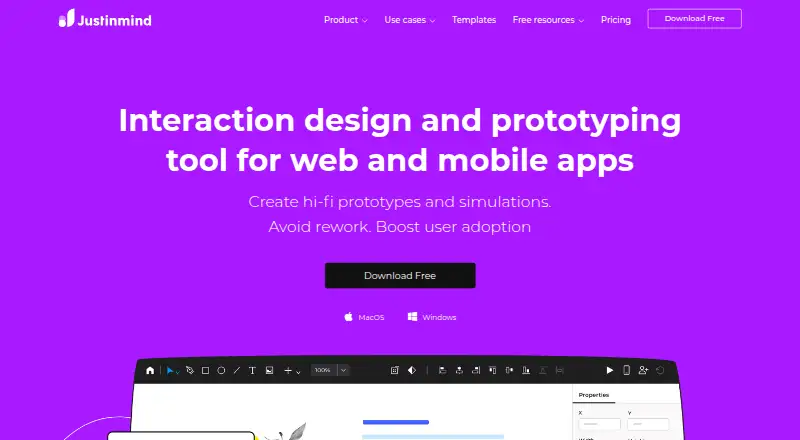
Justinmind is a desktop interaction design and prototyping tool for web and mobile apps. It creates wireframes, detailed prototypes and simulations without code.
What it does
You can build web interactions, mobile gestures, animations, transitions, action sequences and conditional logic without writing code. The tool also simulates forms, data lists and data grids.
Its visual editor includes vector and pen tools, path operations, responsive layouts and reusable components. Teams can create UI kits, synchronize shared components and reuse templates and masters.
Multiple people can edit a prototype at once, while version control records changes. Developer mode shows dimensions, assets and CSS details for handoff. Prototypes can be tested in browsers, with device skins, or on iPhone, iPad and Android through a viewer app.
How it connects
Justinmind connects with Figma, Adobe XD, Sketch, JIRA, Azure DevOps and user-testing tools. Requirements can link to screens and elements, then synchronize with agile requirements tools.
Its API gives programmatic access to prototype information for plugins, deliverables, framework UI code and internal-tool integrations. Plugins use Java and the Eclipse RCP system; developers may use or resell their plugins.
You can export interactive HTML and JavaScript, SVG or PNG assets, and specification documents in Word or PDF. Justinmind is proprietary rather than open source. It runs on Windows and macOS, with cloud, self-hosted, desktop and mobile deployment options.
Good fit
Justinmind suits design teams, business analysts and developers who need to share UI assets and support design handoff. It is offered for small, mid-market and enterprise organizations.
It fits teams needing prototyping software with detailed interactions, reusable design systems, real-time editing and device testing. The library includes more than 4,000 UI components, and teams can build their own libraries.
Watch for
The Free plan allows unlimited screens but only one project. Advanced interactions, collaboration, mobile testing, variables and unlimited projects start with Standard.
The desktop editor supports Windows and Mac, not Chromebook. A published Windows requirement lists a 1 GHz CPU, 512 MB of RAM, 200 MB of disk space and 64-bit Windows 8.1, 10 or 11.
Ticket support is limited to Professional and Enterprise plans. Check whether your team needs a paid plan, self-hosting or the available integrations before choosing.
Pricing
A Free plan costs $0 per editor/month and includes one project, unlimited screens, UI design and wireframing, interactive input forms, vector and pen tools, PNG/JPG/SVG export and slices.
Standard costs $19 a month per editor and adds advanced interactions and forms, collaboration, mobile testing, variables, shared UI libraries and unlimited projects. Professional costs $29 a month per editor and adds masters, smart templates, data simulation, user flows, HTML export, user-testing integration and custom branding.
Enterprise costs $59 a month per editor, with an enterprise quote available, and adds SAML single sign-on, shared fonts, document export, requirements management, Jira/Azure DevOps integration, priority support and internal-server collaboration. Standard perpetual is $295 one-time per editor; Professional perpetual is $455 one-time per editor. Pricing notes a 10-day trial, while no free trial is offered.
Verdict
Choose Justinmind if your work depends on detailed web or mobile simulations, reusable UI systems and a handoff view for developers. Its API and plugin system can support custom deliverables, while self-hosted deployment and enterprise controls address larger teams.
Look elsewhere if you need Chromebook editing, open-source software or a free plan with multiple projects. Teams that only need basic wireframes may not need the higher-priced interaction, testing and collaboration features.
Our take
Justinmind is a fit for teams making realistic web or mobile prototypes and sharing them across design, analysis and development. Its no-code interactions, reusable libraries, device testing, exports and developer handoff cover a broad workflow. The free plan is useful for one project, but larger work quickly moves to paid per-editor plans. Check Chromebook support, ticket-support limits, required integrations and whether proprietary software meets your needs before committing.
- No-code web and mobile interactions, gestures and conditional logic
- Unlimited screens on the free plan
- Real-time editing and version tracking
- Exports HTML, images and Word or PDF specifications
- API, plugins and developer handoff details
- Free plan is limited to one project
- Desktop editor does not support Chromebook
- Ticket support is reserved for Professional and Enterprise
- Proprietary software, not open source
- Advanced features require paid per-editor plans
- Pick it ifTeams building detailed web and mobile app prototypes; Designers and developers sharing UI assets and handoff details; Organizations needing reusable libraries and device testing
- Skip it ifYou need Chromebook editing or open-source code; You need multiple free projects; You only require simple wireframes
Pricing
A free plan covers one project. A 10-day trial is listed, but there is no free trial.
- Free$0 per editor/month; $0 per editor · UI design and wireframing · interactive input forms · vector and pen tools · PNG/JPG/SVG export · slices · unlimited screens · 1 projectFree
- Standardper editor/month · Advanced interactions and forms · collaboration and team management · mobile testing · variables · shared UI libraries · unlimited projects$19/mo
- Professionalper editor/month · Masters · smart templates · data simulation · user flows · HTML export · user-testing integration · custom branding$29/mo
- Enterpriseper editor/month; enterprise quote available · SAML single sign-on · shared fonts · document export · requirements management · Jira/Azure DevOps integration · priority support · internal-server collaboration$59/mo
- Standard perpetualper editor · Standard feature set with a one-time per-editor license$295 one-time
- Professional perpetualper editor · Professional feature set with a one-time per-editor license$455 one-time
As justinmind.com lists them, checked 15 Oct 2026.
Questions
Does Justinmind have a free plan?
Yes. Free costs $0 per editor/month and includes unlimited screens, but it is limited to one project.
What platforms does Justinmind support?
It supports Windows and macOS desktop editing, plus Android, iOS, web, API, cloud and self-hosted deployment. Chromebook is not supported by the desktop editor.
Can Justinmind export prototypes?
Yes. It exports interactive HTML and JavaScript, SVG or PNG assets, and specification documents in Word or PDF.
Does Justinmind integrate with design and development tools?
Integrations listed include Figma, Adobe XD, Sketch, JIRA, Azure DevOps and user-testing tools.
Is Justinmind open source?
No. Its terms reserve ownership of the service, interface, features and documentation, making it proprietary software.
What support does Justinmind provide?
Support includes email, tickets, community resources and documentation. Ticket support is reserved for Professional and Enterprise plans; Enterprise includes priority support.