KeyDB software review
keydb.dev · checked 3 Oct 2026
Self-hosted in-memory data store for Linux and macOS that works with Redis tooling.
How it plugs in
Signal on In-Memory Databases6.1#8 of 25
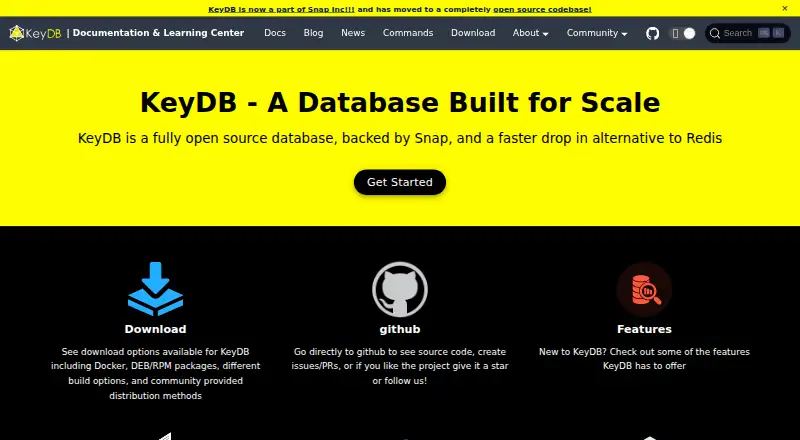
KeyDB is a free, open-source in-memory system for database, caching, and messaging roles. It presents a Redis-compatible interface and is intended for self-managed Linux or macOS deployments. Replication, clustering, persistence, and nonblocking snapshot queries are part of its feature set.
Review
In a line
As an open-source project, KeyDB provides an in-memory database that can replace Redis. It can handle database, cache, and message-broker workloads.
What it does
Data remains in memory, with support for strings, hashes, lists, sets, sorted sets, bitmaps, HyperLogLogs, geospatial indexes, and streams.
According to the maker, one node exceeds 1 million operations per second while returning data in under a millisecond. Active replication or cluster mode can distribute a sharded dataset horizontally.
With MVCC, snapshot-based operations such as SCAN and KEYS can run concurrently instead of blocking current workloads. Durability can come from RDB snapshots or AOF command logs, using configurable settings.
How it connects
Redis's API and wire protocol are supported, allowing existing Redis client libraries to connect. The software is open source and runs on infrastructure you manage.
Managed download choices include Docker images, Ubuntu and Debian packages, CentOS RPM packages, and source builds. Community-maintained choices include Homebrew, a Kubernetes Helm chart, and an Arch Linux package.
Across regions, asynchronous multi-master replication uses a last-write-wins approach. TLS can cover client traffic, replication connections, and the cluster bus, while authentication and ACLs provide access controls.
Good fit
The maker positions KeyDB for uses ranging from small projects to systems serving millions of users when a Redis-compatible in-memory store is needed.
It fits database, caching, and messaging jobs where replication, automatic failover options, persistence, or concurrent snapshot queries matter. You can compare it with other in-memory databases.
Watch for
There is no SQL or vector-search capability listed. Linux is the preferred deployment target; both Linux and macOS are developed and tested, and an official Windows build is not provided.
The KeyDB team at Snap manages community-based support, and the maker says paid support is unavailable. Guidance calls for limiting network access to trusted clients rather than exposing the service directly online.
Authentication is optional, and the configured password is kept in clear text. Check network protections and TLS configuration before deployment.
Pricing
KeyDB is free, with a free plan listed; no free trial is listed.
Paid support is not available, so support comes through the community and the KeyDB team at Snap.
Verdict
Choose KeyDB when you want an open-source, self-hosted Redis-compatible store with built-in persistence, replication, and clustering choices. Its free pricing suits teams able to operate their own infrastructure.
Consider another product if you require SQL querying, vector search, an official Windows build, or vendor-paid support.
Our take
KeyDB is a practical choice for teams already using Redis clients and wanting a free, open-source service they can run themselves. Its combination of in-memory speed, persistence options, replication, clustering, and snapshot queries covers many cache, database, and messaging workloads. Operating it requires self-managed infrastructure; Linux is preferred, Windows has no official build, and support is community-based. Security needs careful setup because authentication is optional and credentials remain readable in the configuration file. Choose another product when SQL, vector search, or paid support is required.
- Free open-source software for infrastructure you host yourself
- Works with Redis APIs, protocol, and client libraries
- Replication, cluster mode, persistence, and failover options
- TLS, authentication, and ACL controls are available
- MVCC enables snapshot queries without blocking workloads
- No official Windows build is provided
- Paid support is unavailable
- Authentication is optional and passwords are stored in clear text
- Linux is the preferred deployment platform
- Pick it ifTeams seeking a free in-memory store compatible with Redis; Self-hosted caching, database, or messaging workloads; Projects that need replication or horizontal cluster scaling
- Skip it ifYour workload requires SQL queries or vector search; You need an official Windows build or paid support; You cannot manage network and security configuration yourself
Pricing
KeyDB has a free plan, and no free trial is listed. There is no paid support option listed.
Questions
Is KeyDB free?
Yes. KeyDB is available at no cost and a free plan is listed; no free trial is listed.
Can Redis clients use KeyDB?
Yes. Its Redis-compatible API and protocol allow Redis client libraries to connect.
Where can KeyDB run?
KeyDB is self-hosted. Linux and macOS are developed and tested, Linux is recommended for deployment, and no official Windows build is supported.
Does KeyDB support clustering and replication?
Yes. Horizontal growth can use active replication or cluster mode, and asynchronous multi-master replication can span regions.
Does KeyDB store data after a restart?
Yes. RDB snapshots and AOF command logging are supported, with configurable durability preferences.
Does KeyDB provide SQL or vector search?
No. SQL support and vector search are not among the listed capabilities.
What security controls does KeyDB have?
TLS, authentication, and ACLs are supported. Guidance calls for restricting access to trusted clients and avoiding direct internet exposure.
Is paid KeyDB support available?
No. Support is community-based and managed by the KeyDB team at Snap, while paid support is unavailable.