
Kopia Review: Open-Source Backup Tool
kopia.io · checked 11 Oct 2026
Open-source tool for encrypted file and folder snapshots, using storage you provision locally, on a network, or in the cloud.
How it plugs in
Signal on Backup software6.7#19 of 151
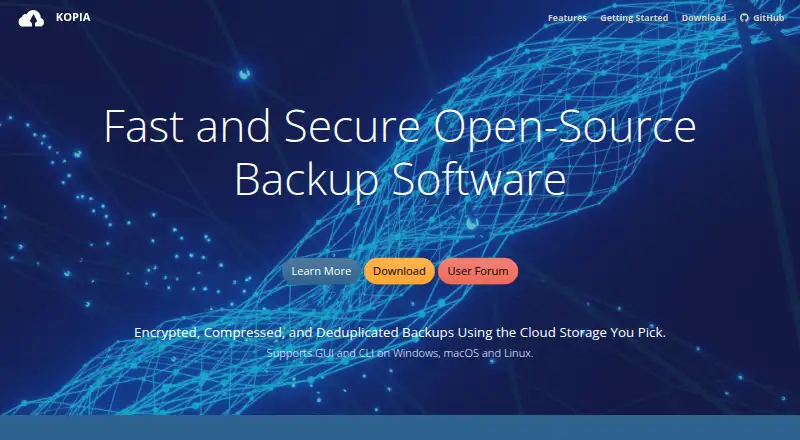
Kopia takes encrypted snapshots of chosen files and directories, with later snapshots recording changes and avoiding duplicate file content. Desktop and command-line interfaces are available on Windows, macOS, and Linux; an optional server mode adds an API. You select and pay for the storage location, which may include services such as Amazon S3, Azure Blob Storage, Backblaze B2, or local storage. The software is free.
Review
In a line
Kopia is an open-source tool for file and folder backup and recovery. Snapshots are encrypted on the machine before upload.
What it does
Kopia takes incremental snapshots: later backups capture changes, while deduplication keeps repeated file content from being stored again in the same repository.
Snapshots can be mounted as local disks, restored in full to a selected location, or used to recover chosen files. Policies let users configure schedules, exclusions, retention, and compression. The software includes ransomware protection, Reed-Solomon error correction, and repository consistency checks.
How it connects
Kopia works with Amazon S3 and compatible services, Azure Blob Storage, Backblaze B2, Google Cloud Storage, WebDAV, SFTP, and local or network storage. Rclone connections are also possible, but remain experimental; Kopia reports testing with Dropbox, OneDrive, and Google Drive via Rclone.
Kopia is open source and has GUI and CLI interfaces. Its optional server mode exposes an API for coordinating backups on multiple machines, and KopiaUI provides a web application for that mode. CLI and GUI packages are offered for Windows 10 or newer, macOS 10.11 or newer, and Linux amd64, armhf, or arm64.
Good fit
Kopia suits people who want file backups they can place in their own storage account, on a network share, or on a local device. It supports both computer and server backup.
It can fit users comparing NAS backup software or managing backups from several machines through its optional server mode.
Watch for
You provision and pay for the storage yourself; Kopia neither provides nor selects it. Reading backed-up data requires the repository password, and Kopia cannot restore a forgotten one.
A repository uses a single password rather than separate sharing permissions, so sharing that password gives its recipients access to the data. Rclone connections are experimental, so check compatibility with your provider before relying on them.
Pricing
Kopia's backup and restore software costs nothing and is open source. The free plan covers the software.
Storage charges are separate. You pay the provider you select for the space and services used.
Verdict
Choose Kopia if you want encrypted, deduplicated file snapshots and are comfortable selecting and paying for storage yourself. Snapshots offer multiple recovery paths, and management can be local or via its server API.
Look elsewhere if you need built-in storage, recoverable repository passwords, or different access rights for people sharing one repository. Its experimental rclone support also makes provider compatibility an important check before adoption.
Our take
Kopia is a sensible free option for users who want control over where encrypted file backups live. It covers Windows, macOS, Linux, and server setups, and its snapshot, restore, scheduling, and integrity features address common backup jobs. The trade-off is operational responsibility: storage is your expense, passwords are unrecoverable, and repositories do not offer separate user permissions. Consider it when those conditions match your setup; avoid committing until your chosen storage service and any rclone connection meet your needs.
- Open-source backup and recovery software at no charge
- Backup data and filenames are encrypted before leaving the machine
- Changed content is captured incrementally, with duplicate content deduplicated
- Choice of cloud, local, and network storage
- Snapshots can be mounted or restored in full or selectively
- Storage must be provisioned and paid for separately
- A forgotten repository password cannot be recovered
- Repositories use one password without separate access controls
- Rclone support is experimental
- Pick it ifPeople managing encrypted file backups in their own storage; Computer and server backups on Windows, macOS, or Linux; Users needing local, network, or cloud repository choices
- Skip it ifYou need bundled storage or a provider included in the price; You require recoverable passwords or per-user repository permissions; Your workflow depends on an untested rclone provider
Pricing
The software is free; users separately provision and pay for their chosen storage service.
- KopiaOpen-source backup/restore software; storage must be provisioned and paid for separatelyFree
As kopia.io lists them, checked 11 Oct 2026.
Questions
Does Kopia cost anything?
Yes, the software is free and open source. Users arrange and pay for storage separately.
Which operating systems have Kopia packages?
CLI and GUI packages are available for Windows 10 or later, macOS 10.11 or later, and Linux on amd64, armhf, or arm64.
Which storage services can Kopia use?
Choices include Amazon S3 and compatible services, Azure Blob Storage, Backblaze B2, Google Cloud Storage, WebDAV, SFTP, local or network storage, and some Rclone providers.
Can I recover just selected files?
Yes. A snapshot can be mounted as a local disk, restored in full, or used to select files for recovery.
Can a forgotten repository password be reset?
No. The password is necessary to read repository data, and forgotten passwords cannot be recovered.
What interfaces are available for remote management?
Optional server mode has an API for managing backups on multiple machines. KopiaUI is the web application available in server mode.
Near it
All alternatives →- M
 Minarca#18 on this board
- J
 Jottacloud#20 on this board
- AT
 Acronis True Image#17 on this board
- IB
 iCloud Backup#21 on this board
- VB
 Veeam Backup & Replication#16 on this board
- D
 Duplicacy#22 on this board
- CDCove Data Protection#15 on this board
- B
 BackupPC#23 on this board
- UB
 Unitrends Backup#14 on this board
- VA
 Veeam Agent for Microsoft Windows#24 on this board