Kubeshark: Kubernetes Network Observability
kubeshark.com · checked 15 Oct 2026
Kubeshark is an open-source, self-hosted Kubernetes network observability tool with eBPF traffic queries and AI access.
How it plugs in
Signal on eBPF Observability Tools7.7#1 of 29
At the kernel, Kubeshark observes Kubernetes traffic and attaches workload, service, namespace, and node context. It handles current and retained queries, decrypts TLS and service-mesh mTLS, captures PCAP snapshots, maps services, and covers more than 23 protocols. The open-source project runs in Kubernetes, works with MCP-compatible AI clients, and offers free and paid plans.
Review
In a line
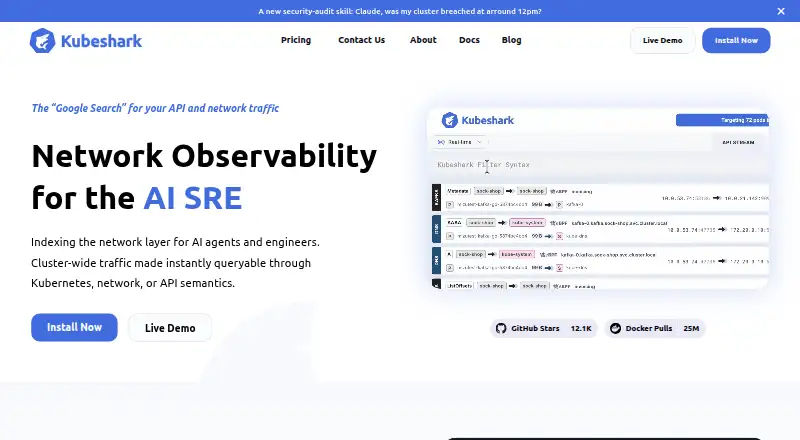
Kubeshark is a self-hosted network observability tool for Kubernetes. It indexes cluster traffic with eBPF, a Linux technology that collects data at the kernel, then makes that traffic searchable.
What it does
Live traffic and retained history can be searched using Kubernetes, API, and network semantics. Records show workload identity, service relationships, namespaces, and node placement. KFL, its Kubernetes-aware filter language, narrows captures and display results.
TLS and service-mesh mTLS inspection works through eBPF, without keys, certificates, sidecars, or application changes. The tool also provides an identity-aware service map and performance measures for pods, services, nodes, and namespaces.
Retrospective cluster-wide snapshots can be filtered by time, nodes, workloads, and IP addresses, then exported as PCAP files. Supported traffic includes more than 23 protocols, such as HTTP, HTTP/2, WebSocket, GraphQL, Kafka, Redis, MongoDB, MySQL, PostgreSQL, gRPC, DNS, TCP, UDP, and TLS.
How it connects
Kubeshark runs inside a Kubernetes cluster and can be installed with Helm or Kubernetes manifests. Official options also include Homebrew, prebuilt command-line binaries, and building from source. Binaries are listed for macOS, Linux, and Windows.
The project is open source under Apache License 2.0. Through MCP, compatible AI clients can receive live streams, historical calls, payloads, headers, decrypted TLS, TCP and UDP flow statistics, and Kubernetes mappings; named examples include Claude Desktop, Cursor, and VS Code with Continue.
Traffic snapshots can be stored in Amazon S3, Azure Blob, or Google Cloud Storage for retention and sharing between clusters. Security capabilities include sensitive-data redaction, authorization rules, encrypted browser communication, ingress TLS, and SAML for self-hosted deployments.
Good fit
Kubeshark targets SREs, network engineers, AI assistants, and agents handling root-cause analysis, incident response, and network reliability.
It suits teams that need Kubernetes-aware traffic investigation rather than application logs alone. The service map, protocol views, filters, historical data, and PCAP export support troubleshooting across workloads and namespaces.
Watch for
Kubeshark requires Kubernetes and runs as a self-hosted deployment. Community and Pro plans need internet connectivity, so air-gapped operation is reserved for Enterprise.
Check cluster size, pod limits, and API-call allowances before choosing a plan. Enterprise pricing is quoted per pod, while several other plans have fixed monthly prices.
Pricing
Kubeshark's Community plan costs nothing for up to 3 nodes or 60 pods and includes unlimited API calls and community support; internet connectivity is required.
Micro costs $30 a month for 6 nodes or 120 pods. Pro costs $30 a month with unlimited environment size, but limited API-call capacity and required internet access. Small costs $360 a month for 20 nodes or 400 pods.
Dynamic costs $190 a month and includes unlimited nodes, pods, and clusters, plus 100K daily API calls; extra calls cost $50 per additional 100K. Enterprise is $0.40 a month billed per pod per month, with a quoted range of $0.4-$0.9, unlimited cluster size, air-gapped clusters, unlimited consumption, and dedicated support.
Verdict
Choose Kubeshark if your work centers on Kubernetes traffic and you need queries that combine network details with workload and namespace identity. Its open-source code, free entry plan, broad protocol list, and MCP access give teams several ways to use the data.
Look elsewhere if you do not run Kubernetes, cannot provide the required internet connection on Community or Pro, or need air-gapped operation without Enterprise. Compare node, pod, and API limits with your environment before committing.
Our take
Kubeshark fits Kubernetes teams investigating traffic across services, namespaces, and nodes. The free Community tier allows a small deployment, while paid plans cover larger environments and add options such as air-gapped operation or dedicated support. Its Apache-licensed code and multiple installation paths may suit organizations that want control over deployment. The main decision points are Kubernetes availability, internet requirements, plan limits, and whether per-pod Enterprise pricing matches your scale. Teams without Kubernetes or with no path to Enterprise for isolated networks should consider another tool.
- Indexes cluster traffic with Kubernetes and network context
- Supports live and historical queries plus PCAP export
- Decrypts TLS and service-mesh mTLS without app changes
- MCP access works with Claude, Cursor, and other clients
- Open source under Apache License 2.0
- Runs inside Kubernetes as a self-hosted deployment
- Community and Pro require internet connectivity
- Plan limits vary by nodes, pods, and API calls
- Enterprise air-gapped pricing is quoted per pod
- Pick it ifKubernetes SRE and network troubleshooting; Teams connecting traffic data to AI assistants; Investigating protocols, TLS, and service relationships
- Skip it ifYou do not operate Kubernetes clusters; You need air-gapped use without an Enterprise plan; Your traffic volume exceeds the chosen plan's limits
Pricing
A free Community tier covers up to 3 nodes or 60 pods.
- CommunityUp to 3 nodes or 60 pods · Internet connectivity required · Unlimited API calls · Community supportFree
- Enterpriseper pod / month; quoted range $0.4-$0.9 · Unlimited cluster size · Air-gapped clusters · Unlimited consumption · Dedicated support$0.40/mo
- Microper month · 6 nodes / 120 pods · Unlimited capacity · Dev/test clusters · Unlimited API calls · Unlimited clusters$30/mo
- Proper month · Unlimited environment size · Internet connectivity required · Limited API-call capacity · Community support$30/mo
- Dynamicper month · Unlimited nodes and pods · Unlimited clusters · 100K daily API calls · $50 per extra 100K calls$190/mo
- Smallper month · 20 nodes / 400 pods · Unlimited capacity · Small production clusters · Unlimited API calls · Unlimited clusters$360/mo
As kubeshark.com lists them, checked 15 Oct 2026.
Questions
Does Kubeshark have a free plan?
Yes. Community is free for up to 3 nodes or 60 pods, with unlimited API calls and community support. Internet connectivity is required.
What systems does Kubeshark run on?
It runs inside Kubernetes. CLI binaries are provided for macOS Intel and ARM64, Linux AMD64 and ARM64, and Windows AMD64.
Can Kubeshark inspect encrypted traffic?
eBPF lets it decrypt TLS and service-mesh mTLS traffic without keys, certificates, sidecars, or application changes.
Which AI tools can connect to Kubeshark?
The MCP guide names Claude Desktop, Cursor, and VS Code with Continue as compatible client examples. Other MCP-compatible clients may also connect.
What protocols does Kubeshark support?
Documentation lists more than 23 protocols, including HTTP, Kafka, Redis, MongoDB, PostgreSQL, gRPC, DNS, TCP, UDP, and TLS.
Can Kubeshark work in an air-gapped cluster?
Yes, but air-gapped clusters are supported on the Enterprise tier. Community and Pro require internet connectivity.