KyberClassroom: Classroom Device Management
kybergate.com · checked 15 Oct 2026
Cloud classroom management for monitoring and controlling K-12 student devices.
How it plugs in
Signal on Classroom Management Software6.3#6 of 25
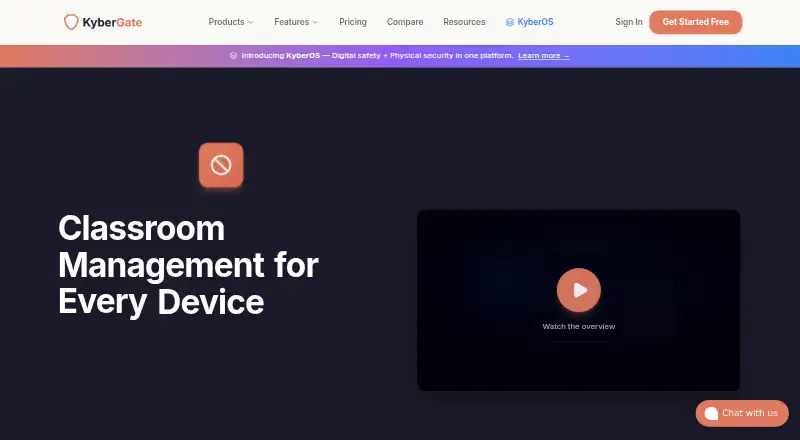
KyberClassroom is a web dashboard for K-12 teachers to watch and manage student devices in real time. The dashboard covers iPads, Chromebooks, Macs and Windows devices, offering screen views, locking, focus sessions, URL delivery and messaging. Rosters may synchronize with school systems, and the classroom module comes with every KyberGate plan.
Review
In a line
KyberClassroom provides cloud-based classroom management for K-12 schools. Teachers use a web dashboard to see and control student devices during class.
What it does
Teachers can inspect live thumbnails, current URLs, page titles and on-task or off-task status, then open a detailed full-screen student view. Activity monitoring, behavior tracking and web filtering are included.
With one action, a teacher can lock all devices or a selected device and display a custom lock-screen message. Focus mode limits browsing to approved domains, while Restrict mode blocks internet access. Teachers can also have a webpage open automatically on student devices or display text on their screens.
The classroom guide documents Monitor, Focus and Restrict modes. Thumbnails and Focus Mode depend on devices being enrolled, online and actively filtered through KyberGate.
How it connects
KyberClassroom runs through the web and supports iOS, ChromeOS, Windows and macOS devices. Its product page presents a single dashboard for iPads, Chromebooks, Macs and Windows computers.
Classes and rosters may be synchronized from Google Workspace, Google Classroom or Clever, or created manually. Other listed connections include Microsoft Entra ID, Apple School Manager, LDAP/Active Directory, Jamf, Mosyle, Kandji, Intune, Veracross, ClassLink, PowerSchool and Infinite Campus. Canvas and Schoology are marked coming soon.
Its public REST API exposes controls for policies, device commands, logs, screenshots and more. It currently uses an X-KyberGate-Org header; API-key sign-in is listed as coming soon. Published limits are 1,000 log requests, 100 policy requests and 60 command requests per minute.
KyberGate operates entirely in the cloud and does not require on-premises hardware.
Good fit
KyberClassroom suits K-12 schools that need one place to monitor devices, manage browsing and control lessons across mixed Apple, Chromebook and Windows fleets.
It fits classrooms using roster sync, mobile-device management or student information systems. Chrome or Edge is recommended for classroom use, and teachers need a Teacher or Admin role.
Watch for
KyberGate does not promise that filtering will identify every inappropriate-content, gaming or safety issue, and says no system reaches 100% accuracy.
Thumbnails or Focus Mode may fail when enrollment is missing, connections are slow or proxies cause problems. The service uses HTTPS inspection with SSL/TLS interception and custom certificates distributed through device management.
KyberGate states that data is kept for 90 days by default. Its terms describe student-data processing as a FERPA school official and cite COPPA, CIPA and applicable state privacy laws.
Pricing
The pricing note lists plans from $4 a year, with a 30-day trial and no free plan. KyberClassroom is bundled into every KyberGate plan without an extra fee or separate license.
Basic costs $5 per device per year on annual billing for 1,000–4,999 devices and includes email support. Pro costs $9 per device per year on annual billing, allows unlimited devices and includes priority support.
Enterprise pricing is available on request; the plan includes unlimited devices, dedicated support, an SLA guarantee and custom integrations. Every plan includes a free 30-day pilot with full access and no credit card required.
Verdict
Choose KyberClassroom if your school wants live device visibility, classroom controls and roster connections in a cloud service. Its broad device coverage and included classroom module make the KyberGate plans straightforward for schools already considering that platform.
Look elsewhere if you need guaranteed filtering accuracy, local hosting or classroom controls that work without enrolled, online devices. Check your device-management, roster and privacy requirements before starting the pilot.
Our take
KyberClassroom is a practical option for schools managing mixed student devices and needing teacher controls during lessons. The 30-day pilot lets a district check enrollment, filtering and integrations before paying. Basic and Pro use annual per-device pricing, while Enterprise adds tailored integrations and dedicated support. It is less suitable for schools that require on-premises deployment, absolute filtering coverage or reliable controls when devices are offline or connections are weak.
- Live thumbnails, URLs, page titles and on-task status
- Locks devices and shows custom messages
- Focus, Restrict and Monitor classroom modes
- Roster, MDM, SIS and alert integrations
- Public REST API with documented limits
- No free plan; paid plans are billed annually
- Filtering is not guaranteed to catch every issue
- Devices must be enrolled, online and filtering
- API-key authentication is not available yet
- Cloud-only service; no on-premises hardware
- Pick it ifK-12 schools managing mixed Apple, Chromebook and Windows devices; Teachers needing live monitoring and lesson controls; Districts using roster or device-management integrations
- Skip it ifYou need guaranteed filtering accuracy or offline classroom controls; You require local, on-premises deployment; Your devices cannot stay enrolled and online through KyberGate
Pricing
KyberClassroom comes with every KyberGate plan. Enterprise pricing is available on request. A full-access 30-day pilot is free, and there is no free plan.
- Basic$5/device/year; billed annually; 1,000–4,999 devices · 4,999-device limit · email support · KyberClassroom included$5/yr
- KyberGate Basic (includes KyberClassroom)$5/device/year; billed annually · 1,000–4,999 devices at displayed price · 4,999-device limit · email support$5/yr
- KyberGate Pro (includes KyberClassroom)$9/device/year; billed annually · 1,000–4,999 devices at displayed price · unlimited devices · priority support$9/yr
- Pro$9/device/year; billed annually; 1,000–4,999 devices · Unlimited devices · priority support · KyberClassroom included$9/yr
- EnterpriseContact sales · Unlimited devices · dedicated support · SLA guarantee · custom integrations · KyberClassroom includedOn request
- KyberGate Enterprise (includes KyberClassroom)Custom · Tailored to your district · unlimited devices · dedicated supportOn request
As kybergate.com lists them, checked 15 Oct 2026.
Questions
What is KyberClassroom?
It is a cloud classroom-management dashboard for K-12 teachers to monitor and control student devices.
Which devices does it support?
The dashboard covers iPads, Chromebooks, Macs and Windows devices, with iOS, ChromeOS, Windows, macOS and web-browser support listed.
Does it connect to Google Classroom?
Yes. Google Classroom class, student and teacher import is listed, including assignment-aware filtering.
Is there a free plan?
No. KyberClassroom is bundled with paid KyberGate plans, and each plan includes a free 30-day pilot with full access.
Can teachers lock student devices?
Yes. Teachers can lock all devices or an individual device and display a custom lock-screen message.
Does it have an API?
Yes. Its public REST API provides endpoints for policies, logs, device commands, screenshots and other functions. API-key authentication is coming soon.
How long is data retained?
The security page states that data retention is 90 days by default.