
LinkMiner backlink checker
mangools.com · checked 7 Oct 2026
Backlink checker for finding competitor links and saving opportunities to replicate.
How it plugs in
Signal on Backlink Analysis Tools6.0#14 of 29
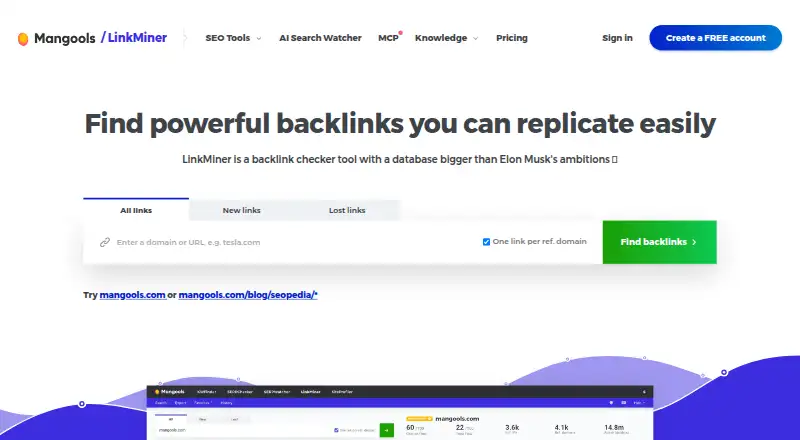
LinkMiner is a web-based backlink checker with Chrome and Firefox access. It shows new, lost, and existing links, reports backlink metrics, previews anchor placement, and lets you save or export results. Majestic’s Fresh and Historic indexes provide its backlink data, and the tool is included in Mangools’ SEO package.
Review
In a line
Mangools offers LinkMiner as a backlink-checking tool. It helps you find competitors’ backlinks and identify links worth pursuing.
What it does
The interface lets you filter the results to every backlink, links discovered during the last 30 days, or links that have disappeared. LinkMiner reports Citation Flow, Trust Flow, referring IPs, referring domains, total backlinks, and Link Strength.
Its built-in page view takes you to the backlink and marks the relevant anchor text. Selected URLs can be stored in Favorites lists for later research.
How it connects
You can use LinkMiner on the web or via Mangools’ Chrome and Firefox browser extension. From the extension, inspect backlinks for the page currently open and then move into LinkMiner for further analysis.
Loaded backlinks can be copied to the clipboard or exported as CSV. The backlink database draws on Majestic’s Fresh and Historic indexes, including historical data.
Good fit
Solopreneurs, freelance SEOs, marketers, and agencies can use LinkMiner to research competitor links. It supports backlink prospecting, competitor comparison, anchor-text checks, and finding new or lost links.
Mangools bundles LinkMiner with its SEO package, alongside keyword research, SERP analysis, rank tracking, and site analysis tools.
Watch for
The results table initially shows up to 500 links. Load more adds another 500 at a time, so larger backlink sets require additional loading.
The reported database figures and metrics depend on Majestic’s indexes. Check whether that data coverage fits your research before committing.
Pricing
LinkMiner follows a freemium model that includes a free plan, and Mangools offers a free trial.
Mangools says it offers a full refund within 48 hours of payment, except for two consecutive subscriptions.
Verdict
Choose LinkMiner if you need a focused way to inspect competitor backlinks, see where anchor text appears, and keep a list of prospects. The browser extension and CSV export help move findings into other workflows.
Consider other backlink analysis tools if you need a different data source or workflow.
Our take
LinkMiner is a sensible choice for people who need competitor backlink research without leaving a browser page. Its free plan and trial make initial evaluation possible, while saved lists and CSV export support ongoing prospect work. The main trade-offs are the 500-link loading batches and reliance on Majestic’s indexes. Buyers should confirm that Mangools’ wider package matches their needs and check the paid cost before moving beyond the free options.
- Displays all, recent, and lost backlinks
- Shows backlink placement with the anchor text highlighted
- Keeps selected prospects in Favorites lists
- Copies loaded links or exports them as CSV
- Chrome and Firefox extension available
- Results load in batches of up to 500 links
- Backlink data comes from Majestic indexes
- Pick it ifCompetitor backlink and link prospect research; SEOs who want browser-based checks and saved lists; Users comparing new, lost, and historical links
- Skip it ifYou need backlink results beyond 500 links without loading more batches; You require a data source other than Majestic’s indexes; You need paid pricing before starting an evaluation
Pricing
A free plan and free trial are available. Mangools says eligible payments can receive a full refund within 48 hours, except for two consecutive subscriptions.
Questions
Does LinkMiner have a free plan?
Yes. LinkMiner offers a free plan under its freemium model, and Mangools provides a free trial.
Which browsers support the LinkMiner extension?
Mangools provides the extension for Chrome and Firefox. It can inspect backlinks for the open page and hand the analysis off to LinkMiner.
Can LinkMiner show lost backlinks?
Yes. The available views cover every link, links found within the past 30 days, and lost links.
Can I export LinkMiner results?
Loaded results can be copied to the clipboard or saved as a CSV file.
What data does LinkMiner use?
Majestic’s Fresh and Historic indexes underpin LinkMiner’s backlink data, including historical backlinks.
How many links appear at once?
The initial table view contains up to 500 links, with each Load more action bringing in 500 additional links.
Does LinkMiner show anchor text placement?
Yes. The embedded site view takes you to the backlink location and marks its anchor text.
Near it
All alternatives →- S
 Seobility#13 on this board
- BBacklinkVoid#15 on this board
- M
 Majestic#12 on this board
- CcognitiveSEO#16 on this board
- Z
 Zutrix#11 on this board
- CB
 Competitor Backlinks#17 on this board
- L
 Linkwake#10 on this board
- M
 Monitolink#18 on this board
- B
 BacklinkManager#9 on this board
- SLSwappsy Link Tracker#19 on this board