LiquidText for Document Review and Note-Taking
liquidtext.net · checked 28 Sept 2026
LiquidText links notes and source passages while you review documents on supported devices.
How it plugs in
Signal on PDF Readers6.1#15 of 24
LiquidText helps with document review and note-taking on iPadOS, Windows 10, and macOS. It lets you annotate, connect notes to source passages, link information across documents, and search with surrounding context. You can save organized notes and excerpts as PDF or DOCx files. A free plan is available, while LiquidText LIVE adds cloud syncing and backup at a price on request.
Review
In a line
LiquidText is an app for reviewing documents and organizing related notes. Supported Apple and Windows devices can run it.
What it does
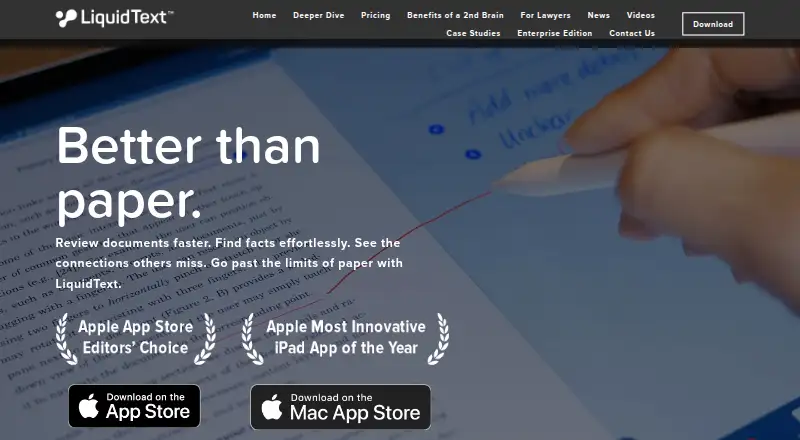
The app is designed to make document reading and fact-finding more efficient. You can annotate documents, collect notes and observations, and connect them to the passages they came from.
It also links important information across pages and documents. Search results and highlights stay visible with the surrounding text, helping you check the original context.
How it connects
Tablets, hybrids, laptops, and desktops can run LiquidText. Input can come from touch, a pen, a mouse, a trackpad, or multiple monitors.
You can save organized notes and excerpts as PDF or DOCx files, then share them for communication or collaboration. Its annotation and document work may also suit readers comparing tools in PDF Readers or Note-taking apps.
Through LiquidText LIVE, work is synchronized automatically across devices in real time and projects are continuously backed up to the cloud.
Good fit
LiquidText is suited to reviewing documents, connecting evidence across pages, and keeping notes tied to their original source. It supports work on tablets and computers, with pen, touch, or traditional pointer controls.
Its cross-document links, contextual search, and exportable excerpts can help with document analysis and sharing notes with others.
Watch for
Your device should use iPadOS, Windows 10, or macOS. Supported hardware includes tablets, hybrids, laptops, and desktops.
Cloud synchronization and continuous backup are part of LiquidText LIVE, so those functions depend on that subscription service. Advanced OCR support is available, but the facts do not specify which document types or languages it covers.
Pricing
LiquidText offers a free plan within a freemium model.
LiquidText LIVE provides cloud-based synchronization in real time and continuous project backup. The price is available on request.
Verdict
Choose LiquidText if your work centers on reading documents, annotating them, and keeping notes connected to source passages. It is also a fit when you move between supported Apple and Windows devices or need exports for sharing.
Look elsewhere if your devices fall outside the listed platforms or if you need a clearly stated price for cloud syncing before choosing a tool.
Our take
LiquidText is a practical choice for document-heavy reading: it combines annotations, linked notes, cross-document references, and search with nearby context. The free plan lets buyers start without a stated charge, while LiquidText LIVE adds real-time device syncing and ongoing cloud backup at a price on request. Support for iPadOS, Windows 10, and macOS, together with touch, pen, mouse, and trackpad input, accommodates many setups. Confirm your platform and whether the LIVE subscription meets your backup needs before committing.
- Free plan available
- Links notes to their source passages
- Connects information across pages and documents
- Exports notes and excerpts as PDF or DOCx
- Works with touch, pen, mouse, and trackpad input
- Available on iPadOS, Windows 10, and macOS devices
- LiquidText LIVE pricing is on request
- Cloud backup is tied to LiquidText LIVE
- Pick it ifReviewing documents and linking notes to source context; Users working across supported tablets and computers; Sharing organized excerpts with collaborators
- Skip it ifYou need a platform other than iPadOS, Windows 10, or macOS; You need a published price for cloud synchronization; You need detailed OCR language or file-format information
Pricing
A free plan supports the basic freemium entry point. LiquidText LIVE is a cloud-based subscription offering real-time synchronization and continuous backup; its price is on request.
- LiquidText LIVEOn request
As liquidtext.net lists them, checked 28 Sept 2026.
Questions
Is LiquidText free?
Yes. A free plan is available under LiquidText’s freemium model.
Which devices run LiquidText?
LiquidText is available on iPadOS, Windows 10, and macOS, including tablets, hybrids, laptops, and desktops.
Can I use a pen or touch input?
Yes. Input options include touch, pen and ink, mouse, trackpad, and multi-monitor use.
What files can I export?
Organized notes and excerpts can be saved in PDF or DOCx format for sharing or collaboration.
Does LiquidText work offline?
Yes. The app has offline access. LiquidText LIVE provides real-time synchronization and continuous cloud backup.
What is LiquidText LIVE?
LiquidText LIVE is a cloud subscription for real-time synchronization across devices and continuous project backup. Its price is on request.
Does LiquidText support OCR?
Yes. The facts list advanced OCR support, but do not specify its languages or document coverage.