
LoLa Cloud PCs
lola-pc.com · checked 15 Oct 2026
LoLa streams your Windows PC or an optional hosted Cloud PC to supported devices.
How it plugs in
Signal on Cloud PC Services6.7#2 of 28
LoLa Cloud PCs lets you control a compatible Windows computer from Windows, macOS, iPhone, iPad, Android, Chrome, or Raspberry Pi clients. You can use your own PC or rent hosted Cloud PCs for general work, creative GPU tasks, or RTX gaming. Plans include free and paid options, with hourly or monthly usage limits on hosted machines.
Review
In a line
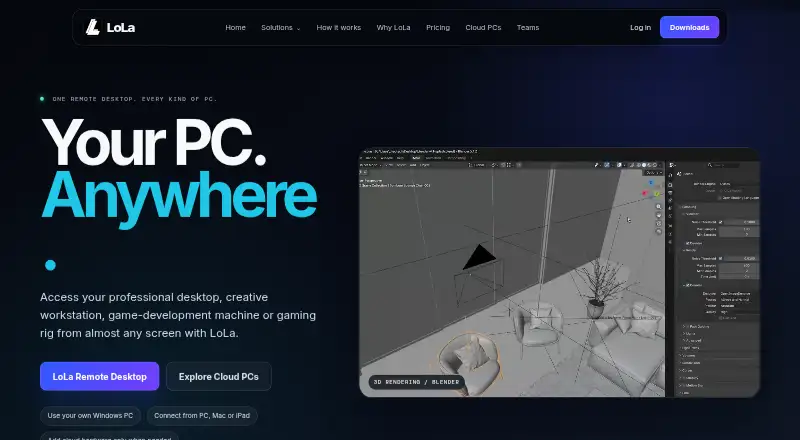
LoLa Cloud PCs is a remote desktop service. It streams a compatible Windows host, or an optional hosted Windows Cloud PC, to another device.
What it does
Applications, files, and GPU work stay on the host while you view and control the session remotely. This can be your own Windows computer or a rented Cloud PC.
The service is presented for professional work, creative production, game development, and remote gaming. Gaming sessions can stream compatible Windows games to iOS, Android, Mac, or Windows devices.
Its MoonShine streaming tool includes full-screen mode, mouse capture, clipboard syncing, streaming statistics, and session shortcuts.
How it connects
Client routes are listed for Windows, macOS, iPhone and iPad, Android, Chrome, and Raspberry Pi. A compatible Windows host and supported client device are required, but detailed CPU, memory, and bandwidth minimums are not published.
The pricing information names Blender, After Effects, and Premiere Pro for creator use, plus Steam, Battle.net, and Epic for gaming. Public documentation covers installation, Cloud PC launch, pairing, PC Hub setup, and keyboard shortcuts.
No public API or SDK guide is listed. Support is available through a contact form and the LoLa Discord community.
Good fit
LoLa suits people who want to reach their own Windows PC from another device, including while away from a desk. It also suits buyers who need a hosted Windows machine without managing physical hardware.
Cloud PC options cover general Windows work, creative workloads with a dedicated GPU, and RTX gaming. The Team plan is aimed at studios, creative groups, engineering and CAD work, contractors, and project-based users.
Team adds shared machines and workspaces, an admin console, permissions, access policies, basic access logs, centralized billing, and onboarding support.
Watch for
Remote performance varies with the host, client, workload, software version, network route, geography, and test conditions. LoLa does not give one universal performance figure.
Hosted Cloud PCs use hourly or monthly packages with usage caps. Machine details and current prices are confirmed in the live shop, so check the included usage before buying.
Privacy mode and secure session controls are listed for Solo and Team. LoLa's privacy policy says it processes personal identifiers and payment details under UK GDPR; Google Play disclosures separately state that the developer declares no data collected or shared with third parties.
MoonShine exposes many streaming settings, which may take time to configure.
Pricing
There is a free Starter plan with one user, limited commercial use, one saved machine or workspace, and standard streaming. Remote Desktop Personal is also free for personal, noncommercial use with your own compatible PC; it excludes Cloud PC access. Google Play also describes a one-hour free PC option.
Solo costs £7 a month on annual billing or £9 monthly. It supports one user, multiple machines and workspaces, multi-monitor use, creator mode, and priority support. Remote Desktop Premium costs $7.99 per user per month for commercial use with your own PC; Cloud PC hardware is excluded.
Professionals Cloud PC costs £7.99 a month, billed monthly, for 2 CPUs and 4 GB RAM without a dedicated GPU. Gaming Cloud PC and Creators Cloud PC each cost £27.99 a month, billed monthly; both list 8 CPUs and 32 GB RAM, with RTX graphics for Gaming and a dedicated GPU for Creators.
Team costs £24 a month on annual billing or £29 monthly for three or more users. Separate Cloud PC Professionals, Cloud PC Gaming, and Cloud PC Creators listings show included usage and final prices confirmed in the shop.
Verdict
Choose LoLa if you need remote access to a Windows computer across desktop and mobile clients, or want optional hosted machines for creative or gaming workloads. The free routes allow personal use or limited commercial use, while paid plans add more machines, team administration, or hosted hardware.
Check network conditions, usage caps, host requirements, and the live shop price before committing.
Our take
LoLa is a practical choice when your work or games already run on Windows and you want access from phones, tablets, Macs, browsers, or another PC. Its own-PC route avoids renting hardware, while Cloud PC plans add hosted configurations for general work, creators, and RTX gaming. The main checks are network quality, missing published system minimums, usage caps, and the live-shop pricing for hosted packages. Teams may value shared workspaces and admin controls; individuals may prefer the free personal route or Solo.
- Works with Windows, macOS, iOS, Android, Chrome, and Raspberry Pi clients
- Use your own compatible Windows PC or rent an optional Cloud PC
- Hosted options include dedicated GPU and RTX gaming configurations
- Free Starter and personal remote-desktop plans are available
- Team plan includes shared workspaces, permissions, billing, and access logs
- Performance changes with network, host, workload, geography, and software version
- Detailed CPU, RAM, and bandwidth requirements are not published
- Hosted packages have usage caps and live-shop pricing details
- Remote Desktop Premium excludes Cloud PC hardware
- MoonShine offers many settings that may be complex to configure
- Pick it ifPeople accessing a Windows PC from phones, tablets, Macs, or browsers; Creative, CAD, studio, and gaming users needing hosted GPU hardware; Teams that need shared machines and basic administration
- Skip it ifYou need a published universal performance guarantee or detailed minimum specifications; You require Cloud PC hardware in the Remote Desktop Premium plan; You want final hosted-package pricing without checking the live shop
Pricing
LoLa has free personal and Starter options. Team is £24 monthly on annual billing or £29 monthly. Some hosted listings confirm usage and final pricing in the shop.
- Starternot stated · 1 user · limited commercial use · 1 saved machine/workspace · standard streamingFree
- Remote Desktop Personalpersonal use · 1 person · own compatible PC · non-commercial · no Cloud PCFree
- Soloannual billing; £9 monthly · 1 user · multiple machines/workspaces · multi-monitor · creator mode · priority support£7/mo
- Professionals Cloud PCmonthly · 2 CPUs · 4 GB RAM · no dedicated GPU · secure/private£7.99/mo
- Remote Desktop Premiumper user per month · Commercial use · own compatible PC · Cloud PC hardware excluded$7.99/mo
- Teamannual billing; £29 monthly · 3+ users · shared machines/workspaces · admin console · permissions · access logs · onboarding£24/mo
- Gaming Cloud PCmonthly · 8 CPUs · 32 GB RAM · RTX graphics · Steam/Battle.net/Epic£27.99/mo
- Creators Cloud PCmonthly · 8 CPUs · 32 GB RAM · dedicated GPU · Blender/After Effects/Premiere Pro£27.99/mo
As lola-pc.com lists them, checked 15 Oct 2026.
Questions
Can I use my own computer?
Yes. LoLa can connect to a compatible Windows computer you already own, so a Cloud PC is optional.
Which devices can connect to LoLa?
The listed client routes are Windows, macOS, iPhone and iPad, Android, Chrome, and Raspberry Pi.
Is there a free plan?
Yes. Starter is free with limited commercial use. Remote Desktop Personal is free for personal, noncommercial use with your own compatible PC.
What creative apps are listed?
The pricing information lists Blender, After Effects, and Premiere Pro for the Creators option.
Which game services are listed?
Gaming information names Steam, Battle.net, and Epic.
Does LoLa have a public API?
The public documents index lists support and component references but no API or SDK guide.
What affects streaming performance?
Performance depends on the host, client, workload, software version, network path, geography, and test conditions.
How can I contact support?
Support is available through a contact form and the LoLa Discord community. Solo and Team plans list priority support.
Near it
All alternatives →- AW
 Amazon WorkSpaces#1 on this board
- OC
 Oracle Cloud Compute#3 on this board
- UubiDesktop#4 on this board
- J
 JioPC#5 on this board
- AC
 Ace Cloud Hosting Desktop as a Service#6 on this board
- VC
 V2 Cloud#7 on this board
- SShells#8 on this board
- MMacinCloud#9 on this board
- VCVagon Cloud Computer#10 on this board
- SIStim.io#11 on this board