Loocie Design Review
loociedesign.com · checked 15 Oct 2026
How it plugs in
Signal on Pattern Design Software6.3#2 of 23
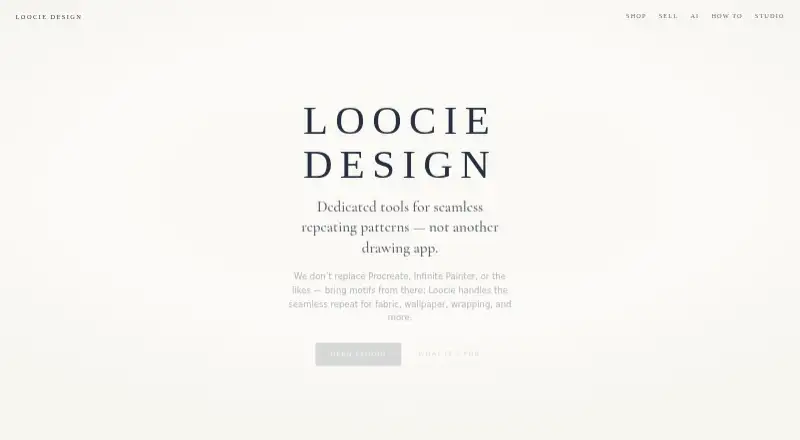
It imports motif sheets, cleans and arranges motifs, builds repeat tiles, checks seams, and exports PNG files. It is a pattern workspace, not a drawing app, and works on desktop, tablet, and phone.
Review
In a line
It is intended for artwork used on fabric, wallpaper, packaging, stationery, and related products.
What it does
Extract takes a PNG, JPG, WEBP, or SVG motif sheet, finds individual motifs, cleans them, and sends the resulting sprites to Make Tile. Cleanup controls include background removal, trimming, crisp edges, defringing, and smoothing.
Make Tile combines a background with up to four motif layers. You can move, resize, rotate, flip, and change opacity, then use Brick, Half-drop, Grid, Diamond, or Scatter arrangements. Backgrounds can be solid, transparent, gingham, checks, stripes, dots, grids, diamonds, or gradients.
Preview shows a composition repeating across the screen and checks vertical, horizontal, and four-corner joins. It can also export a shareable proof overview.
How it connects
Loocie runs in a web browser on desktop, tablet, and phone. Motifs can be made in Procreate, Infinite Painter, Illustrator, Affinity, or AI tools before being brought into Studio.
Extract accepts PNG, JPG, WEBP, and SVG files. Tile artwork exports as PNG, while downloaded sprites are commonly packaged as a ZIP of PNG files. Save project downloads sprites, layout, and background together as a .loocie file.
The maker lists Contrado, Maake, Prinfab, and Woven Monkey as print tools for putting artwork on fabric and products.
Good fit
Loocie suits people who already create artwork elsewhere and need to turn it into repeat designs. Its listed uses include fabric and textiles, wallpaper and wallcoverings, gift wrap and packaging, home textiles, stationery and paper goods, and print-on-demand products.
The phone and tablet layout includes bottom tabs and pinch-to-zoom, so the same Studio is available across those device types.
Watch for
Loocie is positioned as a repeat-pattern workspace rather than a drawing application. It does not provide vector editing, so motifs need to come from another app or tool.
Make Tile allows one background layer and up to four motif layers. Sprite Clean is experimental, and its single-motif cleanup results may be rough.
Files on the site are automatically deleted after a short period, so keep downloads of work you need. Signed-in uploads are kept private per account.
Pricing
The Studio beta plan is free during beta and works on desktop, tablet, and phone. Tools may change, files auto-delete after a short time, and the maker says a charge is possible after full release.
Verdict
Choose Loocie if you need a focused way to turn existing artwork into repeat tiles, inspect joins, and save print-ready PNG output without installing software. Its supported layouts, color controls, and background choices cover common surface-pattern tasks.
Look elsewhere if you need to draw motifs, edit vectors, or keep files stored online for a long time. The free beta is useful for trying the workflow, but future pricing is not fixed in the supplied plan details.
Our take
Loocie Design is a practical option for artists and makers who create motifs in another program and need repeat layouts, seam checks, and PNG exports in one browser workspace. It covers common product surfaces and works on phones, tablets, and computers. The main trade-offs are its four-motif-layer ceiling, lack of drawing and vector tools, experimental cleanup option, short file retention, and the possibility of paid access after beta. It fits pattern production more than general illustration.
- Free Studio beta plan
- Works in a web browser on desktop, tablet, and phone
- Checks vertical, horizontal, and four-corner seams
- Supports five repeat layouts and color controls
- Exports print-ready PNG tiles
- Not a drawing or vector-editing application
- Make Tile allows only four motif layers plus a background
- Sprite Clean results may be rough
- Site files are deleted after a short period
- Pricing after beta may change
- Pick it ifArtists turning imported motifs into repeat patterns; Fabric, wallpaper, packaging, stationery, and print-on-demand work; People who need browser access across devices
- Skip it ifYou need to draw or edit vector artwork inside the same app; You need long-term online storage for project files; You need more than four motif layers in a tile
Pricing
Studio beta is free during beta. The maker says tools may change, files auto-delete after a short time, and a charge is possible after full release.
- Studio betaFree during beta; possible charge after full release · desktop, tablet and phone access · tools may change · files auto-delete after a short timeFree
As loociedesign.com lists them, checked 15 Oct 2026.
Questions
Is Loocie Design free?
Yes. The Studio beta plan is free during beta. The maker says a charge is possible after full release.
Does Loocie Design draw artwork?
No. It is a repeat-pattern workspace. Create motifs in Procreate, Infinite Painter, Illustrator, Affinity, or AI tools, then import them.
What files can Extract import?
Extract accepts PNG, JPG, WEBP, and SVG motif sheets.
What can Make Tile export?
Make Tile creates downloadable print-ready PNG output. Downloaded sprites are commonly packaged as a ZIP of PNG files.
How many motif layers can a tile have?
Make Tile supports one background layer plus up to four motif layers.
Are uploaded files private?
Signed-in users' uploads are kept private per account. Files stored on the site are automatically deleted after a short period.
Can I use Loocie on a phone or tablet?
Yes. Studio works in a web browser on desktop, tablet, and phone, with bottom tabs and pinch-to-zoom on smaller devices.
Near it
All alternatives →- RA
 Raspberry AI Prints & Patterns#1 on this board
- SSeamlessify#3 on this board
- TTiler#4 on this board
- RRepper#5 on this board
- JPJUMI PatternMaker#6 on this board
- TS
 Texloom Studio#7 on this board
- PPatternly#8 on this board
- MAMYTH AI#9 on this board
- AS
 Artlandia SymmetryWorks#10 on this board
- A
 ArahWeave#11 on this board