
MagicINFO Cloud: Digital Signage Management
samsung.com · checked 15 Oct 2026
Samsung’s hosted service for creating, scheduling and managing digital-signage screens.
How it plugs in
Signal on Digital Signage Software7.6#20 of 207
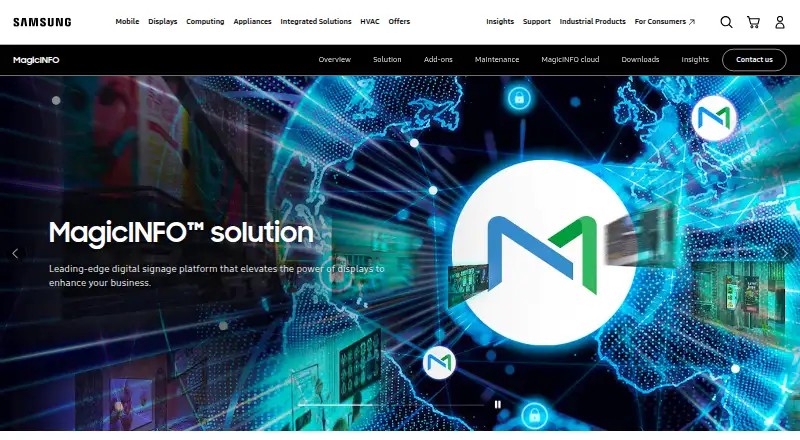
MagicINFO Cloud is Samsung’s web service for making, scheduling and sending content to connected digital-signage displays. It handles video, images, audio, documents, web content and more, with remote device controls, health monitoring and playback reports. A compatible Samsung player is required, and plan prices are generally available on request.
Review
In a line
MagicINFO Cloud is Samsung’s hosted system for running digital-signage content. Teams use it to manage connected displays from a web service.
What it does
An authoring tool helps create screen content with templates, clip art, visual effects and QR codes. It accepts video, images, audio, PDF and Office files, HTML5 or other web content, text, RSS and widgets.
You can build basic or conditional playlists, schedule them and send updates to screens in real time. Administrators can tag, group, control and troubleshoot displays remotely.
MagicINFO also monitors display software and hardware health. Its Insight tools review proof-of-play history and compare playback with uploaded sales data in dashboards and reports.
How it connects
The service has API access, including a documented authenticated REST interface for content, schedules, devices, users and dashboards. Samsung also advertises an API with more than 400 functions and customization support.
External data can arrive through UDP or Datalink, and the service can synchronize with existing content-management software. Its web player includes a W Player API for changing HTML content while it runs.
MagicINFO Cloud can run on leading cloud providers such as AWS and Azure. A compatible Samsung MagicINFO player is required; professional displays use S-Player or Lite Player. Samsung also offers I-Player software for Windows PCs.
Good fit
It suits organizations that need central control of Samsung signage across multiple locations. Scheduling, remote distribution, device grouping and health checks support routine screen operations.
The reporting tools fit teams that need playback records or comparisons with sales data. Support is provided through Samsung’s Network Operations Center, with phone and dedicated email contact.
Watch for
Consumer Samsung displays are unsupported, so confirm that your screens and players are compatible before buying. Availability also depends on regional confirmation; Samsung lists North America, Europe and China.
A Google Play reviewer reported content saving that stayed in progress, blocking scheduling and uploads. A Reddit report described YouTube embeds failing with Error 153 on some S Player versions.
One discussion called the Lite player limiting for consistent control across many screens, while another user found the documentation difficult to locate after installing the Windows server and PostgreSQL.
Pricing
MagicINFO Cloud is a paid service and also has a free plan. The listed starting price is 10 /mo. Most named plans show price on request.
Cloud CMS options include email support without NOC, 12/7 or 24/7 NOC support, and versions that add content scheduling. Standard, Premium and Premium Plus are billed as all-inclusive yearly prices; Premium adds proactive monitoring and priority services, while Premium Plus adds 24/7 remote support.
Verdict
Choose MagicINFO Cloud when your signage uses compatible Samsung hardware and you want browser-based scheduling, centralized device administration and playback reporting. Its API and data connections can support custom workflows.
Check player compatibility, regional availability and the support level included in a quote. Organizations needing broad hardware support, consistently simple documentation or dependable YouTube playback should investigate those points before committing.
Our take
MagicINFO Cloud is a sensible option for Samsung-based signage programs that need one place to publish content, schedule playlists and oversee screen health. Its reporting, remote controls and documented APIs add useful depth for larger operations. The main decision points are hardware compatibility, regional service availability and the support package attached to each quote. Reports of saving failures, YouTube errors and limits in the Lite player suggest testing your exact setup before rollout. Smaller deployments may find the available controls more than they need.
- Supports many media and document formats, plus HTML5 and RSS
- Remote scheduling, grouping, control and troubleshooting for displays
- Playback reports can be compared with uploaded sales data
- Authenticated REST API covers content, devices, schedules and dashboards
- Free plan is available alongside paid options
- Requires a compatible Samsung MagicINFO player and excludes consumer displays
- Most plan prices are available only by request
- Reports cite saving hangs, YouTube errors and Lite player limits
- Documentation can be difficult to find for some installations
- Pick it ifOrganizations operating Samsung digital-signage screens; Teams needing centralized scheduling, monitoring and playback reports
- Skip it ifYour displays are not compatible Samsung professional-signage hardware; You need confirmed YouTube playback or simpler documentation without setup checks
Pricing
MagicINFO Cloud has a free plan, while the service is also sold as paid plans. The listed starting price is 10 /mo. Cloud CMS and Standard, Premium and Premium Plus options are shown as price on request; yearly plans are billed all-inclusive per year.
- MagicINFO Cloud CMS + Email Support (no NOC)Cloud CMS · Email support · No NOCOn request
- MagicINFO Cloud CMS + Email Support (no NOC)Cloud CMS · Email support · No NOCOn request
- MagicINFO Cloud CMS + 12/7 NOCCloud CMS · 12/7 NOC supportOn request
- MagicINFO Cloud CMS + 12/7 NOCCloud CMS · 12/7 NOC supportOn request
- MagicINFO Cloud CMS + 24/7 NOCCloud CMS · 24/7 NOC supportOn request
- MagicINFO Cloud CMS + 24/7 NOCCloud CMS · 24/7 NOC supportOn request
- MagicINFO Cloud CMS + 12/7 NOC + Content SchedulingCloud CMS · 12/7 NOC support · Content schedulingOn request
- MagicINFO Cloud CMS + 12/7 NOC + Content SchedulingCloud CMS · 12/7 NOC support · Content schedulingOn request
As image-us.samsung.com lists them, checked 21 Sept 2026.
Questions
What is MagicINFO Cloud?
It is Samsung’s hosted service for creating, scheduling and distributing digital-signage content while managing connected displays.
What files can it display?
It supports video, images, audio, PDF, Office documents, HTML5 or web content, text, RSS and widgets.
Does MagicINFO Cloud have an API?
Yes. A documented authenticated REST API handles content, schedules, devices, users and dashboards. Samsung also advertises an API with more than 400 functions.
What hardware does it require?
A compatible Samsung MagicINFO player is required. Professional signage displays use S-Player or Lite Player; consumer Samsung displays are unsupported. Windows PCs can use I-Player.
Is there a free plan?
Yes. MagicINFO Cloud is described as a paid service with a free plan available.
How much does it cost?
The listed starting price is 10 /mo. Named Cloud CMS, Standard, Premium and Premium Plus plans show price on request.
Where is MagicINFO Cloud available?
Samsung lists current availability in North America, Europe and China, subject to regional confirmation.
Near it
All alternatives →- TTilecast#19 on this board
- MMvix#21 on this board
- DDisplayGrid#18 on this board
- BBBrightSign BSN.cloud#22 on this board
- PCPrIscA CMS#17 on this board
- CConcerto#23 on this board
- DD
 Displayforce (DISPL)#16 on this board
- UAUprisen Antraajaal CMS#24 on this board
- CCastmill#15 on this board
- BBaobab#25 on this board