Matchering: Free Reference-Based Audio Mastering
github.com · checked 21 Oct 2026
Reference-driven mastering and audio matching across browser, desktop, Python, ComfyUI, and self-hosted setups.
How it plugs in
Signal on Audio Mastering Software7.7#1 of 33
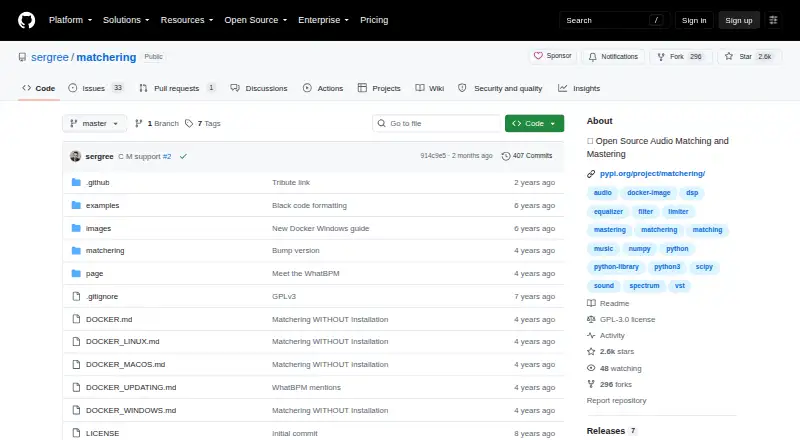
This free GPLv3 project masters a target track so its loudness, tonal balance, peak level, and stereo width follow a reference. You can run it through a web interface, Python package, CLI, or ComfyUI node; Docker directions cover Windows, macOS, and Linux. Hosted browser trials are also available.
Review
In a line
Matchering is open-source software for automated audio matching and mastering. Supply a target song and a reference, and it returns a mastered target shaped around the reference’s sound.
What it does
Matchering compares the target with the reference and changes RMS level, frequency response, peak amplitude, and stereo width accordingly. RMS describes average loudness, while frequency response refers to the balance of low, mid, and high frequencies.
A single reference can guide multiple tracks when you want a more unified album sound. Version 2 also brought in the project’s open-source Hyrax brickwall limiter to manage peaks.
According to the project, the method performs well across nearly all genres, with EDM highlighted, but highly specific experimental forms are an exception. The FAQ describes a digital-signal-processing approach rather than neural-network processing.
How it connects
The 2.0 release can run as a containerized web application, a Python package, or a ComfyUI node. Its Python package fits into the broader Python ecosystem, and a command-line application is available separately.
UVR5 Desktop App includes Matchering. Songmastr, MVSEP, and Moises provide hosted browser access for trying it without a local installation.
Separate Docker documentation is provided for Windows, macOS, and Linux. Running the Python package calls for at least 4 GB of RAM and Python 3.8 or later. Linux users must install libsndfile separately, and MP3 loading depends on a separate FFmpeg installation.
The Python package is released under GNU GPLv3. WAV and MP3 are listed as inputs, and WAV output is supported.
Good fit
Matchering is aimed at musicians and producers with a defined reference sound who want an automated first pass. It can also give several tracks a common sonic direction.
It suits users seeking free, open-source processing, local operation, or connections to Python, ComfyUI, UVR5, or a self-hosted web interface.
Watch for
The web application is intended for home and in-house operation, and its maker advises against exposing it publicly without security and scaling changes. The privacy page points to one container holding Django, SQLite, Redis, and the worker, along with non-scalable SQLite, DEBUG enabled, and no production web server.
The Python route calls for a machine with at least 4 GB of RAM and Python 3.8 or later. Linux additionally requires libsndfile, and MP3 input requires separately installed FFmpeg.
Highly specific experimental musical forms may not work well with this matching method.
Pricing
There is no charge for Matchering. The open-source package carries the GPLv3 license, and no paid plans are published.
Verdict
Matchering makes sense if you want reference-led mastering without a subscription and are comfortable with local, self-hosted, or developer-focused workflows. Its different forms cover browser access, Python, ComfyUI, and the UVR5 desktop application.
Consider alternatives if you require a public web service with production security built in, or if your arrangements are unusually experimental. For a broader starting point, see Audio Mastering Software or AI Music Mastering Software.
Our take
For artists and producers able to supply a reference, Matchering provides free automated mastering under an open-source license. Options range from hosted browser trials to Docker, Python, ComfyUI, and UVR5. Setup still involves dependencies, Linux and MP3 requirements, and additional security and scaling work before public web deployment; very unusual experimental structures may also be unsuitable.
- Free GPLv3 software with source available
- Aligns a target’s loudness, tonal balance, peaks, and stereo width with a reference
- Runs through web, Python, ComfyUI, Docker, and UVR5 routes
- One reference can steer several tracks toward album-wide consistency
- Public deployment requires additional security and scalability work
- Python operation calls for at least 4 GB of RAM and Python 3.8 or newer
- Linux requires libsndfile, and MP3 input requires separately installed FFmpeg
- Very specific experimental forms may be a poor match
- Pick it ifArtists who have a defined reference sound; Producers aligning multiple tracks to one sonic target; People seeking free open-source or self-hosted mastering
- Skip it ifYou need a public production service with no extra security work; Your material follows an unusually specific experimental structure; You need MP3 input but cannot install FFmpeg
Pricing
The software itself has no charge or published paid tier.
- Open-source softwareGPLv3 license · no published paid plansFree
As github.com lists them, checked 1 Oct 2026.
Questions
Is Matchering free?
Yes. It is released as free open-source software under GNU GPLv3, and no paid plans are listed.
What does Matchering match?
The target is reshaped to track the reference’s RMS loudness, frequency response, peak amplitude, and stereo width.
Which audio files can I use?
WAV and MP3 are listed for input, with WAV export available. Loading MP3 files requires a separate FFmpeg installation.
Does Matchering use artificial intelligence?
According to the FAQ, no neural network is involved; the processing uses digital signal processing.
Can I run Matchering on my own computer?
Yes. Docker documentation covers Windows, macOS, and Linux, while the Python package requires at least 4 GB of RAM and Python 3.8 or newer.
Can I host the web app publicly?
The maker positions the web app for home and in-house use. Public deployment requires security and scalability changes.
Where can I try Matchering without installing it?
Songmastr, MVSEP, and Moises offer hosted browser trials of Matchering.
Near it
All alternatives →- W
 WaveLab#2 on this board
- T
 Tunr#3 on this board
- TLTDR Limiter 6 GE#4 on this board
- SDSonoris DDP Creator#5 on this board
- FP
 FabFilter Pro-L 2#6 on this board
- FEFLUX:: Elixir#7 on this board
- HC
 HOFA CD-Burn.DDP.Master#8 on this board
- IAInitial Audio Master Suite#9 on this board
- SDSlate Digital FG-X 2#10 on this board
- SM
 StudioZIO Mastering Suite#11 on this board