
melonDS: Free Nintendo DS Emulator Review
melonds.kuribo64.net · checked 30 Sept 2026
Open-source Nintendo DS emulation for Windows, macOS, and Linux at no cost.
How it plugs in
Signal on Nintendo DS Emulators6.6#3 of 18
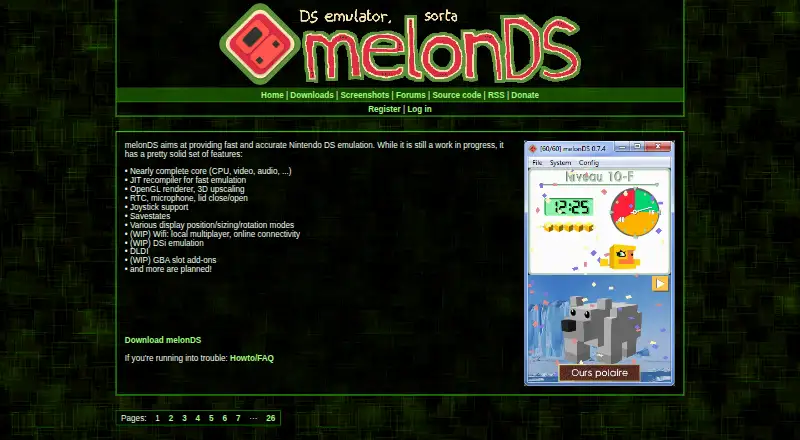
melonDS provides no-cost Nintendo DS emulation across Windows, macOS, and Linux. It focuses on fast, accurate emulation with 3D upscaling, save states, joystick controls, microphone and lid controls, and networking. DSi emulation, GBA add-ons, and Wi-Fi features remain works in progress, and some games need special files or unsupported save types.
Review
In a line
melonDS is free, open-source software that emulates Nintendo DS games on Windows, macOS, and Linux. The project targets fast and accurate Nintendo DS emulation.
What it does
CPU, video, and audio support are nearly complete, and the project also includes a JIT recompiler. An OpenGL renderer can upscale 3D graphics, while display modes let you change position, size, and rotation.
You can use a joystick, microphone input, lid controls, real-time clock features, and savestates. Wi-Fi supports local multiplayer and online connections, but the project marks this work in progress and warns that some games may not work.
How it connects
melonDS is open-source emulator software. See other Nintendo DS emulators and emulator software if you are comparing options.
Builds are available for Windows, macOS, and Linux, and some systems have ARM64 versions. DS emulation requires BIOS and firmware files; DSi mode additionally needs a DSi NAND image. DLDI is listed, while GBA slot add-ons remain works in progress.
Save data is stored in raw files, with an import option for DeSmuME, DraStic, or flashcard saves. Direct online play needs libpcap or WinPcap, an Ethernet connection, and administrator or superuser rights. Indirect mode does not need Ethernet or those elevated permissions.
Good fit
melonDS suits people who want a no-cost Nintendo DS emulator on a supported desktop operating system, with graphics upscaling, savestates, joystick support, and adjustable screen layout.
It may also suit people transferring saves from DeSmuME, DraStic, or a flashcard, as well as those seeking local or online multiplayer when the connection functions.
Watch for
DSi emulation and GBA slot add-ons remain unfinished. Wi-Fi is also unfinished, and local multiplayer can be unstable because of timing requirements; more than two instances may not work correctly.
The software renderer prioritizes accuracy at a higher CPU cost. OpenGL may run faster but can be less accurate. WarioWare DIY and Jam with the Band use a save-memory type melonDS does not support.
The team does not support unofficial ports such as Android. For bugs and feature requests, it points users to its GitHub issue tracker or forums.
Pricing
melonDS is free. There is a free plan and no free trial because the software itself costs nothing.
Verdict
Choose melonDS for open-source Nintendo DS emulation on Windows, macOS, or Linux when upscaled graphics, savestates, and flexible controls matter. Check the required BIOS and firmware files first, and confirm that your multiplayer setup and games work with its unfinished networking features. It is a poor match if you need supported Android builds, complete DSi emulation, or compatibility with the two games that use unsupported save memory.
Our take
melonDS is a sensible pick for desktop users seeking a free Nintendo DS emulator with open-source code, save importing, graphics scaling, and configurable controls. Before choosing it, gather the required BIOS and firmware files and review the limits around Wi-Fi, local multiplayer, DSi features, and special save formats. People on Android must look elsewhere for support, since unofficial ports are outside the project’s responsibility. Users needing dependable DSi or GBA add-on emulation should wait or consider another option such as game console emulators.
- Free and open-source on Windows, macOS, and Linux
- OpenGL 3D upscaling, savestates, and joystick support
- Imports saves from DeSmuME, DraStic, and flashcards
- Supports microphone, lid, RTC, and DLDI features
- DSi emulation, GBA add-ons, and Wi-Fi are works in progress
- Local multiplayer can be unstable, especially beyond two instances
- DS emulation needs BIOS and firmware files
- Some games use unsupported save memory
- Pick it ifDesktop users wanting free Nintendo DS emulation; Players who need upscaling, savestates, or imported saves; Users comfortable configuring BIOS and firmware files
- Skip it ifYou need an officially supported Android version; You require complete DSi or GBA slot emulation; Your games depend on unsupported save memory
Pricing
melonDS has one free plan and no trial. There is no charge to download or use the emulator.
- melonDSNintendo DS emulator · Requires console BIOS and firmware dumps for some emulationFree
As melonds.kuribo64.net lists them, checked 30 Sept 2026.
Questions
What systems does melonDS run on?
The downloads page lists Windows, macOS, and Linux builds, with ARM64 versions for some operating systems.
Do I need BIOS or firmware files?
Yes. The FAQ says Nintendo DS emulation needs BIOS and firmware files, while DSi emulation additionally requires a DSi NAND image.
Can melonDS play online?
The Wi-Fi implementation offers local multiplayer and online connectivity, but remains a work in progress and may fail with some games. Direct online mode requires libpcap or WinPcap, Ethernet, and administrator or superuser access.
Can I import saves?
Yes. Raw save files are supported, and the Import savefile function accepts saves from DeSmuME, DraStic, or a flashcard.
Does it support DSi and GBA features?
The project marks both DSi emulation and GBA slot add-ons as works in progress. DLDI support is listed separately.
Are Android ports supported?
No. The project says its team does not develop or support unofficial ports such as Android, and directs users to those port developers.
Is melonDS free?
Yes. melonDS is open-source software with no charge and no free trial.