
Mindstamp interactive video software review
mindstamp.com · checked 15 Oct 2026
Browser-based software for making videos interactive with prompts, branching, forms, personalization and viewer analytics.
How it plugs in
Signal on Interactive Video Software6.3#4 of 26
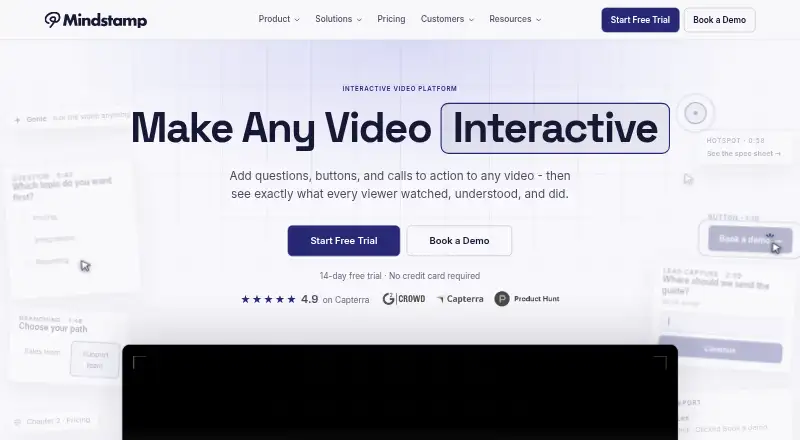
Mindstamp layers interactive elements onto completed videos without altering the original file. Teams can create questions, hotspots, buttons, forms, branching and personalized paths, then review what each identified viewer watched, answered, clicked, scored and completed. It runs on the web and supports integrations, offline packages and a REST API on higher plans.
Review
In a line
Mindstamp turns completed videos into interactive content through a web application. It supports questions, buttons, hotspots, forms, branching and personalization, while reporting activity for identified viewers.
What it does
Teams use existing video from supported services or uploads, then layer interactions over it without re-encoding the source. The catalog lists 47 interactions in six groups, including quizzes, calls to action and annotations.
Viewers can answer choice, text, voice, video, image and drawing questions. Branching and conditional logic can send people to different paths based on answers, clicks or supplied data.
Reports show what each identified viewer watched, answered, selected, clicked, scored and completed. Completion rules can also create personalized PDF certificates with public verification pages.
How it connects
Connections listed by Mindstamp cover Google Analytics, HubSpot, Shopify, WooCommerce, Vimeo, Wistia, YouTube, Kaltura, JW Player, Panopto, webhooks and Zapier. Supported video sources also include Synthesia, HeyGen, Colossyan and Vyond uploads.
A versioned JSON REST API is available on Pro, Scale, Ultra and Enterprise. It uses bearer tokens and supports interaction and view webhooks. Documentation covers JavaScript, Python, Ruby, Java and other major languages, but no official SDK package is listed.
Mindstamp is not open source. An offline ZIP can be opened in Chrome or Edge on Windows or Mac without installing an app or running a local server. Offline views and answers stay on that computer, do not reach cloud reports, and online actions such as payments and links do not work.
Good fit
Mindstamp is aimed at learning and development, marketing, sales, education, onboarding and customer support teams that want interactive video and viewer-level tracking.
It fits projects needing quizzes, branching paths, hotspots, forms, personalization or SCORM export. Interactive video software is the broader category for comparing similar tools.
Watch for
The maximum video length is 30 minutes. Source trimming, combining, color changes and audio edits must happen in a separate video editor.
Mindstamp says it has no SOC 2 report or ISO 27001 certification, is not HIPAA compliant, and advises against putting protected health information in videos. It stores and processes customer data in the United States and offers a data-processing agreement on request.
SSO and SAML are Enterprise custom work. Salesforce setup needs a quote and confirmation. Self-service plans have no published guaranteed response time.
Offline activity is not included in cloud reports. Mindstamp's terms also say service availability can vary and does not promise an error-free service.
Pricing
Mindstamp has no free tier, and each plan begins with a 14-day trial that requires no card.
Basic is $83 per month ($990 when billed yearly) and includes 5 active videos, 1 admin seat and 10,000 monthly streaming minutes. Core is $250 monthly ($2,990 yearly) for 50 videos, 3 seats and 50,000 minutes; it adds personalization, Genie AI, SCORM export and Zapier.
Pro costs $416 monthly ($4,990 yearly) for 100 videos, 5 seats and 100,000 minutes; it adds conditional logic, a custom domain, HubSpot and the REST API. Scale is $833 a month ($9,990 yearly) for 500 active videos, 10 seats and 250,000 minutes, plus onboarding sessions and quarterly reviews.
Ultra is $2,083 per month ($24,990 yearly) for 1,500 active videos, 15 seats and 500,000 minutes. Enterprise starts at $15,000 annually with custom limits, SSO/SAML, security and procurement review, and custom onboarding. Viewers are unlimited and not billed per viewer.
Verdict
Choose Mindstamp when your team needs to make existing videos interactive and inspect individual viewer activity. Its branching, varied question formats, certificates, integrations and API cover structured training, sales and support workflows.
Check the 30-minute cap, offline reporting gap and separate video-editing requirement before signing up. Organizations handling regulated health information or requiring specific security certifications should look elsewhere.
Our take
Mindstamp is a paid option for teams that need interactive layers on existing videos rather than a full video editor. Its viewer reports, branching, question formats, certificates and broad integration list support training, education, marketing and support work. The 14-day trial helps evaluate the workflow before payment. Check the 30-minute video limit, offline data behavior, security statements and plan-based API access. It is a poor fit for HIPAA-sensitive content, advanced source editing or buyers seeking a free plan.
- Adds branching, questions, hotspots, forms and personalization to completed videos.
- Reports viewer-level watches, answers, clicks, scores and completions.
- Connects with analytics, marketing, commerce, video hosts, webhooks and Zapier.
- REST API and webhooks are included on Pro and higher plans.
- Offline packages run in Chrome or Edge on Windows or Mac.
- No free plan; paid plans start at $83 a month after the trial.
- Videos are limited to 30 minutes.
- Offline views and answers do not appear in cloud reports.
- No SOC 2 report, ISO 27001 certification or HIPAA compliance.
- Source trimming and other editing require separate video software.
- Pick it ifTraining, education, marketing and support teams using interactive video; Teams that need viewer-level reports and branching paths; Organizations wanting integrations or an API on higher plans
- Skip it ifYou need a free plan or videos longer than 30 minutes.; You require HIPAA compliance or SOC 2/ISO 27001 certification.; You need built-in trimming, combining, color or audio editing.
Pricing
Mindstamp has no free plan. All plans include a 14-day, no-credit-card trial. Limits rise from 5 to 1,500 videos, 1 to 15 admin seats and 10,000 to 500,000 monthly streaming minutes.
- Basic$990 billed yearly · 5 active videos · 1 admin seat · 10,000 streaming minutes/month · 30-minute maximum video$83/mo
- Core$2,990 billed yearly · 50 videos · 3 admin seats · 50,000 streaming minutes/month · personalization · Genie AI · SCORM export · Zapier$250/mo
- Pro$4,990 billed yearly · 100 videos · 5 admin seats · 100,000 streaming minutes/month · conditional logic · custom domain · HubSpot · REST API$416/mo
- Scale$9,990 billed yearly · 500 active videos · 10 admin seats · 250,000 streaming minutes/month · Pro features · onboarding sessions · quarterly reviews$833/mo
- Ultra$24,990 billed yearly · 1,500 active videos · 15 admin seats · 500,000 streaming minutes/month · Scale features · fair-use terms$2,083/mo
- EnterpriseAnnual contracts start at $15,000 · Custom video, seat and streaming limits · custom SSO/SAML · security and procurement review · custom onboarding$15,000/yr
As mindstamp.com lists them, checked 15 Oct 2026.
Questions
Does Mindstamp have a free plan?
No. Mindstamp's plans are paid, though each one includes a 14-day trial with no credit card required.
What video length does Mindstamp allow?
The listed maximum is 30 minutes per video.
Can Mindstamp show what each viewer did?
Yes. Reports can show what each identified viewer watched, answered, clicked, scored and completed.
Does Mindstamp have an API?
A versioned JSON REST API is included on Pro, Scale, Ultra and Enterprise. It uses bearer tokens and supports interaction and view webhooks.
Is Mindstamp HIPAA compliant?
No. Mindstamp says it is not HIPAA compliant and advises against collecting protected health information in videos.
How does offline playback work?
An offline ZIP can be opened in Chrome or Edge on Windows or Mac. Offline views and answers remain on the computer and are absent from Mindstamp reports.
Which services can Mindstamp connect to?
Mindstamp lists Google Analytics, HubSpot, Shopify, WooCommerce, Vimeo, Wistia, YouTube, Kaltura, JW Player, Panopto, webhooks and Zapier among its connections.