MixCaptions: Features, Platforms and Pricing
mixcord.co · checked 7 Oct 2026
MixCaptions creates subtitles for speech and lyrics for singing in video.
How it plugs in
Signal on AI Video Caption Generators6.6#24 of 99
MixCaptions creates captions from video or audio, including podcast files. You can make minor caption edits, adjust timing and placement, and export a captioned video or an SRT subtitle file. Find the app on Android, iOS, and macOS. A free try covers one video of up to three minutes, and paid options include purchases and subscriptions.
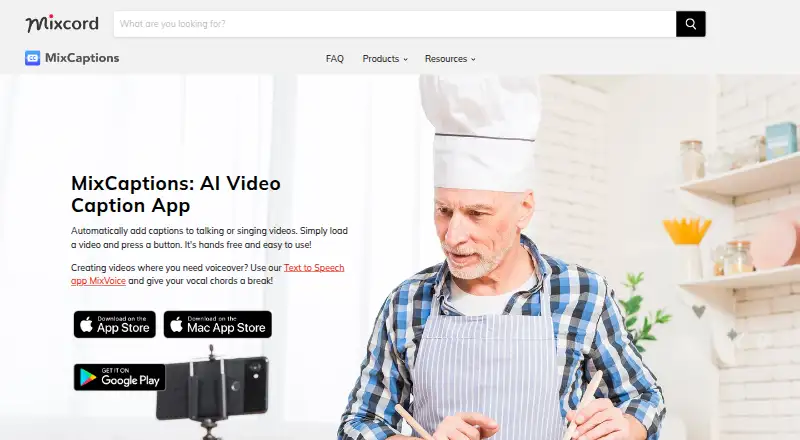
Review
In a line
The app generates subtitles for spoken video and lyrics for videos of people singing.
What it does
Use a pre-recorded video or an audio file, such as a podcast, to create a captioned video. It supports 23 caption languages and can automatically translate captions into Chinese, French, German, Japanese, Korean, Portuguese, and Spanish.
You can make minor caption edits, adjust timing and placement, and use your own font. Captions can be rendered in videos exported at 4K, with choices of 9:16, 16:9, 4:5, or 1:1.
How it connects
MixCaptions runs on Android, iOS, and macOS. Alongside pre-recorded videos and audio files, you can bring in photos, videos, GIFs, Live Photos, and Giphy items.
You can include captions directly in the video or export subtitles separately for platforms such as YouTube and Vimeo. SRT is the listed subtitle file type.
Good fit
Mixcord describes MixCaptions as suitable for creators, business owners, and people creating inclusive or accessible content. It may suit someone who wants to caption a short video or podcast clip and adjust the captions before sharing.
Watch for
The stated transcription allowance depends on the option: free users get one video of up to three minutes, individual Pro subscribers can transcribe videos up to 10 minutes, and business subscribers up to 30 minutes. Confirm the limit attached to the purchase or subscription you are considering; some App Store listings omit it.
According to Mixcord's privacy policy, its services may gather uploaded material—audio, video, photos, and files—as well as usage and device information. Mixcord says it applies technical and organizational safeguards to personal information, while noting that it cannot promise security.
Pricing
The free option includes one video of up to three minutes. One-time minute bundles are listed at $1.99 for 10 minutes, $4.99 for 60 minutes, and $19.99 for 300 minutes.
A Short video subscription is $2.99 a month, though the listing does not specify its duration limit or billing period. For business subscribers, a monthly plan is priced at $24.99 and covers videos up to 30 minutes.
Verdict
Consider MixCaptions if you need captions or lyrics on short videos and want options to adjust their timing, position, or font. The free option lets you test it on a single video up to three minutes; paid choices vary in minutes, features, and subscription terms. Check the limit attached to the exact option before purchasing. If you need subtitle files in a format other than SRT, or your videos exceed your selected option's limit, it may not suit your workflow.
Our take
MixCaptions may suit people producing short captioned videos who want to adjust text and placement or save subtitles as SRT. There is a free trial for one video of up to three minutes, plus paid minute bundles and subscriptions. Confirm the duration and terms for the specific listing before paying, since several purchases do not specify a limit. Choose another tool if you require subtitle exports in a format other than SRT.
- Accepts video and audio files, including podcasts.
- Supports caption edits, timing and placement adjustments, and font import.
- Exports captioned video in 4K and four aspect ratios.
- Runs on Android, iOS, and macOS.
- The free option covers just one video, with a three-minute maximum.
- SRT is the only listed subtitle export format.
- Some listed purchases do not specify a video duration limit.
- Uploaded content and device and usage information may be collected.
- Pick it ifCreators and business owners captioning short videos; People creating inclusive or accessible video content; Users who want SRT subtitle exports
- Skip it ifYou need a subtitle export format other than SRT.; Your videos exceed the duration limit of the option you plan to buy.
Pricing
The free tier covers one video up to three minutes. Paid options include one-time minute bundles and feature purchases, as well as monthly subscriptions.
- 3 minutes3 minutesOn request
- FreeOne video free, up to 3 minutesFree
- 10 minutes10 minutes$1.99 one-time
- Customize WatermarkApp Store in-app purchase; limits not stated$2.99 one-time
- Short video subscriptionsubscription period not stated on listing · Short video subscription; duration limit not stated$2.99/mo
- Unlock MixCaptions EditorApp Store in-app purchase; limits not stated$3.99 one-time
- 60 minutes60 minutes$4.99 one-time
- Transcribe videos for ProsApp Store in-app purchase; duration not stated$9.99 one-time
As apps.apple.com lists them, checked 22 Sept 2026.
Questions
Which devices can run MixCaptions?
MixCaptions runs on Android, iOS, and macOS.
Can MixCaptions caption podcast audio?
Yes. It can use audio files such as podcasts, as well as pre-recorded videos, to create captioned videos.
Can I export subtitles separately from the video?
Yes. The app exports subtitles as SRT files for use on platforms such as YouTube and Vimeo.
How long can my video be?
Free users can transcribe one video up to three minutes; individual Pro subscribers up to 10 minutes, and business subscribers up to 30 minutes.
What does the free option include?
It covers transcription of one video up to three minutes.
What is the Business Monthly Subscription price?
The plan is $24.99 per month and supports videos up to 30 minutes.