
Mobitru Review: Real-Device and Browser Testing
mobitru.com · checked 30 Sept 2026
Remote testing on real mobile devices and desktop browsers for mobile and web applications.
How it plugs in
Signal on Browser Testing Software5.6#28 of 34
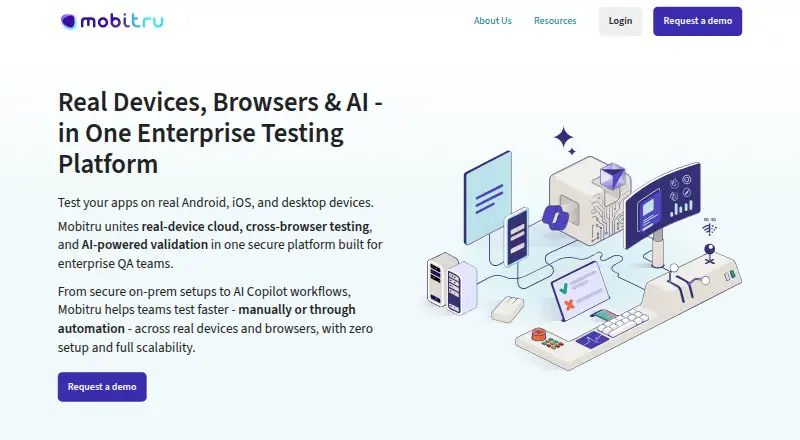
Teams can remotely operate physical Android and iOS hardware alongside desktop browsers through Mobitru for manual or automated checks. The service brings together browser and mobile automation, visual image comparison, device controls, and multiple hosting choices. Pricing is paid and available on request. Personal accounts are limited to EPAM employees.
Review
In a line
Mobitru lets testers work remotely with physical Android and iOS hardware plus desktop browsers. Its scope includes manual and automated examination of web, native, and hybrid applications.
What it does
Live browser work and automated runs are available on Chrome, Firefox, Safari, and Edge. Mobile coverage uses physical handsets instead of simulators or emulators. Files uploaded for testing can be as large as 4 GB.
Visual workflows automatically take screenshots and compare them using exact pixel matching or a selected tolerance. Device controls include injected camera images, GPS configuration, push messages, orientation changes, and booking.
For connected products, the service exercises sensors, Wi-Fi, and Bluetooth pairing. It also offers AI-assisted test creation and validation.
How it connects
Supported automation includes Appium, Selenium, Playwright, Cypress, Espresso, XCUITest, Vividus, and QAVAJS. Listed integrations also include JUnit, TestNG, and PyTest.
MCP servers let GitHub Copilot, Cursor, and EPAM AI tools work with Mobitru for creating, troubleshooting, and analyzing tests. The MCP quick start requires an Enterprise AI plan with the MCP feature enabled.
Hosting can be arranged in public or private cloud, in an on-premises device lab behind a company firewall, or through a hybrid combination. Mobitru lists SOC 2 Type II, SOC 3 Type II, and ISO 27001 certifications.
Good fit
Mobitru is aimed at teams needing remote use of real phones, tablets, and desktop browsers for browser testing. Its stated mobile range spans iOS 12.3–26 and Android 7–16.
It suits organizations performing automated mobile or cross-browser work, visual regression checks, and scenarios involving cameras, location, notifications, sensors, Wi-Fi, or Bluetooth.
Watch for
Only EPAM employees can obtain personal accounts; everyone else uses a team account.
A team device session can run for five hours. Personal accounts instead provide 15 minutes per month, with one-minute access on premium devices and two minutes on other devices.
Confirm that the MCP quick start's Enterprise AI requirement works for your workflow, and that the 4 GB application-file ceiling accommodates your builds.
Pricing
Mobitru is a paid service, with pricing available on request.
Verdict
Choose Mobitru if your team needs real-device coverage, browser automation, visual comparisons, or connected-device checks across flexible cloud and on-premises deployments.
Look elsewhere if you need public pricing, unrestricted personal access, or the MCP quick start without an Enterprise AI plan. EPAM employees can use the personal-account option, but other users need team access.
Our take
Mobitru is a practical option for organizations that must test on physical phones and across major desktop browsers. Its coverage includes visual checks, device controls, connected-device scenarios, and several hosting models. The main buying hurdles are private pricing, account restrictions, short personal quotas, and the Enterprise AI requirement for the MCP quick start. Teams should confirm session needs, device versions, deployment requirements, and file sizes before committing.
- Runs checks on physical Android and iOS hardware instead of simulators
- Automates coverage for Chrome, Firefox, Safari, and Edge
- Includes screenshot comparison for browser and real-device checks
- Offers public, private, on-premises, and hybrid deployment
- Exercises sensors, Wi-Fi, Bluetooth, GPS, cameras, and notifications
- Pricing is available only on request
- Personal accounts are limited to EPAM employees
- Personal sessions and monthly quota are very short
- The MCP quick start requires an Enterprise AI plan with MCP enabled
- Application files are limited to 4 GB
- Pick it ifTeams testing mobile and browser apps on physical devices; Connected-device and visual regression testing; Organizations needing on-premises or hybrid deployment
- Skip it ifYou need public plan prices or a free tier; You are not an EPAM employee and want a personal account; Your AI workflow cannot use an Enterprise AI plan
Pricing
Mobitru is paid, but the maker gives pricing only on request.
Questions
Does Mobitru use real phones?
Yes. Testing runs on physical Android and iOS devices, not simulator or emulator instances.
Which mobile operating systems does it support?
Its FAQ gives an iOS range of 12.3 through 26 and an Android range of 7 through 16.
Which browsers can it test?
With Selenium, Playwright, or Cypress, automated runs can target Chrome, Firefox, Safari, and Edge.
Can Mobitru test IoT devices?
Yes. Scenarios can include sensors, Wi-Fi, and Bluetooth pairing.
Who can open a personal account?
Personal access is reserved for EPAM employees; users outside EPAM work through team accounts.
How long can a test session run?
Team accounts permit five-hour device sessions. Personal accounts allow 15 minutes per month, with one or two minutes per session based on the device.
What is needed for MCP AI integrations?
Starting MCP through the quick-start flow requires an Enterprise AI plan with MCP enabled.
Near it
All alternatives →- KKobiton#27 on this board
- GIGhost Inspector#29 on this board
- AD
 AWS Device Farm#26 on this board
- TTrudon#30 on this board
- A
 Argos#25 on this board
- RS
 Ranorex Studio#31 on this board
- JGJipidy Grid#24 on this board
- BBrowseEmAll#32 on this board
- C
 Chromatic#23 on this board
- PTPerfecto Test Analytics#33 on this board