
Mullvad Browser
mullvad.net · checked 3 Oct 2026
An open-source browser that helps limit tracking and browser fingerprinting at no cost.
How it plugs in
Signal on Web browsers8.2#5 of 154
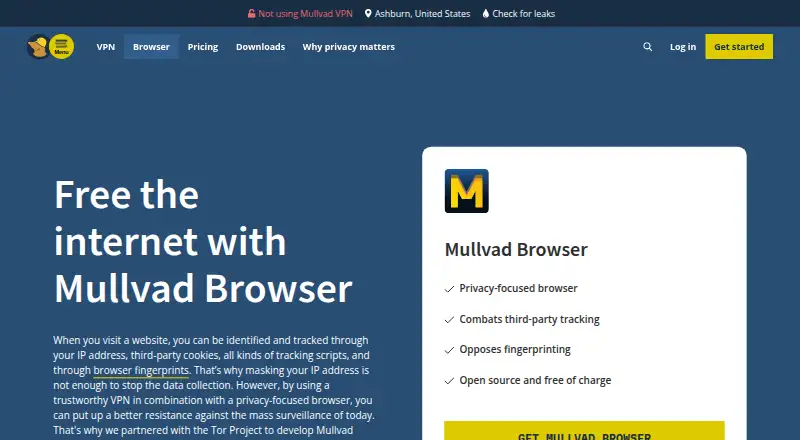
Mullvad Browser is available at no charge for Linux, macOS, and Windows. Built on Gecko, it blocks ads and third-party trackers while starting each session in private mode. It can reach the internet whether or not a VPN is connected, but Tor is not part of its network path. Browsing data is not synchronized between devices.
Review
In a line
Mullvad Browser is a free browser focused on reducing tracking and browser fingerprinting, a way sites identify devices from browser settings.
Supported versions are offered for Linux, macOS, and Windows.
What it does
The browser includes advanced tracking protection, ad blocking, malware blocking, and adult-content filtering. Its built-in uBlock Origin blocks third-party trackers.
Private mode is on by default. Cookies, cached files, and browsing history are cleared between sessions, and a reset button can start a clean session with one click.
Fingerprinting protection is intended to make users' browsers look more alike to websites. Mullvad says it removed browser telemetry, and the browser keeps no activity logs.
How it connects
Mullvad Browser is open source and was developed with the Tor Project. It uses the Gecko browser engine.
You can connect to the internet through a VPN or without one. Tor Network routing is not included. It has no cross-device sync, so browsing data does not follow you between devices.
Good fit
This browser suits people who want fewer trackers, ads, and identifying browser details while browsing. It fits users looking for an open-source privacy browser that runs on major desktop systems.
It can also suit people who already use a VPN and want a browser that can operate with that connection or without it.
Watch for
Mullvad Browser is a desktop browser for Linux, macOS, and Windows; it does not offer cross-device sync. Traffic is not routed through the Tor Network.
On Windows, the browser needs Windows 10 or later and a 64-bit system.
Pricing
Mullvad Browser is free for anyone. There is no paid plan and no free trial. Supported systems are Linux, macOS, and Windows.
Mullvad says it does not make money from the browser; its income comes from its VPN service.
Verdict
Choose Mullvad Browser if your priority is reducing tracking and fingerprinting without paying for a desktop browser. Its default private mode, built-in tracker blocking, and open-source code cover common privacy needs.
Look elsewhere if you need browsing data shared across devices, direct Tor Network use, or a mobile platform. For a broader set of mainstream browser choices, compare web browsers or alternatives such as Brave Browser.
Our take
Mullvad Browser is a sensible pick for desktop users who want a no-cost, open-source browser with privacy protections enabled from the start. It blocks common trackers and ads, limits browser fingerprinting, and avoids telemetry according to Mullvad. The main limitations are no cross-device sync, no Tor routing, and a requirement for 64-bit Windows 10 or newer on Windows. Choose it for private everyday browsing, not for Tor routing or multi-device continuity.
- Free for anyone on Linux, macOS, and Windows
- Open-source code
- Private mode clears cookies, cache, and history between sessions
- Built-in uBlock Origin blocks third-party trackers
- Ad, malware, and adult-content blocking included
- No cross-device sync
- Tor Network access is not included
- Windows requires 64-bit Windows 10 or later
- Desktop platforms only in the listed support facts
- Pick it ifDesktop users who want private browsing without a paid plan; People seeking tracker and fingerprinting protection; Users who prefer open-source browser software
- Skip it ifYou need Tor Network routing; You need browsing data synced across devices; You use a platform other than supported Linux, macOS, or Windows
Pricing
The only listed plan is free for anyone, with no paid tier and no free trial. It runs on supported Linux, macOS, and Windows systems.
- Mullvad BrowserFree for anyone · supported Linux, macOS and WindowsFree
As mullvad.net lists them, checked 3 Oct 2026.
Questions
Is Mullvad Browser free?
Yes. The listed Mullvad Browser plan is free for anyone, and there is no free trial.
Which systems support Mullvad Browser?
It is available for supported versions of Linux, macOS, and Windows. Windows requires Windows 10 or later and 64-bit Windows.
Does Mullvad Browser use Tor?
No. Internet access works with or without a VPN, but Tor Network routing is not used.
Does it sync across devices?
No. Mullvad Browser does not provide cross-device sync.
What does private mode do?
Private mode is enabled by default and does not save cookies, cache, or browsing history between sessions.
Is Mullvad Browser open source?
Yes. Mullvad Browser is open source and was developed in collaboration with the Tor Project.
Does it block ads and trackers?
Yes. It includes ad blocking and uBlock Origin for blocking third-party trackers. Malware and adult-content filtering are also listed.
Near it
All alternatives →- W
 Waterfox#4 on this board
- L
 LibreWolf#6 on this board
- TB
 Tor Browser#3 on this board
- MB
 Midori Browser#7 on this board
- BB
 Brave Browser#2 on this board
- F
 Floorp#8 on this board
- MF
 Mozilla Firefox#1 on this board
- UCungoogled-chromium#9 on this board
- FDFirefox Developer Tools#10 on this board
- GC
 Google Chrome#11 on this board