MuMu Player Review
mumuplayer.com · checked 4 Oct 2026
An Android game and app emulator for Windows and Mac computers.
How it plugs in
Signal on Android emulators7.0#7 of 19
On Windows and Mac, MuMu Player lets you use Android games and apps through Google Play, multi-instance sessions, custom keyboard controls, gamepads, and manual APK, APKS, or XAPK installs. Android 15 and Android 12 can run in parallel. A free plan and seven-day trial are available, while Premium pricing appears before purchase.
Review
In a line
MuMu Player emulates mobile and other platform games on computers and supported devices. It is aimed at playing mobile games on Windows or Mac.
What it does
Android 15 and Android 12 can operate side by side, with Google Play access and multi-instance mode for opening several sessions. Keyboard and mouse mapping, mainstream joysticks, and Mac touchpad gestures offer alternate controls.
Apps can come from the in-emulator game center or its browser, or be added manually as APK, APKS, or XAPK files. The homepage advertises up to 480 frames per second, 4K visuals, full GPU acceleration, a three-second launch, 30% faster game loading, and 25% higher average FPS.
How it connects
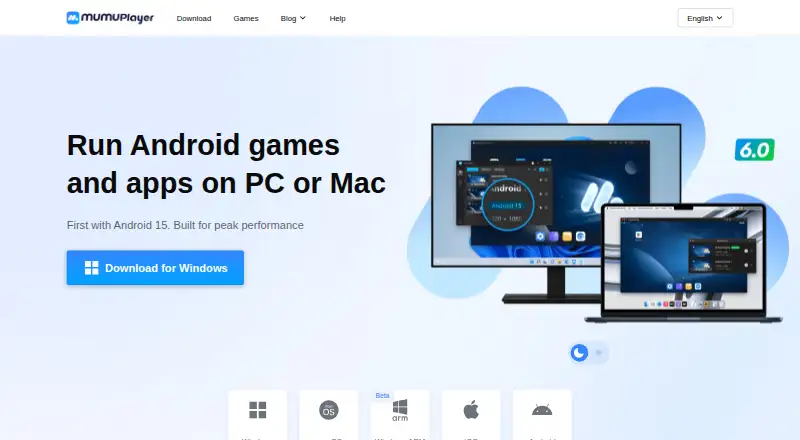
MuMu Player supports Windows, macOS, and Windows on ARM for desktop use. The download page lists Windows 8 or later, Apple Silicon Macs, and Windows ARM, which is marked beta. Android, iOS, macOS, and Windows are listed as supported platforms.
From version 1.5.4 onward, command-line Android device management, ADB connectivity, and network and airplane-mode controls are available. There is no root access.
Good fit
MuMu Player suits people who want to play Android games on a Windows or Mac computer, switch between Android versions, or manage more than one emulator instance. It also fits players who prefer keyboard, mouse, joystick, or touchpad controls.
Watch for
Windows ARM support is marked beta. Mac users get a seven-day free trial only when the device has not used MuMu Player for Mac before; payment is required afterward to continue.
Root access is not available. Premium is needed for macOS and mobile access, and Windows membership features include game acceleration, translation, and removal of MuMu-served ads on Android devices.
The privacy policy says MuMu Player uses administrative, technical, and physical safeguards and does not view, record, or store remote-session screen content, audio, files, keystrokes, or input. It also says personal information is not sold or shared for cross-context behavioral advertising.
Pricing
MuMu Player has a free plan and a seven-day trial. The MuMuPlayer Premium plan has no listed price; it is billed automatically each quarter, with the price shown immediately before purchase.
Premium adds paid membership features. On Windows, those include game acceleration and translation plus removal of MuMu-served ads on Android devices. macOS and mobile access require membership.
Verdict
Choose MuMu Player if your main goal is running Android games or apps on a Windows or Mac computer and you want multiple instances, Google Play, or custom controls. Its manual package installation and newer command-line device controls may help advanced users.
Check the Mac trial terms before starting, especially if continued use will require a paid membership.
Our take
MuMu Player is a practical choice for Android gaming on Windows and Mac, especially when multi-instance play, Google Play, or keyboard and gamepad controls matter. The free plan lets buyers start without a listed fee, but Premium renews quarterly with its price shown before purchase. Mac users should note the limited trial rule, while Windows ARM users should treat support as beta. Skip it if you need root access or do not want membership requirements for macOS and mobile use.
- Android 15 and Android 12 can run side by side
- Google Play, multi-instance mode, keyboard mapping, and gamepad support
- Manual installation works with APK, APKS, and XAPK packages
- Free plan and seven-day trial available
- Command-line and ADB controls from version 1.5.4
- Windows ARM support is marked beta
- No root access
- Mac trial requires payment to continue
- macOS and mobile access require membership
- Pick it ifPlaying Android games on Windows or Mac; Users who need multiple Android instances; Players wanting keyboard, gamepad, or touchpad controls
- Skip it ifYou need root access; You require stable Windows ARM support; You want macOS or mobile access without membership
Pricing
A free plan and seven-day trial are available. Premium pricing appears immediately before purchase, with automatic quarterly billing. Mac trial users must pay after seven days to continue.
- MuMuPlayer PremiumAuto-renewing; monthly billing period. Price is shown immediately before purchase. · Paid membership features; Windows features include game acceleration and translation, and removal of MuMu-served ads in Android devices; macOS and mobile access require membershipOn request
- MuMuPlayer PremiumAuto-renewing; quarterly billing period. Price is shown immediately before purchase. · Paid membership features; Windows features include game acceleration and translation, and removal of MuMu-served ads in Android devices; macOS and mobile access require membershipOn request
- MuMuPlayer PremiumAuto-renewing; annual billing period. Price is shown immediately before purchase. · Paid membership features; Windows features include game acceleration and translation, and removal of MuMu-served ads in Android devices; macOS and mobile access require membershipOn request
As mumuplayer.com lists them, checked 4 Oct 2026.
Questions
Does MuMu Player support Google Play?
Yes. Google Play support is listed.
Which computers can run MuMu Player?
The download page lists Windows 8 or later, macOS on Apple Silicon, and Windows ARM, which is marked beta.
Can I install APK files?
Yes. APK, APKS, and XAPK files can be added manually, or apps can be obtained through the in-emulator game center and browser.
Is MuMu Player free?
There is a free plan and a seven-day trial. Premium has no listed price and renews automatically each quarter.
Does it offer multi-instance mode?
Yes. Multiple sessions are supported, including concurrent Android 15 and Android 12 instances.
Does MuMu Player provide root access?
No. Root access is not available.
What happens after the Mac trial?
The seven-day Mac trial applies to devices that have not previously used MuMu Player for Mac. Payment is required to continue afterward.