
Interactive Presentation Software
Nearpod: Interactive Teaching and Learning
nearpod.com · checked 14 Oct 2026
Interactive lesson platform for educators with live, self-paced, and front-of-class teaching modes.
How it plugs in
Signal on Interactive Presentation Software6.7#1 of 30
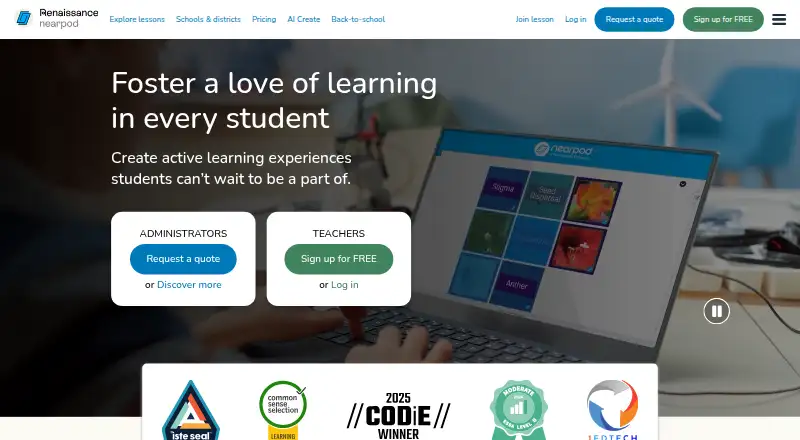
Nearpod helps educators turn slides, documents, videos, and other materials into interactive lessons. Teachers can add quizzes, polls, drawing, collaboration, virtual-reality trips, and other activities, then teach live or let students work independently. Responses appear during lessons, with downloadable reports afterward. Plans range from a free tier to paid individual and school or district licenses.
Review
In a line
Educators use Nearpod online to build and run interactive lessons. It is designed for educators and supports live participation, student-paced work, and front-of-class teaching.
What it does
Teachers can build lessons from scratch or bring in PowerPoint files, Google Slides, PDFs, videos, and YouTube videos. More than 20 activity types include quizzes, polls, open-ended questions, Draw It, Drag & Drop, matching, interactive video questions, and shared response boards.
Lessons can include virtual-reality field trips and PhET simulations. Time to Climb turns multiple-choice questions into a race-style game. AI Create can use prompts or existing material to produce interactive lessons, activities, and multiple-choice questions.
The Nearpod Library contains over 22,000 customizable, ready-to-teach lessons, videos, and activities. During a session, teachers can view responses, then save class or individual reports in PDF or CSV format.
How it connects
Nearpod works through current browsers on Chromebooks, iPads, iPhones, Android devices, Windows PCs, and Macs. Its teacher applications run on iOS and Android, and an internet connection is needed.
Nearpod lists connections to Google Classroom, Microsoft Teams, Google and Microsoft sign-in, Clever, ClassLink, and LTI 1.3 learning systems including Canvas, Schoology, and Blackboard. Lessons can be embedded in any learning system through a lesson link. Users on Gold, Platinum, or School or District editions can place Nearpod activities inside Google Slides.
Nearpod uses proprietary software rather than an open-source license.
Good fit
Nearpod suits individual educators and K–12 schools that want one place to create, present, and assess interactive lessons. Student-Paced mode supports assigned work completed independently, while live modes support real-time teaching and feedback.
It can fit classes that already use Google, Microsoft, Clever, ClassLink, or an LTI-connected learning system. School and district licenses include implementation training and a dedicated Customer Success Manager.
Watch for
Plan limits vary. Silver provides 300 MB of storage and 40 student joins per lesson, Gold provides 1 GB and 75 joins, and Platinum provides 5 GB and 90 joins. School and District plans list 250 joins per lesson and unlimited storage.
Nearpod requires an internet-connected browser or device. Check that your school’s sign-in, rostering, and learning-system setup matches the supported options before choosing a plan.
Renaissance says the educational institution controls student-data collection and handling. Its privacy page lists Nearpod certification as coming soon, while its compliance programs undergo annual SOC 2 Type 2 examinations.
Pricing
The Silver tier costs nothing and includes core features, 300 MB of storage, and 40 student joins per lesson. A free trial is also available.
Gold costs $159 a year. This tier provides 1 GB of storage, 75 joins per lesson, the AI Create Question Generator, Google Slides add-on, Drag & Drop, and substitute-teacher plans.
Platinum costs $397 a year. It includes 5 GB, 90 joins per lesson, student notes, and all Gold features. School & District plans require a quote and list unlimited storage, 250 joins per lesson, learning-system and rostering connections, admin reporting, and a dedicated Customer Success Manager.
Verdict
Choose Nearpod if your teaching depends on interactive slides, quick checks for understanding, and reports you can save after class. Its free tier gives individuals a way to start, while paid plans raise storage and class-size limits and add features such as Google Slides support and AI question creation.
Look elsewhere if you need offline delivery, open-source software, or a class size beyond your selected plan’s join limit. Schools should confirm their learning-system and rostering setup, data requirements, and whether quote-based licensing fits their purchasing process.
Our take
Nearpod is a practical choice for educators who want lessons, participation, and assessment in one browser-based workflow. The free Silver plan covers core teaching with modest storage and 40 joins per lesson. Gold and Platinum increase capacity and add tools such as Google Slides support, AI question generation, and student notes. School and District plans support larger rollouts with unlimited storage, LMS connections, reporting, and implementation support. Before buying, confirm internet access, supported sign-in or rostering, and the join limit your classes need.
- Free plan with core lesson features
- Imports PowerPoint, Google Slides, PDFs, and videos
- Live and student-paced delivery modes
- More than 22,000 ready-to-teach resources
- Downloads PDF or CSV lesson reports
- Silver allows 40 student joins per lesson
- Paid individual plans cap joins at 75 or 90
- Requires an internet connection
- Not open source
- School and district licenses use quote-based pricing
- Pick it ifK–12 educators building interactive lessons; Schools using Google, Microsoft, or LTI learning systems; Classes needing live responses and post-lesson reports
- Skip it ifYou need offline teaching or open-source software; Your classes exceed the join limit of available individual plans; You require pricing without a quote for school-wide licensing
Pricing
Silver is free forever. Gold is $159/year and Platinum is $397/year. School & District plans use quote-based pricing; they raise capacity to 250 joins per lesson and add school-level tools and support.
- SilverFree forever · 300 MB storage · 40 student joins per lesson · core featuresFree
- Gold$159/year · 1 GB storage · 75 student joins per lesson · AI Create Question Generator · Google Slides add-on · Drag & Drop · Sub Plans$159/yr
- Platinum$397/year · 5 GB storage · 90 student joins per lesson · student notes · all Gold features$397/yr
- School & DistrictRequest a quote · Unlimited storage · 250 student joins per lesson · LMS/LTI/rostering · admin reporting · dedicated Customer Success ManagerOn request
- School or DistrictRequest a quote · Unlimited storage · 250 student joins per lesson · LMS/LTI/rostering integrations · dedicated Customer Success ManagerOn request
As nearpod.com lists them, checked 14 Oct 2026.
Questions
Can Nearpod use my existing lesson files?
Yes. Teachers can upload PowerPoint files, Google Slides, PDFs, videos, and YouTube videos, then add interactive activities.
Is there a no-cost Nearpod option?
Yes. The Silver tier costs nothing and includes core features, 300 MB of storage, and 40 student joins per lesson. A free trial is also available.
Which learning systems connect to Nearpod?
Nearpod lists Google Classroom, Microsoft Teams, Google and Microsoft sign-in, Clever, ClassLink, and LTI 1.3 systems such as Canvas, Schoology, and Blackboard.
Can students work without joining a live class?
Yes. Student-Paced mode lets learners complete assigned lessons independently while teachers review captured responses and reports.
What reports can teachers download?
After a lesson, teachers can download class or individual student reports as PDF or CSV files.
Is Nearpod open source?
No. Its license terms describe proprietary software and prohibit redistribution, reverse engineering, and decompilation.
Which devices work with Nearpod?
Nearpod supports current browsers on Chromebooks, iPads, iPhones, Android devices, Windows PCs, and Macs; teacher apps run on iOS and Android.