
Remote Connection Manager Software
Nexterm: Open-Source Server Management
nexterm.dev · checked 15 Oct 2026
Open-source, self-hosted server management for SSH, VNC, RDP and more.
How it plugs in
Signal on Remote Connection Manager Software7.7#1 of 29
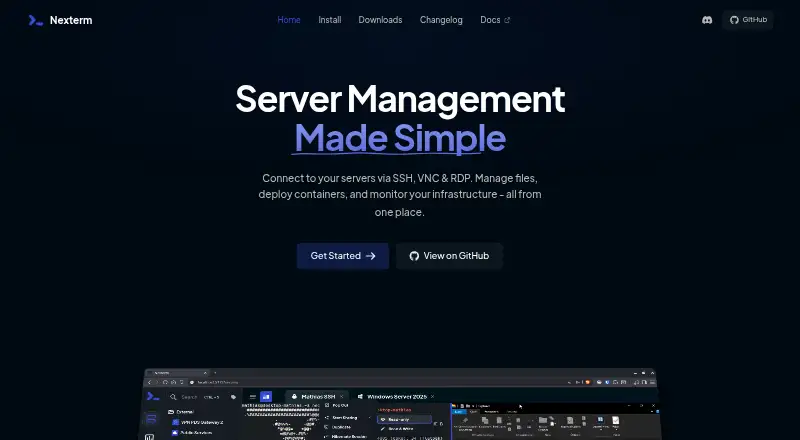
Nexterm is open-source software for managing remote servers through SSH, VNC, RDP and Telnet. It adds SFTP file transfers, Docker deployment, Proxmox container management, monitoring, scripts, session recordings and shared team access. Nexterm runs through self-hosted Docker or source deployments, with desktop and mobile downloads and a REST API.
Review
In a line
Nexterm is open-source server-management software for connecting to remote machines over SSH, VNC, RDP and Telnet. It is self-hosted and available across desktop, mobile and web environments.
What it does
The browser interface opens SSH sessions and remote VNC or RDP desktops. SFTP support lets you browse and transfer files on remote servers.
You can organize servers in folders and work in tabs. Nexterm also records terminal sessions for later playback, runs remote browsers inside a server network, and shows live CPU, memory and process information.
The project documents Docker-based application deployment and management of Proxmox LXC and QEMU containers. Reusable command snippets and scripts can automate server tasks with prompts, confirmations, progress indicators and summaries.
How it connects
Nexterm supports team sharing through organizations. Its security features include two-factor login, session controls, encryption for stored passwords and private keys, and a required encryption key.
OpenID Connect single sign-on works with providers such as Microsoft Entra ID, Google, Keycloak, Authentik and Authelia. LDAP and Active Directory can also be configured.
A public REST API covers accounts, connections, monitoring, organizations, scripts, backups and other resources. The project supplies examples in cURL, JavaScript, PHP and Python. Scripts and snippets can sync from public Git repositories on GitHub, GitLab or other Git services.
Nexterm is released under the MIT License. It offers all-in-one, server-only and engine-only Docker images, including split server and engine deployments for distributed networks.
Good fit
Nexterm suits people who need one self-hosted place for remote server access, file handling and operations work. It can fit teams that share connection details and administrators who use Docker or Proxmox.
Desktop downloads cover Windows, macOS and Linux. Mobile apps are listed for Android and iOS, and a web interface is available.
Watch for
Nexterm is still in beta. Its installation guidance recommends regular backups and directs issue reports to GitHub.
Self-hosting requires deployment through Docker or source. Every installation needs an ENCRYPTION_KEY to protect stored credentials and keys. The installation guide recommends host networking because Wake-on-LAN and localhost connections need direct access to the host network.
Source development requires Node.js, Yarn and the FlatBuffers compiler. Docker is optional for development.
Pricing
Nexterm has one listed plan: Nexterm, free, open source and covered by the MIT License. There is no paid tier in the supplied pricing information.
Verdict
Choose Nexterm if you want a free, self-hosted console that combines several remote-access protocols with file transfers, monitoring, automation and team sharing. Its API, command-line tool and deployment choices also suit organizations that need to connect it to existing workflows.
Look elsewhere if you need a finished hosted service instead of running your own server, or if beta software and setup requirements are unacceptable. Check protocol needs, authentication method and network layout before deploying it.
Our take
Nexterm is a practical option for people who want open-source control over remote server access. It covers SSH, VNC, RDP and Telnet, then adds SFTP, monitoring, scripts, recordings, Docker and Proxmox tools. Team sharing, single sign-on options and a REST API broaden its use. The trade-off is ownership of deployment and maintenance: you must host it, protect the encryption key and account for beta status. It is a poor match for buyers seeking a managed cloud product with no installation work.
- Supports SSH, VNC, RDP and Telnet connections
- Includes SFTP browsing and file transfers
- Open source under the MIT License and free to use
- Offers team sharing, scripts, monitoring and session recordings
- Provides REST API access and Docker deployment options
- Still in beta, with backups advised
- Self-hosting and encryption-key setup are required
- Source development needs Node.js, Yarn and FlatBuffers
- Host networking is recommended for some connections
- Pick it ifSelf-hosted remote server access; Teams sharing connections and scripts; Docker and Proxmox administrators
- Skip it ifYou need a hosted service with no deployment work; Beta software or command-line setup is not acceptable
Pricing
The only listed plan is Nexterm: free, open source and MIT-licensed. No paid plan is provided in the facts.
- NextermOpen source · MIT LicenseFree
As docs.nexterm.dev lists them, checked 30 Sept 2026.
Questions
Is Nexterm free?
Yes. The listed Nexterm plan is free, open source and distributed under the MIT License.
Which protocols does Nexterm support?
Nexterm supports SSH, VNC, RDP and Telnet. It also provides SFTP file management for remote servers.
Can teams share server access?
Yes. Organizations let users share server access with team members.
Does Nexterm have an API?
Yes. Its public REST API covers accounts, authentication, connections, monitoring, organizations, scripts, backups and other resources.
Where can Nexterm run?
Nexterm supports Android, iOS, Linux, macOS, Windows, web and self-hosted deployments.
Is Nexterm ready for production?
The installation documentation says Nexterm is still in beta and recommends regular data backups.
What login systems are supported?
Nexterm lists two-factor authentication and OIDC single sign-on, plus LDAP and Active Directory authentication.
Near it
All alternatives →- RT
 Royal TS#2 on this board
- BC
 BURSU Connection Manager#3 on this board
- RCRemote Commander#4 on this board
- MMremoteGO#5 on this board
- DR
 Devolutions Remote Desktop Manager#6 on this board
- M
 MobaXterm#7 on this board
- TTermix#8 on this board
- HHeimdall#9 on this board
- WWebterminal#10 on this board
- Eelecterm#11 on this board