NWinfo Windows Hardware Information Tool
a1ive.github.io · checked 5 Oct 2026
Free Windows utility for gathering in-depth system and hardware details.
How it plugs in
Signal on System Information Software6.0#11 of 34
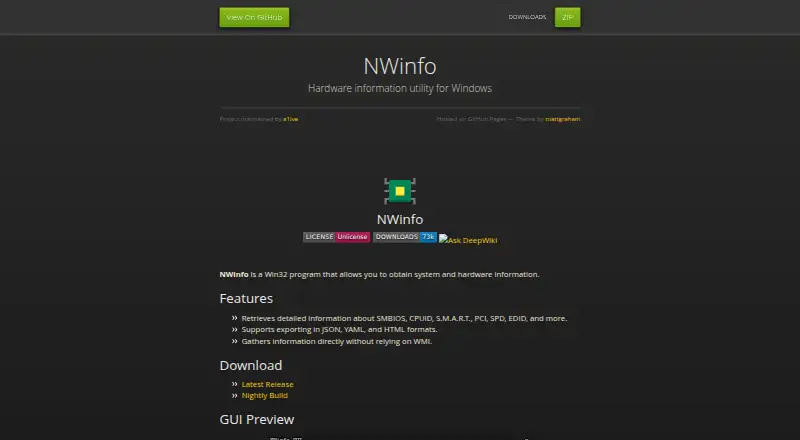
NWinfo is a no-cost Windows utility for gathering system, hardware, firmware, and sensor details. It has both a graphical app and a command-line program, with support for older Windows versions depending on which part you use. Reports can be written in multiple formats, and the project links to source code, releases, nightly builds, and libraries.
Review
In a line
NWinfo is a Win32 application that inventories a Windows computer's system and hardware.
What it does
The utility reads SMBIOS, CPUID, S.M.A.R.T., PCI, EDID, and other hardware information. It can also collect sensor readings through built-in providers and supported monitoring software.
NWinfo includes a graphical interface and a command-line program. The GUI supports Windows 7 and later; the command-line program supports Windows XP and later. A portable version is available.
How it connects
NWinfo collects data directly rather than depending on Windows Management Instrumentation (WMI). Sensor readings can come from LibreHardwareMonitor, HWiNFO shared memory, GPU-Z shared memory, or NWinfo's built-in providers.
Its GPU support uses NVIDIA NVAPI, AMD ADL2, and Intel IGCL, with the corresponding GPU drivers required. The command line can write YAML, JSON, LUA, TREE, and HTML, and reports can also be exported as JSON, YAML, or HTML.
The project is open source under the Unlicense. The maker links to source code, GitHub releases, nightly builds, and libraries. See system information software for related tools.
Good fit
NWinfo suits people who need a detailed inventory of Windows hardware and firmware, either from a desktop app or automated command-line reports.
Its multiple export formats help when information must be saved or passed to another tool. The direct collection approach may also suit users who do not want WMI-based retrieval.
Watch for
Some hardware details may be unavailable when NWinfo runs without a driver. NVMe works only on Windows 10 or later, and GPU sensor access needs the matching GPU drivers.
The maker warns that reading DIMM SPD data can damage hardware. To omit MAC addresses and serial numbers from command-line reports, use --hide-sensitive before sharing them.
Check the Windows version and whether your required hardware data needs a driver before relying on a report.
Pricing
NWinfo is free. It has a free plan and no free trial because there is no paid plan listed.
Verdict
Choose NWinfo if you need broad Windows hardware and firmware details, command-line output, or a portable utility at no cost. It is a practical match for report generation and sensor collection across several providers.
Avoid making it your only option when DIMM SPD reading is necessary, when you need guaranteed access without drivers, or when your NVMe systems run an older version of Windows.
Our take
NWinfo is a sensible no-cost choice for Windows users who want hardware inventories in a desktop or command-line workflow. Its broad data sources and export choices cover routine diagnostics and report building. Before adopting it, confirm the target Windows versions, required drivers, and whether NVMe or GPU details are essential. Treat DIMM SPD reading with particular care because the project warns it can damage hardware. The hide-sensitive option is useful when reports may expose identifying device information.
- Free to use with a portable version
- Reads SMBIOS, CPUID, S.M.A.R.T., PCI, EDID, and other hardware information
- GUI and command-line versions support different Windows generations
- The command line writes YAML, JSON, LUA, TREE, and HTML
- Can use several sensor providers and GPU APIs
- Some hardware information may need a driver
- NVMe works only on Windows 10 or later
- GPU sensor access requires GPU drivers
- DIMM SPD reading may damage hardware
- No free trial is offered, though the software is free
- Pick it ifWindows hardware and firmware inventories; Command-line or portable report collection; Users needing JSON, YAML, or HTML exports
- Skip it ifYou need hardware details that are unavailable without drivers; You must read DIMM SPD data without accepting the stated hardware risk; Your NVMe systems run Windows versions before Windows 10
Pricing
NWinfo is free, with a free plan and no separate trial period. No paid tier is listed.
Questions
What is NWinfo?
NWinfo is a Win32 Windows program that collects system, hardware, and firmware information.
Which Windows versions does NWinfo support?
The GUI supports Windows 7 and later. The command-line program supports Windows XP and later. NVMe works only on Windows 10 or later.
What formats can NWinfo export?
Its command line writes YAML, JSON, LUA, TREE, and HTML. Reports can also be exported in JSON, YAML, and HTML.
Does NWinfo require a driver?
It can run without a driver, but some hardware information may be inaccessible. GPU sensor access requires the relevant GPU drivers.
Which sensor tools can NWinfo use?
Sensor readings can come from LibreHardwareMonitor, HWiNFO shared memory, GPU-Z shared memory, and built-in providers.
Can NWinfo hide identifying data?
Yes. Use the command-line --hide-sensitive option to omit MAC addresses and serial numbers.
Is NWinfo open source?
Yes. It is licensed under the Unlicense, with source code, releases, nightly builds, and libraries available from the project.
Is NWinfo free?
Yes. NWinfo has a free plan, and no separate free trial is listed.