ODA File Converter for DWG and DXF Version Changes
opendesign.com · checked 15 Oct 2026
Free utility for changing DWG and DXF file versions through graphical or command-line controls.
How it plugs in
Signal on 3D File Converter Software6.7#1 of 31
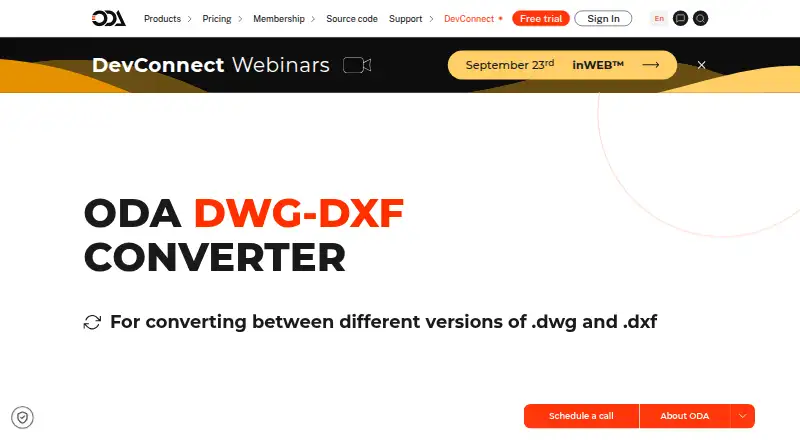
Drawings can be moved between DWG and DXF versions with ODA File Converter. It runs on Windows, macOS and Linux, offering both graphical and command-line controls. Batch jobs can filter files, include subfolders, and apply an audit or repair step. The download costs nothing, though non-members are limited to non-commercial work.
Review
In a line
This free ODA utility changes drawings from one DWG or DXF version to another. Open Design Alliance provides it as an example project for its CAD software framework.
What it does
Choose a source folder, destination folder, output version and file type, then run a conversion job. The tool can process matching files in batches, optionally include subfolders, and run an audit or repair operation as files load. Users can work through either the graphical application or the command-line interface.
How it connects
It works with DWG and DXF files on Windows, macOS and Linux. The input filter starts with *.dwg;*.dxf but can be changed. The installed converter can also be called by the ezdxf project through its file-reading, export and conversion functions. It is not open source, although ODA places example source in its Drawings archive.
Good fit
This suits CAD users who need repeatable DWG or DXF version changes, especially when many files must be handled at once. The command-line option can support scripted workflows, while the graphical option covers folder-based jobs. It supports both Intel and Apple silicon Macs, plus 64-bit Windows and x64 Linux systems.
Watch for
The free example download is available to non-members only for non-commercial applications. ODA publishes only the newest public version; older versions are reserved for members.
The Windows package targets 64-bit Windows 10 or later, and Mac packages need version 13 or later. Linux packages target x64 hardware with GLIBC 2.28 or newer; the portable AppImage needs FUSE, and some Ubuntu or Fedora setups may need a libxcb-util compatibility link.
Automated headless use has caveats: Windows suppresses the interface, Linux may need Xvfb, and macOS has no known solution for hiding the interface. Calling an external converter from another program also creates a security risk if its executable path can be changed.
Pricing
ODA offers File Converter as a free download. Its no-cost plan provides DWG/DXF conversion, graphical and command-line operation, recursive processing, and an audit or repair option; non-members may use it only for non-commercial work.
Verdict
Choose this utility when your main task is converting DWG or DXF files between versions without paying for a separate converter. It is a practical match for folder-based batch work and for users who need both a desktop window and command-line control.
Look elsewhere if you need commercial rights as a non-member, an older public release, or dependable interface-free automation on macOS.
Our take
ODA File Converter is a sensible pick for free DWG and DXF version changes on a supported computer. Its batch settings, audit option and two interfaces cover straightforward office and scripted jobs. Licensing is the key constraint because non-members may use it only for non-commercial work. Check operating-system requirements before installing, particularly Linux libraries and AppImage support. If you need hidden-interface automation on macOS, access to older releases, or a commercial workflow without membership, this utility may not meet the need.
- Free download for Windows, macOS and Linux
- Graphical and command-line interfaces
- Batch conversion with filters and subfolder processing
- Optional audit and repair while loading files
- Supports DWG and DXF version changes
- Non-members may use it only for non-commercial applications
- Public site offers only the latest version
- Linux may require FUSE or a compatibility link
- Headless automation has platform-specific limits
- Not open source
- Pick it ifNon-commercial DWG and DXF batch conversion; Users needing both GUI and command-line controls; CAD workflows on Windows, macOS or Linux
- Skip it ifYou need commercial use without ODA membership; You require older public versions or macOS headless automation; Your system does not meet the stated platform requirements
Pricing
Free download and free plan. Non-members may use the converter only for non-commercial applications.
- ODA File ConverterFree download; non-commercial use only for non-membersFree
- ODA File Converter FreeDWG/DXF conversion · GUI and command line · recursive processing · audit/repair option · non-members non-commercial use onlyFree
As opendesign.com lists them, checked 30 Sept 2026.
Questions
What files does ODA File Converter handle?
The utility moves drawings among different DWG and DXF versions.
Is ODA File Converter free?
Yes. Anyone can download it at no cost, while non-members are limited to non-commercial applications.
Can it convert many files at once?
Yes. Set the source and target folders, choose a filter and output settings, and optionally include subfolders.
Does it have a command-line mode?
Yes. Operation is available through both graphical controls and a command-line interface.
Which operating systems are supported?
Listed downloads cover 64-bit Windows 10 or later, macOS 13 or later on Intel or Apple silicon, and x64 Linux requiring GLIBC 2.28 or newer.
Can I use older converter versions?
ODA says its public site provides only the latest version. Older versions are reserved for ODA members.
Is the converter open source?
No. ODA says example source is available in its Drawings archive, but the converter is not open source.
Near it
All alternatives →- S3Spin 3D#2 on this board
- CECAD Exchanger#3 on this board
- 3T
 3D-Tool#4 on this board
- FGFBX-glTF-conv#5 on this board
- CACAD Assistant#6 on this board
- C
 Convert3D#7 on this board
- FFBX2glTF#8 on this board
- OAOpen Asset Import Library (Assimp)#9 on this board
- Mmeshio#10 on this board
- 3E3D_Evolution#11 on this board