Open WebUI: Self-Managed AI Workspace Review
openwebui.com · checked 11 Oct 2026
Private, self-managed AI workspace for local or hosted models, offering search, uploads, images, and team collaboration.
How it plugs in
Signal on AI chatbots and assistants7.3#10 of 65
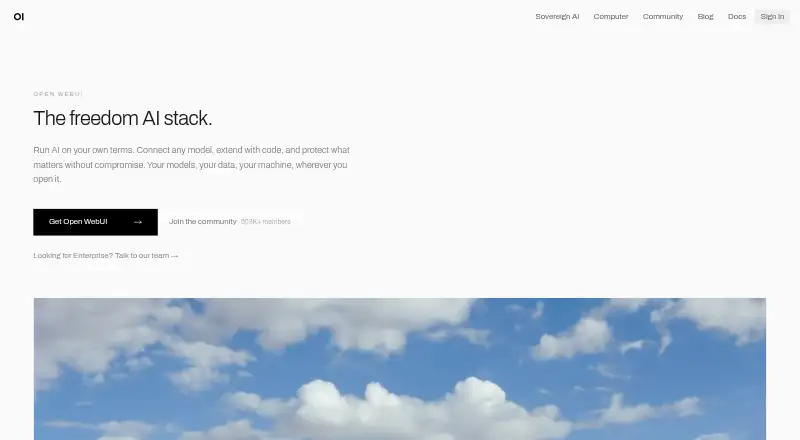
Open WebUI provides a self-managed way to work with AI models running locally or in the cloud. Its setup can operate without an internet connection, link with Ollama or OpenAI-compatible services, and offer search, uploads, image creation, mobile apps, and shared workspaces. Organizations may place it on their own infrastructure, in a private cloud, or within an air-gapped network.
Review
In a line
Open WebUI gives teams a self-managed chat front end for models hosted locally or remotely. The software can function fully offline when no outside services are part of the configuration.
What it does
Voice, vision, search, uploads, image creation, and related model functions are available in one interface. Knowledge retrieval can also locate relevant passages in stored material before a response is generated.
Mobile applications accompany the web experience, and shared team workspaces are available. Supported environments include Android, iOS, web, Linux, macOS, and Windows.
How it connects
Ollama and OpenAI-compatible services can provide the model connections, whether those models are local or cloud-hosted.
Filters, Actions, Pipes, Tools, and Skills provide extension points. Tool-server links can use MCP, MCPO, or OpenAPI. Local retrieval is described with nine vector databases, multiple content-extraction engines, hybrid search, reranking, and full-context mode.
Docker, pip, uv, and a desktop installer are documented setup routes. For production, the documentation points to Docker or Python.
Good fit
Open WebUI suits people who want one interface for local models, cloud models, or both. It fits organizations that need on-premises, private-cloud, or air-gapped deployment.
The enterprise material covers organizations from startups to Fortune 500 companies. Shared workspaces, search, files, images, single sign-on, directory connections, role permissions, model permissions, and workspace isolation are among the available capabilities.
Watch for
An operator must configure where chats, files, knowledge bases, embeddings, users, permissions, and logs are stored. Data is sent outside the installation when external providers, tools, model endpoints, or integrations are enabled.
The deploying organization remains responsible for compliance. Deployments with more than 50 users must keep Open WebUI branding visible unless an exception, such as qualifying enterprise licensing, allows changes.
Enterprise support may provide guidance, account management, office hours, support channels, and consulting, but not implementation services.
Pricing
The listed plan has no fee and is provided as-is. Internal deployments may retain the original branding, while installations serving 50 or fewer users may change that branding under the plan.
Larger deployments need to check the branding rule and any enterprise licensing exception before changing the visible branding.
Verdict
Choose Open WebUI when you need a self-managed front end spanning multiple model sources, particularly for offline, private-cloud, or air-gapped use. Its range of installation methods and permissions can also work for shared organizational environments.
Look elsewhere if you want a hosted service that handles storage and deployment for you, or if you cannot keep required branding on a larger installation.
Our take
Open WebUI is a practical choice for teams operating their own AI interface across local and cloud models. It handles search, files, images, and shared workspaces, with options for private or isolated deployment. The trade-off is operational responsibility: your organization configures storage, integrations, security, and compliance, and outside connections can transmit data. The no-cost plan is useful, but larger installations must account for branding requirements or an eligible enterprise exception.
- No-cost plan for internal use
- Runs on many desktop, mobile, and web platforms
- Works with Ollama and OpenAI-compatible APIs
- Can be deployed offline, in a private cloud, or on-premises
- Provides team workspaces and access controls
- Self-managed setup and storage require operator work
- External connections can route data outside the installation
- Compliance remains the deploying organization's responsibility
- Branding must stay visible for deployments over 50 users unless exempt
- Pick it ifTeams running local or cloud models under their own control; Organizations needing private, on-premises, or air-gapped deployment; Users who want search, files, images, and shared workspaces
- Skip it ifYou want a fully hosted service with no deployment or storage work; You need to remove branding from a larger deployment without an exception
Pricing
The listed Open WebUI plan is free. It covers internal use with original branding, plus branding changes for deployments with 50 or fewer users. Deployments above 50 users should check the branding rule or an enterprise licensing exception.
- Open WebUIFree to use as-is; internal use with original branding intact; branding changes for deployments with 50 or fewer usersFree
As docs.openwebui.com lists them, checked 11 Oct 2026.
Questions
Does Open WebUI cost anything?
Yes. The listed plan is free to use as provided for internal use with the original branding intact.
Is offline operation possible?
Yes. The self-managed interface is designed to work entirely offline when your chosen configuration does not rely on outside services.
What model sources are supported?
Connections are available through Ollama and OpenAI-compatible APIs, covering models hosted locally or in the cloud.
What deployment locations are available?
It can be placed on-premises, in a private cloud, or inside an air-gapped environment.
Are search and uploads included?
Yes. Capabilities listed for the product include web search, file uploads, image generation, and knowledge retrieval.
How is data handled with outside services?
Chats and other stored data remain in the storage you configure, while enabled outside providers, tools, model endpoints, or integrations can route data externally.
What collaboration and permission features are offered?
Team workspaces are available along with role-based permissions, model-level permissions, and workspace isolation.