
OpenSign: Open-Source Electronic Signature Software
opensignlabs.com · checked 15 Oct 2026
Open-source tools for preparing, routing, signing, storing, and tracking electronic documents.
How it plugs in
Signal on E-Signature Software8.9#1 of 68
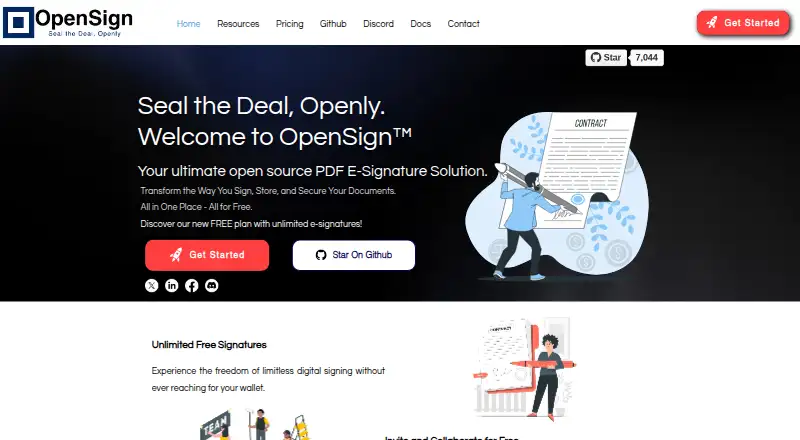
OpenSign delivers PDF signing from a hosted account or a server you operate, with its code available under an open-source licence. It offers reusable templates, sequential or concurrent signing, audit records, authentication choices, and a REST interface. The no-cost tier is joined by paid levels that unlock live API use, webhooks, public links, embedded signing, and collaboration features.
Review
In a line
OpenSign is open-source software for electronic PDF signatures. You can run it as a hosted service or deploy it yourself.
What it does
OpenSign helps create, send, sign, store, and track documents. Templates can include signature, initials, text, date, checkbox, stamp, and number fields with calculations.
Administrators may require signers to follow a specified sequence, or let them sign concurrently. Documents may require email one-time codes or access codes before recipients view or sign them.
After everyone signs, the service can add a digitally signed completion certificate. Download links for signed PDFs are designed to expire after a few minutes.
How it connects
OpenSign has a REST API for creating, sending, updating, revoking, and deleting documents, plus managing templates, contacts, and folders. It also supports webhook notifications. Live API tokens are available on Professional or Teams, while every plan includes sandbox tokens.
React, Next.js, HTML, JavaScript, and Angular applications can embed OpenSign templates.
The project identifies its source and API documentation as GNU AGPL v3.0 licensed. Docker instructions cover self-hosting on Linux, macOS, and Windows. The API describes TLS-encrypted connections, audit trails, IP records, and signed PDFs designed to show tampering.
Good fit
Documentation positions OpenSign for individuals and companies ranging from startups through large corporations that need electronic signing. It can fit teams wanting reusable templates, signer roles, bulk sending, or embedded signing.
The free offering includes unlimited digital signatures and templates, completion certificates, sequential signing, OpenSign Drive, and email notifications. For software projects, the API and framework embedding support connect signing to existing workflows.
Watch for
Users on the free plan can send no more than 15 invitation emails in a month. Bulk sending and public links are available only with paid plans, and live API tokens start with Professional or Teams.
Some SMTP features are limited to paid plans. For self-hosted deployments, the Docker guide notes that MongoDB authentication starts disabled and that port 27017 should stay off the public internet.
Check whether your needs include higher-tier features such as webhooks, calculated fields, embedded signing, or team controls before choosing a plan.
Pricing
OpenSign has a free plan and a free trial. Free is billed at no cost for life and includes unlimited digital signatures, unlimited templates, completion certificates, sequential signing, OpenSign Drive, and email notifications.
Professional is priced at $9.99 per month. Its package adds field validations, calculated fields, webhooks, Zapier integration, API access, 240 premium credits per year, up to 10 signers per document, embedded signing, and public links.
Teams costs $19.99 per user per month and includes the Professional features, up to 500 API signatures, and team functionality. Enterprise pricing is available on request, with a custom domain, whitelabeling, uptime SLA, SSO support, and priority support.
Verdict
Choose OpenSign if you want open-source signing with either hosted use or self-hosting, and your workflow benefits from templates, API connections, or embedded forms. The free tier covers basic signing, while Professional and Teams unlock the live API and collaboration features.
Be cautious if your process sends more than 15 free invitations monthly, depends on bulk sending or public links, or requires enterprise controls. Self-hosting also brings database security responsibilities. If you need a different product scope, compare electronic signature software options.
Our take
OpenSign is a practical choice for people who want open-source document signing and the option to host it themselves. Its no-cost tier handles core signing and templates, while paid plans introduce live API credentials, webhooks, public links, embedded signing, and team tools. The main checks are volume and deployment: free invitations are limited, several workflow features are paid, and self-hosting requires securing MongoDB. It fits organizations connecting signatures to their own applications, but may be unnecessary for simple, low-volume signing without integration needs.
- The project uses the GNU AGPL v3.0 licence for its source code
- Hosted or self-hosted deployment on Linux, macOS, and Windows
- No-cost tier provides unlimited signatures and templates
- REST API, webhooks, and framework embedding options
- Supports ordered or simultaneous signing and audit trails
- Free users can send only 15 invitation emails each month
- Paid plans are needed for bulk sending and public links
- Professional or Teams is required for production API credentials
- Some SMTP features are limited to paid plans
- Self-hosting requires securing the default MongoDB setup
- Pick it ifTeams seeking open-source electronic signatures; Organizations integrating signing into web applications; Organizations wanting hosted or self-hosted deployment
- Skip it ifYou need bulk sending or public links on a free plan; You want production API credentials without a paid plan; You cannot manage security for a self-hosted database
Pricing
The free-for-life tier handles core signing and templates. Professional costs $9.99 a month, Teams costs $19.99 a month per user, and Enterprise pricing is available on request. A free trial is available.
- FreeFree for life · Unlimited digital signatures · Unlimited templates · Completion certificates · Sequential signing · OpenSign Drive · Email notificationsFree
- ProfessionalMonthly · Field validations · Calculated fields · Webhooks · Zapier integration · API access · 240 premium credits per year · Up to 10 signers per document · Embedded signing · Public links$9.99/mo
- TeamsPer user per month · Everything in Professional · Up to 500 API signatures included · Team features$19.99/mo
- EnterpriseContact sales · Custom domain · Whitelabeling · Uptime SLA · SSO support · Priority supportOn request
As www-opensignlabs-com.filesusr.com lists them, checked 15 Oct 2026.
Questions
Is OpenSign open source?
Yes. OpenSign's source code and API documentation carry the GNU AGPL v3.0 licence.
Can I self-host OpenSign?
Yes. Docker self-hosting instructions cover Linux, macOS, and Windows.
Does OpenSign have a free plan?
Yes. The Free tier is free for life and includes unlimited digital signatures, unlimited templates, completion certificates, sequential signing, OpenSign Drive, and email notifications.
How many invitations can the free plan send?
The free-plan guide sets a monthly limit of 15 invitation emails. Bulk sending and public links are paid-plan features.
Does OpenSign provide an API?
Yes. Its REST interface offers sandbox, production, and EU endpoints. Production credentials are restricted to Professional and Teams, while sandbox credentials are available on every plan.
Can signers complete documents in sequence?
Yes. A document can impose a defined order, or let all signers work simultaneously.
What security options does OpenSign offer?
Protections include audit trails, IP logging, tamper-evident signed PDFs, two-factor authentication, passkey sign-in, email OTP verification, and access codes.